Detect Ivanti VPN Vulnerabilities: Log Analysis and Behavioral Signals
Network traffic patterns and server resource spikes often reveal exploitation attempts before standard intrusion detection systems flag the specific protocol anomalies.

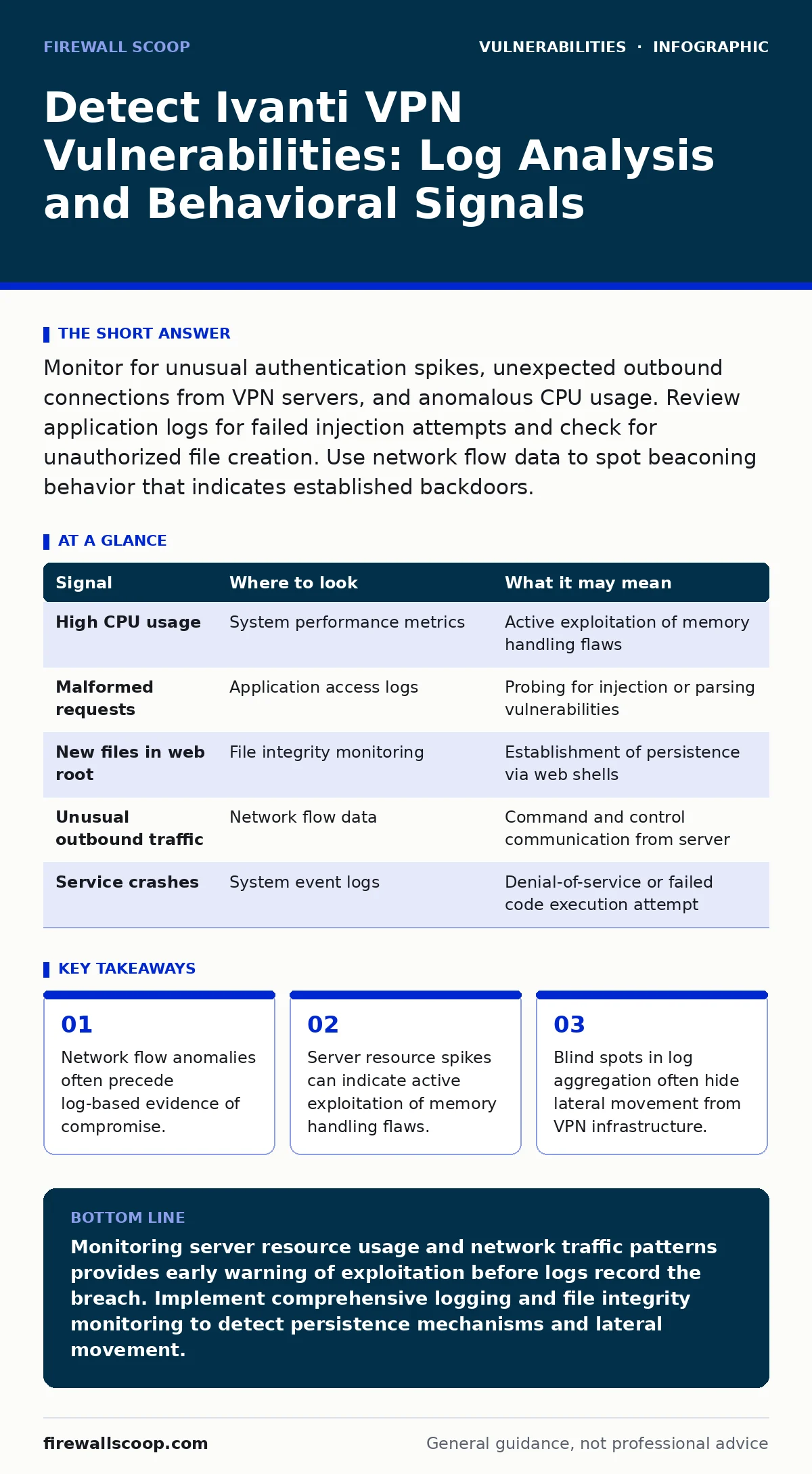
Monitor for unusual authentication spikes, unexpected outbound connections from VPN servers, and anomalous CPU usage. Review application logs for failed injection attempts and check for unauthorized file creation. Use network flow data to spot beaconing behavior that indicates established backdoors.
Network Traffic Anomalies Indicate Active Exploitation
Network traffic analysis provides the earliest warning signs of exploitation against Ivanti VPN infrastructure. Attackers often attempt to exploit buffer overflow vulnerabilities or heap overflow vulnerabilities by sending malformed packets to the gateway. You should monitor for sudden spikes in traffic volume directed at the VPN service ports. These spikes may indicate automated scanning or active exploitation attempts.
Look for connections that do not follow standard VPN handshake patterns. A legitimate connection establishes a tunnel, negotiates encryption, and then transmits user data. An attack may involve rapid connection attempts followed by immediate termination, or sustained connections with unusually small data payloads. These patterns suggest an attacker is probing for specific memory corruption conditions.
Server Resource Usage Reveals Memory Corruption
Server-side resource metrics often reveal exploitation before logs record the event. When an attacker triggers a buffer overflow vulnerability, the server process may consume excessive CPU or memory resources. This happens because the exploit attempts to overwrite memory structures to gain control of the execution flow.
Monitor the VPN service process for sudden increases in CPU utilization or memory allocation. A steady increase in memory usage that does not correlate with user connection counts is a strong indicator of a heap overflow vulnerability being exploited. The server may struggle to garbage collect objects created by the malformed requests, leading to performance degradation.
You should also watch for repeated crashes of the VPN service. Frequent restarts of the service component can indicate that the exploitation attempt is succeeding in crashing the process, which may be part of a denial-of-service attack or a precursor to code execution.
Application Logs Show Injection Attempts
Application logs contain detailed records of every request handled by the VPN gateway. You must examine these logs for signs of server-side template injection (SSTI) or other injection techniques. Attackers may embed malicious code snippets in authentication fields or URL parameters to test for vulnerability.
Look for log entries containing unusual characters, such as angle brackets, quotes, or escape sequences, in fields that should only contain alphanumeric data. These entries may represent attempts to inject code that the server processes as executable instructions. Even if the server rejects the request, the log entry confirms that an attacker is probing the system.
Review authentication logs for a high volume of failed login attempts followed by successful ones from unusual locations. This pattern may indicate credential stuffing or brute-force attacks that precede exploitation. Correlate these authentication events with network traffic to identify the source of the attack.
File System Changes Indicate Persistence
Successful exploitation often leads to the creation of new files on the VPN server. Attackers may drop web shells or backdoor executables to maintain access after the initial exploit fails or is patched. You should monitor the file system for new files created in directories writable by the VPN service account.
Check for new files in common web root directories or temporary folders. These files may have generic names that blend in with legitimate system files. Use file integrity monitoring tools to detect any changes to existing system binaries or configuration files. Any unauthorized modification to system files is a critical indicator of compromise.
Common Blind Spots in Detection
Many security teams miss indicators of compromise due to blind spots in their monitoring strategy. One common blind spot is the lack of visibility into internal traffic between the VPN server and internal resources. Attackers often use the compromised VPN server as a pivot point to move laterally within the network.
Another blind spot is the aggregation of logs from multiple VPN appliances. If you manage several devices, ensure that logs from all devices are collected and correlated centrally. Gaps in log collection can hide the full scope of an attack. You must verify that logging is enabled on all components, including load balancers and reverse proxies.
Security misconfigurations often exacerbate these blind spots. For instance, if the VPN server is configured to allow unrestricted access to diagnostic tools, an attacker may use these tools to exfiltrate data or disable logging. Review your security bulletins regularly to stay informed about new configuration risks.
See also: Detecting SIM Swap Attacks Through Log Analysis and Signal Correlation · How to Detect Kerberoasting: Signals, Logs, and Hidden Blind Spots
Detection Table for Quick Reference
Use the following table to map specific signals to their likely locations and meanings. This helps you prioritize your investigation efforts when an alert triggers.
| Signal | Where to look | What it may mean |
|---|---|---|
| High CPU usage | System performance metrics | Active exploitation of memory handling flaws |
| Malformed requests | Application access logs | Probing for injection or parsing vulnerabilities |
| New files in web root | File integrity monitoring | Establishment of persistence via web shells |
| Unusual outbound traffic | Network flow data | Command and control communication from server |
| Service crashes | System event logs | Denial-of-service or failed code execution attempt |
Tools and Techniques for Verification
You need specific tools to verify these indicators effectively. Intrusion detection systems (IDS) can help identify known attack signatures, but they may miss novel exploitation techniques. You should supplement IDS with behavioral analytics that establish baselines for normal network and server activity.
Endpoint detection and response (EDR) tools on the VPN servers can provide deep visibility into process activity. Use these tools to monitor for suspicious process spawns or file modifications. Correlate EDR alerts with network and application logs to build a complete picture of the attack.
Regular penetration testing can help identify vulnerabilities before attackers do. Focus your testing on the authentication and data processing components of the VPN gateway. Test for common issues like directory listing exposure, which can leak sensitive information to attackers. Address any findings immediately to reduce your attack surface.
Key takeaways
- Network flow anomalies often precede log-based evidence of compromise.
- Server resource spikes can indicate active exploitation of memory handling flaws.
- Blind spots in log aggregation often hide lateral movement from VPN infrastructure.
Monitoring server resource usage and network traffic patterns provides early warning of exploitation before logs record the breach. Implement comprehensive logging and file integrity monitoring to detect persistence mechanisms and lateral movement.
Frequently asked questions
How do I distinguish between a legitimate traffic spike and an attack?
Legitimate spikes usually correlate with known events like system updates or peak user hours. Attack spikes often involve malformed packets or connections from unusual geographic locations that do not match your user base.
Can a patched server still be vulnerable to these techniques?
Patching addresses known vulnerabilities, but configuration errors or new zero-day flaws may still exist. Continuous monitoring is required because patching does not eliminate the risk of misconfiguration or social engineering attacks targeting administrators.
What is the role of network segmentation in mitigating these risks?
Network segmentation limits the impact of a compromise by isolating the VPN server from critical internal resources. Even if an attacker gains access to the VPN gateway, they cannot easily move laterally to access sensitive data or systems.
How often should I review my VPN server logs?
You should review logs continuously using automated tools and perform detailed manual reviews weekly or after any suspicious alert. Automated reviews catch immediate threats, while manual reviews help identify subtle patterns that automated tools may miss.
How this guide was produced: written by the Firewall Scoop editorial team with AI assistance, checked against the public references listed below, and reviewed when the facts change. See our editorial policy or report an error.