Detect Employee Data Breaches: Log Signals and Blind Spots
Most insider data exfiltration leaves subtle traces in file metadata and unusual network patterns before any large transfer occurs.

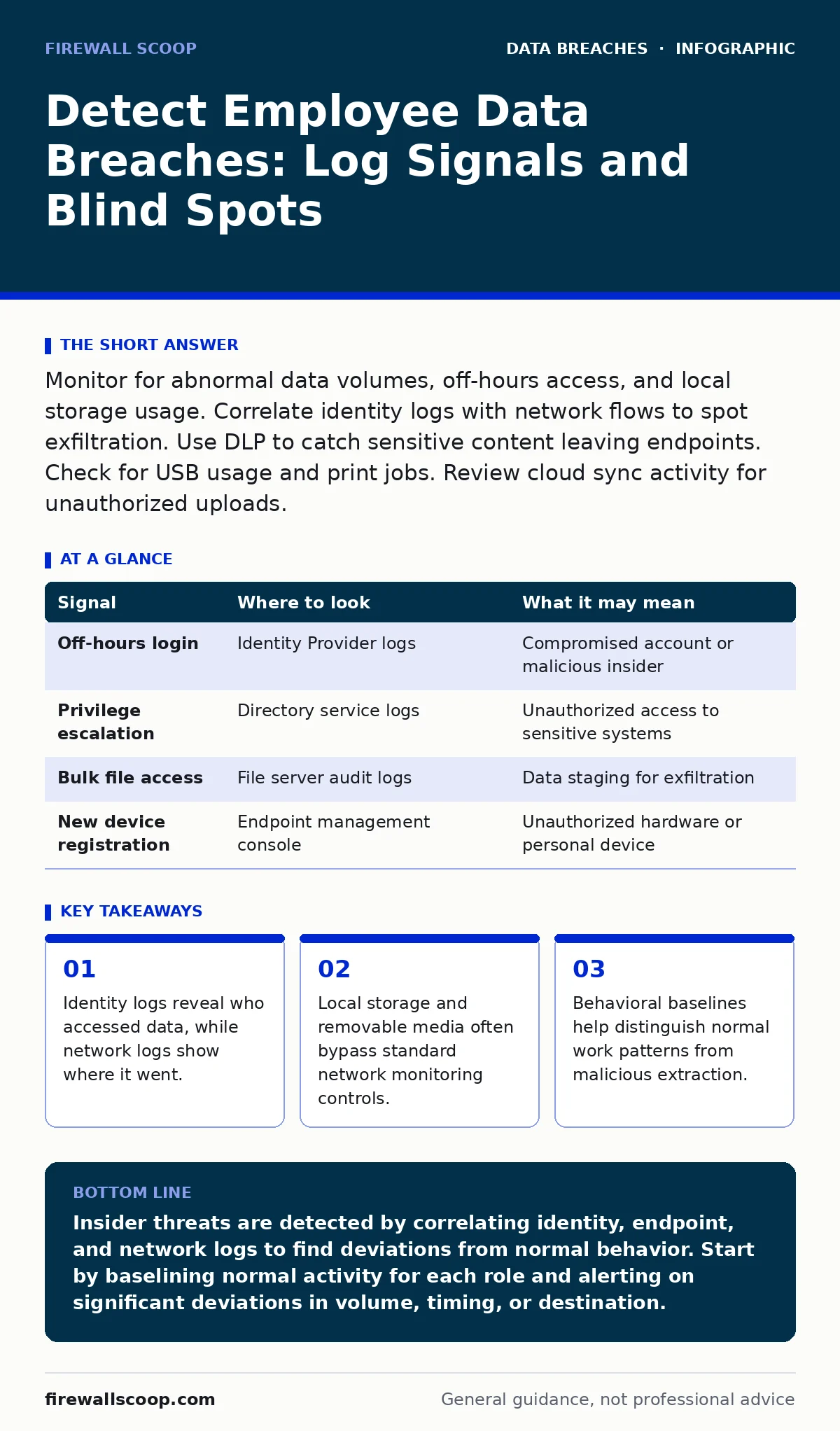
Monitor for abnormal data volumes, off-hours access, and local storage usage. Correlate identity logs with network flows to spot exfiltration. Use DLP to catch sensitive content leaving endpoints. Check for USB usage and print jobs. Review cloud sync activity for unauthorized uploads.
The Anatomy of Internal Extraction
Insider threats rarely look like Hollywood hackers typing furiously in the dark. Most employee data breaches involve legitimate credentials used in unusual ways. You must shift your focus from perimeter defense to internal behavior analysis. The goal is to identify when normal access patterns deviate significantly from the baseline.
Suppose an employee suddenly downloads the entire customer database on a Friday evening. This action might seem suspicious, but context matters. If that employee is a database administrator performing a backup, it is routine. If that employee is in marketing, it is a major red flag. You need to understand the role-based expectations for every user before you can spot the anomaly.
Identity and Access Logs
Identity logs are the first line of defense. They record who logged in, when, and from where. Look for successful logins at unusual hours or from unfamiliar geographic locations. These events do not prove a breach on their own, but they establish the opportunity for one.
Pay close attention to privilege escalation. If a standard user account suddenly gains administrative rights, note the timestamp. Check if this change was approved through your change management process. Unauthorized privilege escalation is often the precursor to data theft, as it allows access to restricted shares and systems.
Review failed login attempts followed by a successful one. This pattern can indicate credential stuffing or brute-force attacks against internal accounts. Even if the attacker uses stolen credentials from a previous breach, the behavior looks like an insider threat once the account is active.
| Signal | Where to look | What it may mean |
|---|---|---|
| Off-hours login | Identity Provider logs | Compromised account or malicious insider |
| Privilege escalation | Directory service logs | Unauthorized access to sensitive systems |
| Bulk file access | File server audit logs | Data staging for exfiltration |
| New device registration | Endpoint management console | Unauthorized hardware or personal device |
Endpoint and Local Storage Activity
Many security teams focus heavily on network traffic, ignoring what happens on the local machine. Employees can copy data to their desktop before uploading it to a personal cloud service. This bypasses network-level data loss prevention controls that only monitor outbound internet traffic.
Monitor for large numbers of files being copied to the local hard drive. Tools like endpoint detection and response can alert you when a user copies hundreds of documents in a short period. This is often the staging phase of an exfiltration attempt.
Check for the use of removable media. USB drives are a common vector for data theft. Configure your endpoint management system to log all USB insertions. If possible, block the write capability of USB drives to prevent data from leaving the endpoint physically. This is a strict control, but it eliminates a significant attack vector.
Network Flow Anomalies
Network logs show the movement of data. Look for large outbound transfers to unknown destinations. If an employee sends a 5GB archive to a personal email address, your network logs will show a large upload to an external IP.
Compare current traffic patterns to historical baselines. If a user typically sends small emails but suddenly uploads large files to a cloud storage provider, flag it. Data loss prevention tools can inspect the content of these uploads to see if they contain sensitive information like credit card numbers or personally identifiable information.
Be aware that encrypted traffic can hide exfiltration. If employees use personal messaging apps or encrypted cloud drives, your firewall may only see the volume of data, not the content. You must monitor for the use of unauthorized applications that bypass corporate security policies.
Cloud Application Usage
Cloud services are a double-edged sword. They enable productivity but also provide easy channels for data leakage. Employees might upload sensitive files to personal Google Drive or Dropbox accounts. These actions often go unnoticed if you do not monitor cloud application usage.
Use cloud access security brokers to monitor activity within SaaS applications. These tools can detect when users share files with external domains or download large datasets. They provide visibility into actions that happen entirely within the cloud, outside your traditional network perimeter.
Review sharing permissions regularly. A user might not steal data directly but could accidentally share a sensitive folder with the entire internet. This is a common cause of data leaks. Ensure that default sharing settings are restrictive and that users must explicitly approve external access.
See also: Detecting SIM Swap Attacks Through Log Analysis and Signal Correlation · How to Detect Kerberoasting: Signals, Logs, and Hidden Blind Spots
Physical and Print Blind Spots
Digital logs are not the only source of evidence. Printed documents can contain sensitive information that leaves the building physically. If you have sensitive data, you must monitor print jobs.
Log every print job with the user’s identity and the document name. Some organizations use badge readers at printers to ensure the person printing is the person who sent the job. This prevents someone from sending a sensitive document to a public printer and leaving it there.
Imagine an employee prints a confidential contract and leaves it in the tray. Another employee picks it up. This is a breach, but it leaves no digital footprint. Physical security controls are just as important as digital ones.
Common Blind Spots in Detection
One major blind spot is the assumption that all employees are honest. This leads to a lack of baseline monitoring for high-privilege accounts. Administrators often have access to all data, and their actions are rarely audited. You must treat admin accounts with the same scrutiny as standard user accounts.
Another blind spot is the focus on large transfers. Small, incremental data theft can go unnoticed for months. An employee might copy ten files a day. Over a year, this amounts to a significant data breach. Your detection rules must account for low-and-slow exfiltration techniques.
Finally, many teams ignore data at rest. If an employee copies data to an unencrypted laptop and that laptop is lost, the data is compromised. Ensure that all devices storing sensitive data use encryption at rest. This protects the data even if the physical device is stolen.
For broader context on protecting stored data, see our guide on encryption at rest. To understand how data moves through your organization, review our guide on data leaks. For policies on how long to keep data, see data retention policies. To secure the databases themselves, refer to database security. For physical document risks, see printed document leaks.
Key takeaways
- Identity logs reveal who accessed data, while network logs show where it went.
- Local storage and removable media often bypass standard network monitoring controls.
- Behavioral baselines help distinguish normal work patterns from malicious extraction.
Insider threats are detected by correlating identity, endpoint, and network logs to find deviations from normal behavior. Start by baselining normal activity for each role and alerting on significant deviations in volume, timing, or destination.
Frequently asked questions
How do I distinguish between legitimate work and data theft?
Establish a baseline of normal activity for each role. Legitimate work usually follows predictable patterns in volume and timing. Deviations from this baseline, especially involving sensitive data, warrant investigation.
What if an employee denies stealing data?
Rely on objective log evidence. Timestamps, file hashes, and network flow records provide factual data. Do not rely on employee testimony alone. Follow your incident response plan and involve legal counsel if necessary.
How this guide was produced: written by the Firewall Scoop editorial team with AI assistance, checked against the public references listed below, and reviewed when the facts change. See our editorial policy or report an error.