What Is Database Security in DBMS: Protecting Core Data
Database security in DBMS relies on layered controls that stop attackers from bypassing application logic to read or alter raw data structures directly.

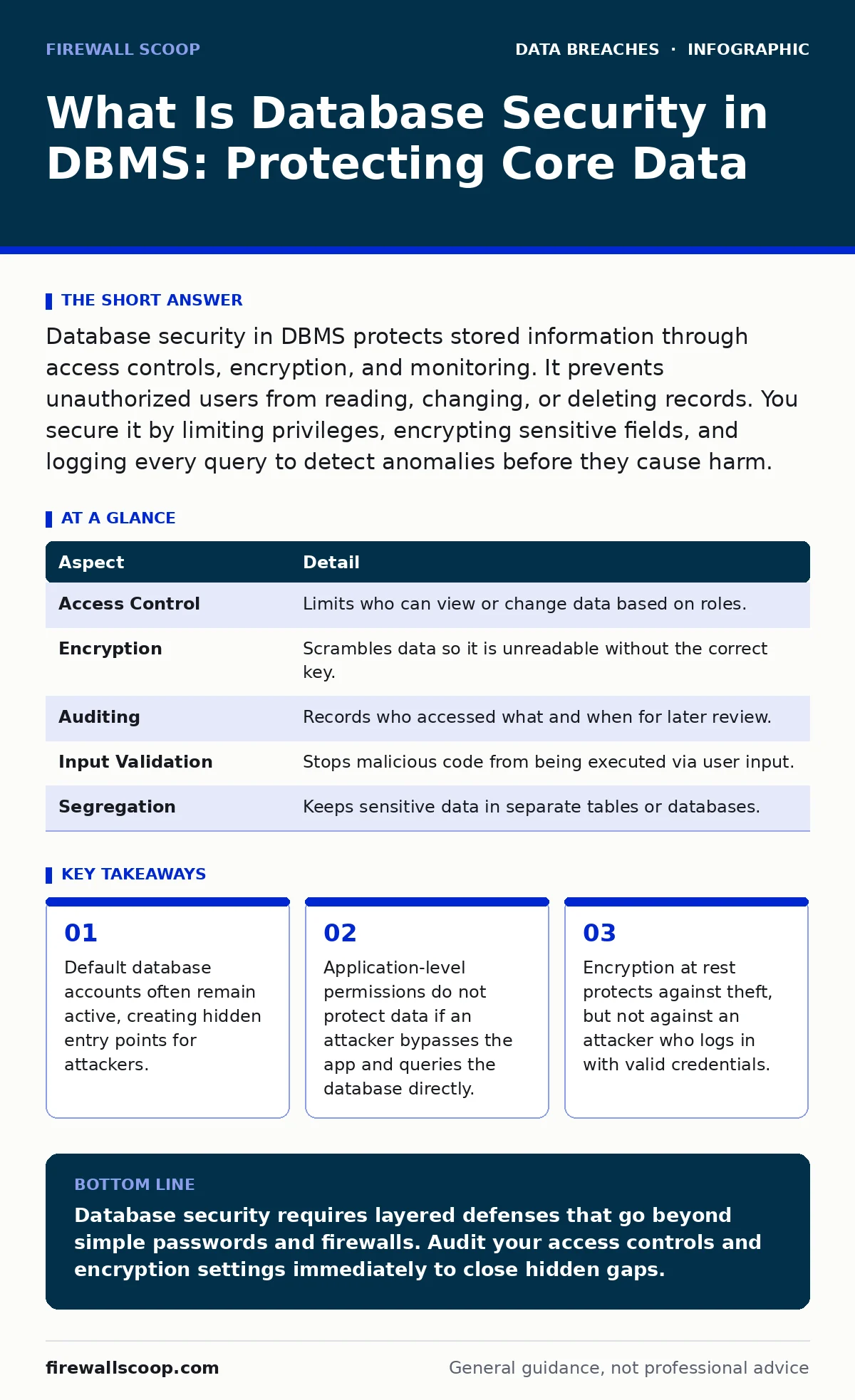
Database security in DBMS protects stored information through access controls, encryption, and monitoring. It prevents unauthorized users from reading, changing, or deleting records. You secure it by limiting privileges, encrypting sensitive fields, and logging every query to detect anomalies before they cause harm.
What Is Database Security in DBMS
Imagine a library where the doors are locked, but the windows are wide open. The librarian checks IDs at the entrance, yet anyone can climb through the window and rearrange the books. Database security in DBMS ensures that only authorized processes and people can access, modify, or delete the data stored within the system. It is not just about keeping outsiders out. It also prevents insiders from accessing data they do not need for their daily tasks.
A Database Management System (DBMS) organizes data into tables, rows, and columns. Security within this system means controlling who can perform specific actions on that data. This control happens at multiple layers. The operating system protects the files. The DBMS manages user accounts and permissions. The application layer validates input before it reaches the database. If any layer fails, the data is exposed.
How Database Security Works in Practice
Database security relies on the principle of least privilege. This means granting users only the minimum access required to do their job. A web application might need to read customer names but should not be able to delete the entire customer table. The DBMS enforces these rules through role-based access control. You assign roles to users, and roles are granted specific permissions.
Encryption adds another layer of defense. Data at rest is encrypted on the disk. Data in transit is encrypted while moving between the application and the database. This ensures that even if an attacker steals the physical disk or intercepts the network traffic, they cannot read the contents without the decryption keys. Key management is the critical component here. If keys are stored alongside the encrypted data, the encryption provides little real protection.
| Aspect | Detail |
|---|---|
| Access Control | Limits who can view or change data based on roles. |
| Encryption | Scrambles data so it is unreadable without the correct key. |
| Auditing | Records who accessed what and when for later review. |
| Input Validation | Stops malicious code from being executed via user input. |
| Segregation | Keeps sensitive data in separate tables or databases. |
Who Is Affected by Weak Controls
Every organization that stores digital information is affected by weak database controls. Small businesses often assume they are too small to be targeted. This assumption is dangerous. Automated tools scan the internet for vulnerable databases and exploit them without human intervention. The attacker may not care about your specific business. They care about the computing resources or the data they can resell.
Employees are also affected. If an employee’s credentials are stolen, the attacker gains access to everything that employee can access. This is why employee data breaches often start with a single compromised account. The impact is not limited to financial loss. Reputational damage and legal penalties follow when personal information is exposed. Understanding credit monitoring helps individuals track the aftermath, but it does not prevent the initial breach.
Common Misconceptions About Protection
Many teams believe that securing the application is enough. They put a strong firewall around the web server and assume the database is safe. This is a critical error. Attackers often bypass the application entirely. They find an exposed database port on the internet. They use default credentials to log in directly. The application firewall does not stop this attack because the traffic never touches the application.
Another common mistake is relying solely on passwords. Passwords can be guessed, stolen, or reused. Password hashing and salting protects stored passwords, but it does not stop an attacker from logging in with a valid password. You need multi-factor authentication for database admin accounts. You also need to disable default accounts. Many DBMS installations come with a default admin account that has no password or a well-known password. Leaving this active is an invitation to attackers.
Implementing Effective Defense Strategies
Start by inventorying your data. You cannot protect what you do not know you have. Identify which tables contain sensitive information. Apply stricter controls to those tables. Use column-level encryption for highly sensitive fields like social security numbers or health records. This ensures that even if an attacker gains broad read access, they only see scrambled data for the most critical fields.
Next, review your access lists. Remove access for users who no longer need it. This is often called access recertification. It should happen regularly. Do not wait for a security incident to clean up permissions. Check your audit logging configuration. Ensure that every login attempt, every privilege change, and every query on sensitive tables is recorded. Logs are useless if they are not monitored. Set up alerts for unusual activity, such as a large data export occurring at 3 AM.
The Hidden Cost of Complexity
Database security adds complexity to your systems. Every layer of security introduces a potential point of failure. Encryption slows down query performance. Strict access controls can break application functionality if not configured correctly. You must balance security with usability. If security measures are too burdensome, developers may bypass them. They might hardcode credentials into the application code to make testing easier. This creates a massive security hole.
You must also consider the human element. Security tools are only as good as the people using them. Training is necessary. Developers need to understand how to write secure queries. Database administrators need to know how to configure permissions correctly. Regular reviews of your backup strategies are also vital. If an attacker encrypts your data and demands payment, your backups are your only way to restore operations without paying. Ensure backups are also encrypted and stored offline.
Beyond Technical Controls
Technical controls are necessary but not sufficient. You need a process for handling changes. Every change to the database structure or permissions should be reviewed. This is part of a broader framework like ISO 27001. It ensures that security is not an afterthought but a built-in part of your operations.
Physical security also matters. If someone steals the server hardware, they might try to recover data from the disk. This is where encryption at rest becomes critical. Without it, physical theft leads to data loss. With it, the stolen hardware is just expensive metal. Do not ignore printed document leaks either. Sensitive data often ends up on paper in test environments. Shred these documents.
Maintaining Long-Term Security
Security is not a one-time task. It is a continuous process. New vulnerabilities are discovered in DBMS software regularly. You must apply patches promptly. Delaying updates leaves you exposed to known exploits. Monitor your logs for anomalies. Look for patterns that suggest an attack. A sudden spike in failed login attempts indicates a brute-force attack. A large number of records being read in a short time might indicate data exfiltration.
Review your security policies annually. Does your organization still need the same level of access for everyone? Have new regulations changed your requirements? Adapt your controls accordingly. Security is a journey, not a destination. By staying proactive, you reduce the risk of a breach and protect your most valuable asset: your data.
Key takeaways
- Default database accounts often remain active, creating hidden entry points for attackers.
- Application-level permissions do not protect data if an attacker bypasses the app and queries the database directly.
- Encryption at rest protects against theft, but not against an attacker who logs in with valid credentials.
Database security requires layered defenses that go beyond simple passwords and firewalls. Audit your access controls and encryption settings immediately to close hidden gaps.
Frequently asked questions
Does encryption protect against all types of database attacks?
No. Encryption protects data at rest and in transit. It does not stop an attacker who logs in with valid credentials from reading or deleting data.
How often should I review database user permissions?
You should review permissions at least quarterly. Remove access for employees who have changed roles or left the organization.
Is it safe to store database credentials in application code?
No. This is a severe security risk. Use a secure secrets management solution to store and retrieve credentials dynamically.
What is the first step in securing a new database?
Disable all default accounts and set strong, unique passwords for all administrative accounts. Then apply the principle of least privilege.
How this guide was produced: written by the Firewall Scoop editorial team with AI assistance, checked against the public references listed below, and reviewed when the facts change. See our editorial policy or report an error.