Lateral Movement Prevention Checklist for Network Security
Isolating workstations prevents credential theft from spreading across the network after an initial compromise occurs.

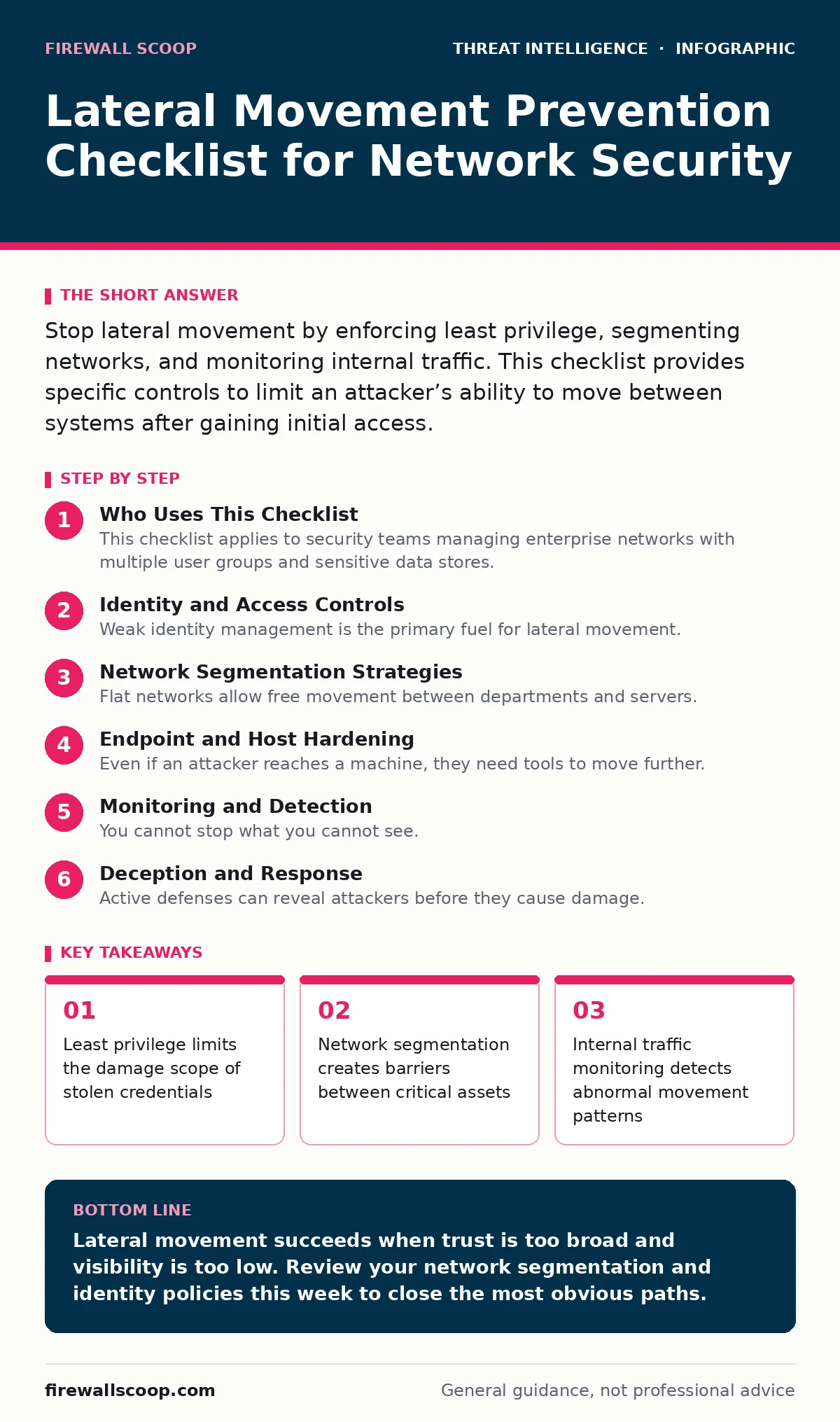
Stop lateral movement by enforcing least privilege, segmenting networks, and monitoring internal traffic. This checklist provides specific controls to limit an attacker’s ability to move between systems after gaining initial access.
Who Uses This Checklist
This checklist applies to security teams managing enterprise networks with multiple user groups and sensitive data stores. You use it to verify that defensive controls exist at the host, network, and identity layers. The goal is not to stop the first breach but to contain it before it reaches critical infrastructure. Attackers often spend days moving sideways before stealing data or deploying ransomware. This process is called lateral movement. It relies on trust relationships and weak boundaries.
Identity and Access Controls
Weak identity management is the primary fuel for lateral movement. Attackers steal credentials to access other systems. You must restrict what each account can do.
- Enforce least privilege access: Users and services should only have permissions necessary for their specific tasks, reducing the value of any single stolen credential.
- Implement multi-factor authentication: Requiring a second form of verification prevents attackers from using password hashes or stolen tokens to access remote systems.
- Disable unused local administrator accounts: Local admin rights allow attackers to install tools and change settings without network-level detection or approval.
- Rotate service account passwords regularly: Long-lived service credentials are high-value targets that attackers exploit to maintain persistent access to backend systems.
- Separate privileged and standard accounts: Users should not perform daily tasks with elevated rights, which reduces the risk of credential theft from routine applications.
Network Segmentation Strategies
Flat networks allow free movement between departments and servers. Segmentation breaks this flow by creating logical barriers. You must define zones based on function and sensitivity.
- Deploy microsegmentation policies: Restrict traffic between individual workloads rather than just between large subnets, limiting the blast radius of a compromised server.
- Block unnecessary internal ports: Close ports that are not required for business operations, such as remote desktop or file sharing, between non-essential segments.
- Isolate critical assets in separate VLANs: Place databases and domain controllers in virtual local area networks with strict ingress and egress rules to prevent direct access.
- Use jump servers for administrative access: Force all administrative traffic through a hardened, monitored gateway rather than allowing direct connections to production systems.
- Review firewall rules for stale entries: Remove outdated rules that may have been created for temporary projects and never removed, which often create unintended access paths.
Endpoint and Host Hardening
Even if an attacker reaches a machine, they need tools to move further. Host hardening removes the utilities they rely on. You must minimize the attack surface on every device.
- Disable unnecessary remote management protocols: Turn off protocols like SMBv1 or WMI remote access unless explicitly required, as they are common vectors for silent file transfer.
- Enforce application whitelisting: Allow only approved software to run, preventing attackers from executing custom malware or living-off-the-land binaries.
- Restrict PowerShell execution policies: Limit script execution to signed scripts only, blocking attackers from running unsigned commands that automate lateral movement tasks.
- Patch operating systems promptly: Unpatched vulnerabilities in remote services often provide the easiest path for attackers to escalate privileges and move to other hosts.
- Monitor for credential dumping tools: Detect and block tools that extract passwords from memory, which are often the first step in a lateral movement campaign.
Monitoring and Detection
You cannot stop what you cannot see. Internal traffic often looks like normal activity. You need specific detection rules to spot anomalies.
- Enable logging for all authentication events: Capture successful and failed logins across the network to identify brute force attacks or unusual login times.
- Monitor for lateral movement indicators: Look for signs like PsExec usage, WMI remote calls, or unexpected SMB connections between workstations and servers.
- Implement network traffic analysis: Inspect internal traffic patterns to detect data exfiltration or command-and-control communications that bypass perimeter defenses.
- Alert on privilege escalation attempts: Notify security teams when standard users attempt to gain administrative rights, which often precedes lateral movement.
- Correlate alerts across systems: Use a security information and event management system to connect events from different sources, revealing complex attack paths.
See also: What Is Intrusion Prevention: How IPS Stops Attacks Before They Land · Network Traffic Analysis: How to Detect Hidden Threats in Data Flow
Deception and Response
Active defenses can reveal attackers before they cause damage. Deception technology creates fake assets that attract malicious activity. You must integrate these traps into your monitoring strategy.
- Deploy honeypots in non-production zones: Place decoy servers with fake data to attract attackers and trigger alerts when they attempt to access or move from these systems.
- Create fake credentials for detection: Use high-privilege accounts that do not exist in reality; if these are used, it confirms an active compromise.
- Define incident response playbooks: Ensure teams know how to isolate affected segments and reset compromised credentials immediately upon detecting lateral movement.
- Conduct attack path analysis: Regularly map how an attacker could move through your network to identify and close weak links before they are exploited.
- Test detection capabilities regularly: Use red team exercises to verify that monitoring tools actually catch lateral movement techniques used by real adversaries.
Common Misconfigurations
Many defenses fail due to simple errors. Reviewing these common mistakes can save you from a major incident.
- Check for shared service accounts: Multiple users sharing one account makes it impossible to track who performed an action and increases the risk of credential leakage.
- Verify DNS security settings: Ensure DNS servers are not configured to allow zone transfers to unauthorized hosts, which can reveal network topology to attackers.
- Audit group policy objects: Review policies that grant excessive rights or allow remote script execution, which attackers often exploit to spread malware quickly.
Key takeaways
- Least privilege limits the damage scope of stolen credentials
- Network segmentation creates barriers between critical assets
- Internal traffic monitoring detects abnormal movement patterns
Lateral movement succeeds when trust is too broad and visibility is too low. Review your network segmentation and identity policies this week to close the most obvious paths.
Frequently asked questions
How do I detect lateral movement without expensive tools?
Focus on native logging and free network monitoring tools. Look for unusual login times, remote process creation, and unexpected connections between workstations and servers.
Is network segmentation enough to stop lateral movement?
No. Segmentation slows attackers but does not stop credential theft. You must combine it with strong identity controls and endpoint monitoring to fully mitigate the risk.
What is the biggest mistake in preventing lateral movement?
Over-trusting internal traffic. Many organizations monitor the perimeter but ignore internal connections, allowing attackers to move freely once they bypass the firewall.
How often should I review access controls?
Review access controls quarterly and immediately after any role change or employee departure. Stale permissions are a major source of unauthorized access.
How this guide was produced: written by the Firewall Scoop editorial team with AI assistance, checked against the public references listed below, and reviewed when the facts change. See our editorial policy or report an error.