Attacker Reconnaissance Prevention Checklist for Systems
Attackers map your network surface long before they attempt access, making passive visibility the primary defense against early-stage intrusion attempts.

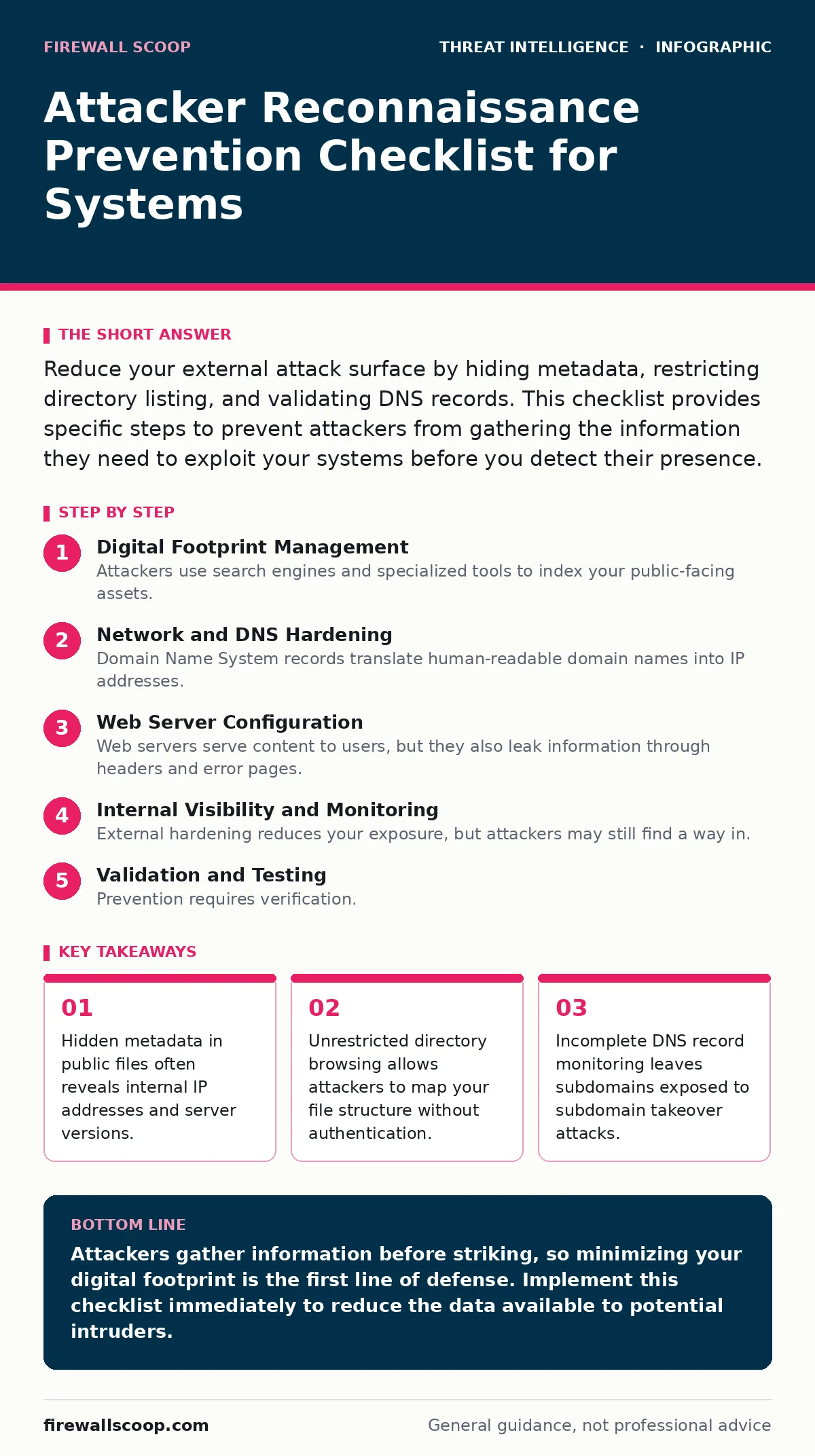
Reduce your external attack surface by hiding metadata, restricting directory listing, and validating DNS records. This checklist provides specific steps to prevent attackers from gathering the information they need to exploit your systems before you detect their presence.
Digital Footprint Management
Attackers use search engines and specialized tools to index your public-facing assets. If your systems appear in these indices, you are visible. You must actively manage what information is available to the public internet. This process reduces the noise attackers use to identify potential targets.
- Remove metadata from public documents: PDFs and images often contain internal IP addresses, author names, and software versions that help attackers profile your environment.
- Configure robots.txt correctly: This file tells crawlers which paths to ignore, but attackers use it to find hidden directories you meant to keep private.
- Audit social media accounts: Employee profiles often reveal technology stacks, office locations, and internal project names that aid social engineering efforts.
- Monitor code repositories: Public GitHub repositories frequently leak API keys, configuration files, and source code that reveal system vulnerabilities.
Network and DNS Hardening
Domain Name System records translate human-readable domain names into IP addresses. Attackers query these records to map your infrastructure. If you leave old records active or misconfigure new ones, you create entry points. Proper DNS hygiene prevents attackers from finding unused servers or misconfigured services.
- Disable zone transfers: Prevent unauthorized servers from copying your entire DNS database, which reveals every host in your network.
- Remove default server banners: Web servers and email services often display version numbers in headers, allowing attackers to search for known exploits for that specific software.
- Restrict DNS wildcard records: Wildcards can cause subdomain takeover if the underlying service is removed but the DNS record remains active.
- Implement DNSSEC: This protocol adds cryptographic signatures to DNS data, preventing attackers from poisoning your records and redirecting traffic.
Imagine an attacker discovering an unused subdomain pointing to a defunct cloud storage bucket. They gain access to sensitive data because the DNS record was never cleaned up. This is a common oversight in dynamic environments.
Web Server Configuration
Web servers serve content to users, but they also leak information through headers and error pages. Attackers scan for these leaks to identify software versions and configuration weaknesses. You must configure your servers to reveal as little as possible about their internal workings.
- Disable directory listing: Allowing browsers to list files in a directory gives attackers a map of your content, including backup files and configuration scripts.
- Remove server version headers: Headers like Server: Apache/2.4 reveal the exact software running, which attackers use to find specific vulnerabilities.
- Customize error pages: Default error pages often include stack traces or file paths that reveal the underlying technology stack.
- Block common scanner user-agents: Some web application firewalls can block known security scanning tools, reducing the frequency of automated probes.
Internal Visibility and Monitoring
External hardening reduces your exposure, but attackers may still find a way in. You need to detect when they probe your systems. Monitoring for reconnaissance activity allows you to respond before an exploit is executed. This visibility is critical for early threat detection.
- Enable detailed logging: Log all incoming requests, including failed connections and blocked attempts, to identify scanning patterns.
- Implement rate limiting: Limit the number of requests from a single IP address to slow down automated scanning tools.
- Monitor for DNS queries: Unusual DNS traffic, such as queries for non-existent domains, may indicate an attacker enumerating your hosts.
- Review firewall logs regularly: Look for patterns in blocked traffic that suggest systematic probing of your network perimeter.
See also: What Is Intrusion Prevention: How IPS Stops Attacks Before They Land · Lateral Movement Prevention Checklist for Network Security
Validation and Testing
Prevention requires verification. You cannot protect what you do not know exists. Regular testing ensures your controls are working and identifies new exposures. This step closes the loop on your reconnaissance prevention strategy.
- Perform external penetration testing: Hire experts to simulate an attacker’s reconnaissance phase and identify what information is visible to the outside world.
- Run passive vulnerability scans: Use tools that do not interact directly with your systems to check for exposed assets and misconfigurations.
- Audit third-party integrations: Third-party services may expose your data if they are misconfigured or compromised, expanding your attack surface.
Refer to our guide on user and entity behavior analytics for methods to detect internal reconnaissance after an attacker has breached the perimeter. Also see honeypots for techniques to lure attackers into revealing their methods while gathering intelligence on their tools.
Key takeaways
- Hidden metadata in public files often reveals internal IP addresses and server versions.
- Unrestricted directory browsing allows attackers to map your file structure without authentication.
- Incomplete DNS record monitoring leaves subdomains exposed to subdomain takeover attacks.
Attackers gather information before striking, so minimizing your digital footprint is the first line of defense. Implement this checklist immediately to reduce the data available to potential intruders.
Frequently asked questions
How do attackers find hidden subdomains?
Attackers use DNS enumeration tools and search engine operators to discover subdomains that are not linked from your main website but still resolve to your infrastructure.
Can I hide my server version completely?
You can suppress version headers in most web servers, but some protocols or third-party modules may still leak version information through other mechanisms or error responses.
What is the difference between active and passive reconnaissance?
Active reconnaissance involves directly interacting with your systems, such as sending packets, while passive reconnaissance uses publicly available information without touching your infrastructure.
How often should I update my reconnaissance checklist?
Review and update your checklist whenever you deploy new services, change infrastructure, or after a security incident, as new exposures are created continuously.
How this guide was produced: written by the Firewall Scoop editorial team with AI assistance, checked against the public references listed below, and reviewed when the facts change. See our editorial policy or report an error.