What Is Intrusion Prevention: How IPS Stops Attacks Before They Land
Intrusion prevention systems actively block malicious traffic in real time, offering a layer of defense that firewalls alone cannot provide by inspecting packet contents.

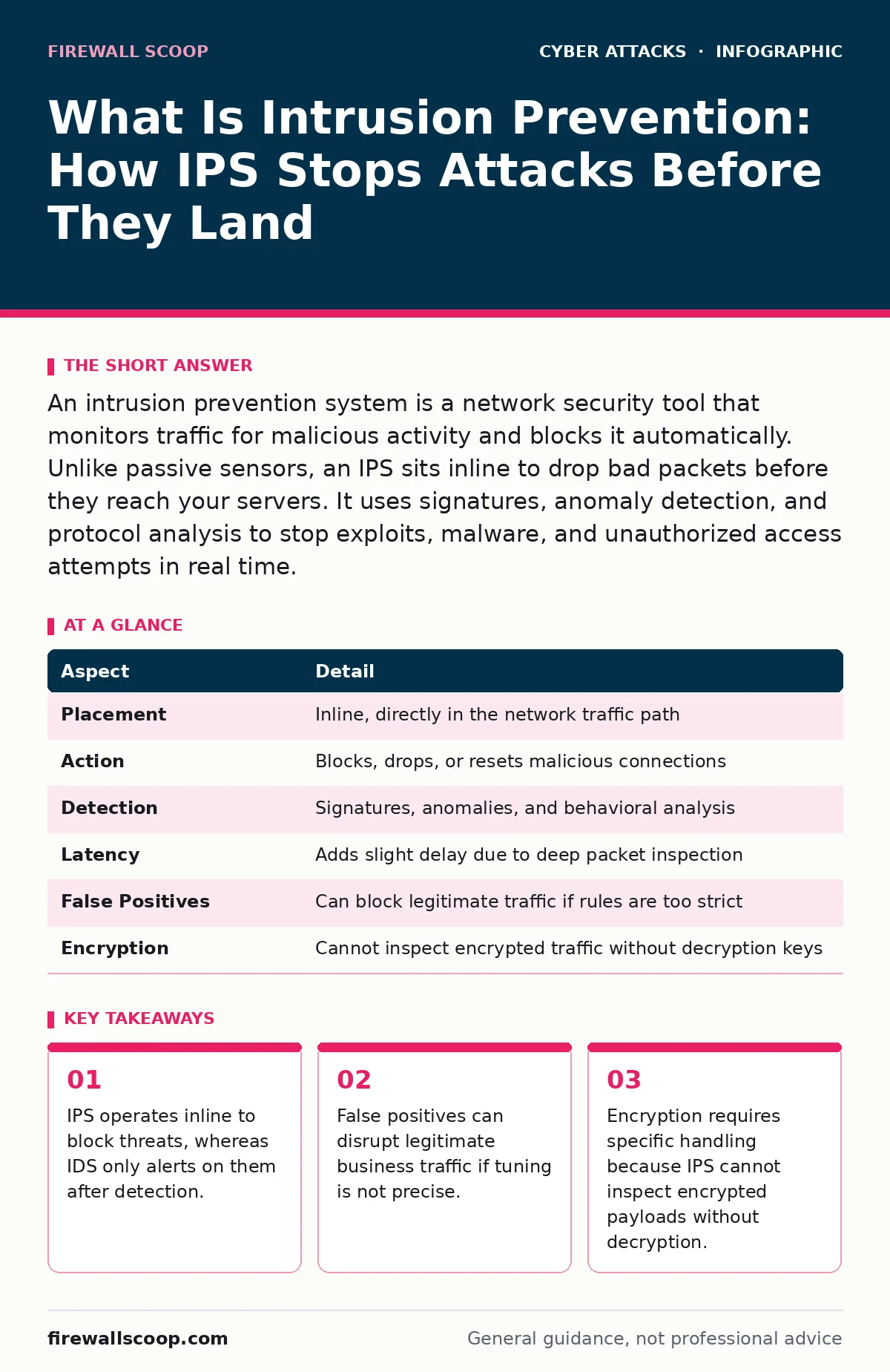
An intrusion prevention system is a network security tool that monitors traffic for malicious activity and blocks it automatically. Unlike passive sensors, an IPS sits inline to drop bad packets before they reach your servers. It uses signatures, anomaly detection, and protocol analysis to stop exploits, malware, and unauthorized access attempts in real time.
What Is Intrusion Prevention
What is intrusion prevention? It is the active process of identifying and blocking malicious network traffic before it compromises your systems. An intrusion prevention system (IPS) sits directly in the data path, examining every packet that enters or leaves your network. When the IPS detects a pattern that matches a known threat or behaves abnormally, it takes immediate action. This action usually involves dropping the packet or resetting the connection. This prevents the attack from reaching its target.
Imagine a security guard at a building entrance who checks every visitor’s ID and refuses entry to anyone with a weapon. That guard is the IPS. A camera that records the intrusion but does not stop it is an intrusion detection system (IDS). The key difference is intervention. The IPS does not just watch; it acts. This active stance makes it a critical component of defense in depth, working alongside other security controls to reduce risk.
| Aspect | Detail |
|---|---|
| Placement | Inline, directly in the network traffic path |
| Action | Blocks, drops, or resets malicious connections |
| Detection | Signatures, anomalies, and behavioral analysis |
| Latency | Adds slight delay due to deep packet inspection |
| False Positives | Can block legitimate traffic if rules are too strict |
| Encryption | Cannot inspect encrypted traffic without decryption keys |
How Intrusion Prevention Works
An IPS analyzes traffic using three primary methods. Signature-based detection compares traffic against a database of known attack patterns. If a packet matches a signature for a specific exploit, the IPS blocks it. This method is accurate for known threats but fails against new, unknown attacks.
Anomaly-based detection establishes a baseline of normal network behavior. It flags deviations from this baseline, such as a sudden spike in traffic volume or unusual login times. This method can catch zero-day attacks but generates more false positives. Behavior-based detection looks for suspicious sequences of actions, like a user trying to access restricted files repeatedly.
Deep packet inspection (DPI) allows the IPS to look inside the data payload, not just the header. This reveals hidden malicious code or commands. The IPS reconstructs the session to understand the context. If the context violates security policy, the IPS terminates the session. This level of inspection requires significant processing power and adds latency to the network. You must balance security with performance when deploying an IPS.
The Hidden Costs of Active Blocking
Active blocking introduces latency. Every packet must be inspected before forwarding. This inspection takes time, which slows down network speeds. In high-throughput environments, this delay can affect user experience. You must size your IPS hardware correctly to handle peak traffic loads without becoming a bottleneck.
False positives are the most significant operational risk. A false positive occurs when the IPS blocks legitimate traffic because it resembles an attack. Imagine an employee sending a large file that contains a string of characters matching a known malware signature. The IPS blocks the file, disrupting business operations. Tuning the IPS to reduce false positives requires constant attention. You must review logs and adjust rules regularly. Neglecting this tuning leads to alert fatigue or service outages.
What People Usually Get Wrong
Many assume an IPS replaces a firewall. This is incorrect. A firewall controls traffic based on ports, protocols, and IP addresses. It decides who can talk to whom. An IPS inspects the content of that conversation. It decides if the conversation is safe. You need both. A firewall without an IPS allows malicious content through allowed ports. An IPS without a firewall is overwhelmed by irrelevant traffic.
Another common mistake is ignoring encrypted traffic. Most web traffic is now encrypted using TLS. An IPS cannot see inside encrypted packets. If you do not configure the IPS to decrypt and inspect traffic, it becomes blind to threats hidden within encryption. Decrypting traffic requires managing certificates and keys, which adds complexity. You must weigh the privacy implications against security needs. Blindly trusting encrypted traffic leaves a large blind spot in your defense.
Real-World Impact on Users
An IPS affects everyone connected to the network. For developers, it may block code repositories if the traffic patterns look suspicious. For IT staff, it generates alerts that require investigation. For regular users, it may cause websites to load slowly or fail to connect if the IPS misinterprets their traffic.
Suppose a marketing team uses a new cloud-based collaboration tool. The tool uses non-standard ports and protocols. The IPS, configured with strict default rules, blocks the traffic. The team cannot work. The IT department must then create an exception for this tool. This process highlights the need for clear communication between security and business units. Security policies must align with business needs to avoid unnecessary friction.
See also: Lateral Movement Prevention Checklist for Network Security · Network Traffic Analysis: How to Detect Hidden Threats in Data Flow
Integrating With Other Defenses
An IPS works best as part of a layered security strategy. It complements multi-factor authentication by stopping attacks that bypass login screens. It works with password managers to prevent credential stuffing attacks, where attackers try many passwords at once. The IPS can detect the rapid login attempts and block the source IP.
It also mitigates man-in-the-middle attacks by validating certificate chains and detecting protocol anomalies. If an attacker tries to intercept traffic, the IPS can spot the irregular encryption parameters. It pairs well with SPF records to prevent email spoofing, though SPF operates at the mail server level, not the network edge. Combining these tools creates a robust defense where one layer compensates for the weaknesses of another.
What To Do About It
Deploying an IPS requires careful planning. Start by defining your security policies. Identify which traffic must be inspected and which can be allowed through. Choose an IPS solution that fits your network size and performance needs. Place it behind your firewall to filter out obvious noise before deep inspection.
Configure the IPS in detection mode first. This allows you to monitor traffic without blocking anything. Review the logs for false positives. Adjust rules to exclude legitimate traffic. Once the false positive rate is acceptable, switch to prevention mode. Monitor performance closely. Adjust hardware resources if latency becomes an issue. Regularly update signatures and rules to address new threats. Engage with your business units to understand their traffic patterns and avoid blocking critical applications.
Key takeaways
- IPS operates inline to block threats, whereas IDS only alerts on them after detection.
- False positives can disrupt legitimate business traffic if tuning is not precise.
- Encryption requires specific handling because IPS cannot inspect encrypted payloads without decryption.
Frequently asked questions
Does an IPS protect against ransomware?
An IPS can block known ransomware delivery mechanisms and command-and-control traffic. It cannot stop ransomware that enters through allowed applications or user actions like opening a malicious document.
Can I use an IPS on a home network?
Most home routers have basic IPS features. Dedicated IPS appliances are for enterprise networks. For home use, ensure your router firmware is updated and use a reputable security suite on your devices.
How often should I update IPS signatures?
Update signatures as soon as new threats are identified. Many IPS solutions offer automatic updates. Manual updates may be needed for specific custom rules or during major security incidents.
Is an IPS the same as an antivirus?
No. Antivirus scans files on endpoints for known malware. An IPS inspects network traffic in real time. They serve different purposes but work together to protect your systems.
How this guide was produced: written by the Firewall Scoop editorial team with AI assistance, checked against the public references listed below, and reviewed when the facts change. See our editorial policy or report an error.