Are Password Managers Worth It? A Security Breakdown
Password managers protect your data from server breaches but create a single point of failure that requires strict master password hygiene and device security.
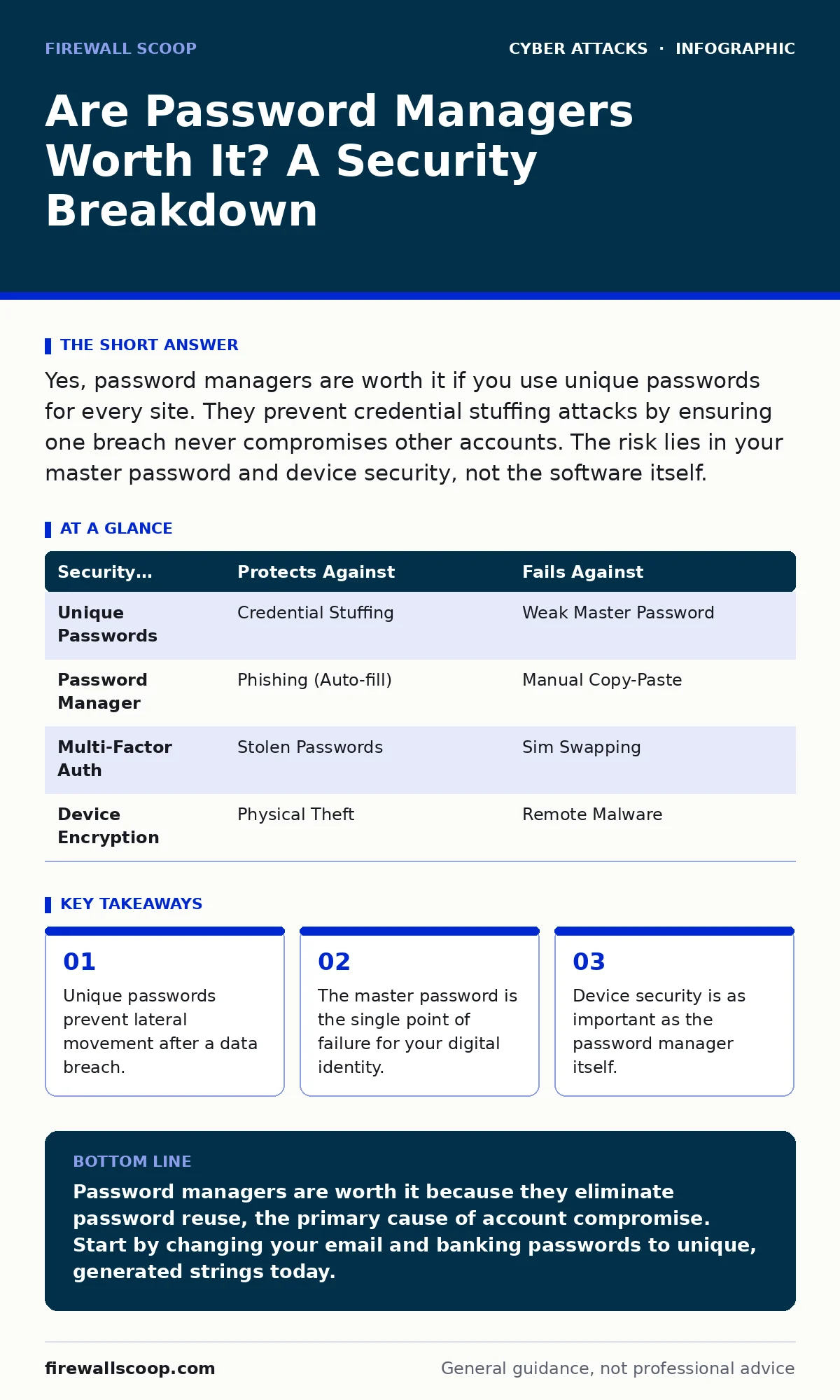
Yes, password managers are worth it if you use unique passwords for every site. They prevent credential stuffing attacks by ensuring one breach never compromises other accounts. The risk lies in your master password and device security, not the software itself.
Are password managers worth it?
Password managers are worth it when they enforce unique credentials across every account you hold. Reusing passwords creates a chain reaction where one compromised site exposes all others. A password manager breaks this chain by generating and storing complex, random strings for each service. You only need to remember one strong master password. This shift moves the risk from hundreds of weak, repeated passwords to a single, highly protected key. The value lies in eliminating human error and reducing the attack surface for credential stuffing.
How do password managers actually store data?
Password managers use encryption to scramble your data before saving it. The most common standard is AES-256, a symmetric encryption algorithm widely accepted as secure. Your master password generates the encryption key locally on your device. The encrypted vault then syncs to the cloud or stays local. The vendor cannot read your passwords because they do not hold the key. If the vendor’s servers are hacked, attackers only see unreadable ciphertext. This architecture ensures that the storage method itself is not the weak link, provided your master password remains secret.
What is the single biggest risk?
The single biggest risk is a weak or reused master password. If you use a simple phrase for your master password, attackers can guess it using brute force tools. If you reuse that master password on other sites, a breach elsewhere reveals it. The password manager becomes useless if the key to the vault is compromised. You must treat the master password differently from all other credentials. It should be long, random, and never typed into any website other than the password manager’s own login screen.
Can hackers steal passwords from the clipboard?
Hackers can monitor your clipboard if malware is installed on your device. When you auto-fill a password, it may briefly sit in the clipboard memory. Malicious software can read this memory and send the password to an attacker. Many password managers offer a clipboard timeout feature that clears the data after a few seconds. This reduces the window of opportunity for clipboard-hijacking malware. However, this protection fails if the malware runs in the background with high privileges. Device hygiene remains critical for protecting data in transit between the app and the browser.
Do password managers protect against phishing?
Password managers offer moderate protection against phishing by refusing to auto-fill credentials on fake sites. If you visit a typosquatting domain that mimics your bank, the manager will not recognize the URL. It will leave the password field empty, signaling that something is wrong. This prevents accidental submission of credentials to malicious actors. However, this protection fails if you manually copy and paste the password. You must verify the URL before pasting. A password manager is a deterrent, not a shield against social engineering.
See also: What Is Database Security in DBMS: Protecting Core Data
What happens if the password manager company is hacked?
If the password manager company is hacked, your encrypted vault remains safe if your master password is strong. The attacker obtains only the encrypted data, which is useless without the decryption key. The key is derived from your master password and never stored on the server. This is known as zero-knowledge architecture. The only exception is if the company stores unencrypted metadata, such as email addresses or IP logs. This metadata can help attackers target specific users, but it does not reveal the passwords themselves.
How does multi-factor authentication interact with password managers?
Multi-factor authentication adds a second layer of defense that password managers do not replace. A password manager secures the secret you know, while MFA secures the device or token you have. You should store MFA backup codes in your password manager. This ensures you can recover access if you lose your phone. The password manager itself should require MFA for login to your vault. This combination ensures that stealing your master password is not enough to compromise your accounts.
| Security Measure | Protects Against | Fails Against |
|---|---|---|
| Unique Passwords | Credential Stuffing | Weak Master Password |
| Password Manager | Phishing (Auto-fill) | Manual Copy-Paste |
| Multi-Factor Auth | Stolen Passwords | Sim Swapping |
| Device Encryption | Physical Theft | Remote Malware |
What about the free vs. paid debate?
Free password managers often limit the number of devices you can sync. This forces users to switch back and forth, increasing the chance of manual errors. Paid versions usually offer unlimited sync, emergency access, and advanced monitoring. The core encryption is often the same in both tiers. The difference lies in convenience and support. If you can only afford one device, a free version is still better than reusing passwords. The cost of a breach far exceeds the annual fee of a premium manager.
How do you recover if you lose access?
Recovery depends on whether you set up emergency access or backup codes. If you lose your master password and have no recovery method, your data is permanently lost. This is a feature, not a bug, of zero-knowledge systems. The vendor cannot reset your password because they do not know it. You must store your recovery code in a physical location, such as a safe. Digital backups of recovery codes are risky if the device is compromised. Physical separation of the recovery key from the primary device is the safest approach.
What is the bottom line for adoption?
Adopt a password manager immediately if you reuse passwords. The transition requires time to update existing accounts, but the security gain is immediate. Start with your most critical accounts, such as email and banking. Generate new, random passwords for each. Use the manager’s generator to create strings that are impossible to guess. The initial effort pays off by reducing the risk of account takeover. Security is a process, not a product, and this tool automates the hardest part.
Key takeaways
- Unique passwords prevent lateral movement after a data breach.
- The master password is the single point of failure for your digital identity.
- Device security is as important as the password manager itself.
Password managers are worth it because they eliminate password reuse, the primary cause of account compromise. Start by changing your email and banking passwords to unique, generated strings today.
Frequently asked questions
Is it safe to store credit card numbers in a password manager?
Yes, because they are encrypted with the same strong standards as your passwords. Ensure your device is secure and your master password is unique.
Can a password manager be hacked?
The software can have vulnerabilities, but your data remains encrypted. A strong master password protects you even if the vendor’s servers are breached.
Do password managers work on mobile devices?
Yes, they sync across devices. Mobile apps are secure but ensure your phone has a strong lock screen PIN or biometric lock.
What if I forget my master password?
You cannot recover it without a pre-set emergency access code or backup. This is why storing recovery codes physically is vital.
How this guide was produced: written by the Firewall Scoop editorial team with AI assistance, checked against the public references listed below, and reviewed when the facts change. See our editorial policy or report an error.