Multi-Factor Authentication: Real Benefits and Hidden Failure Modes
Multi-factor authentication stops stolen passwords but fails if the second factor is intercepted or if the user is coerced into bypassing it.
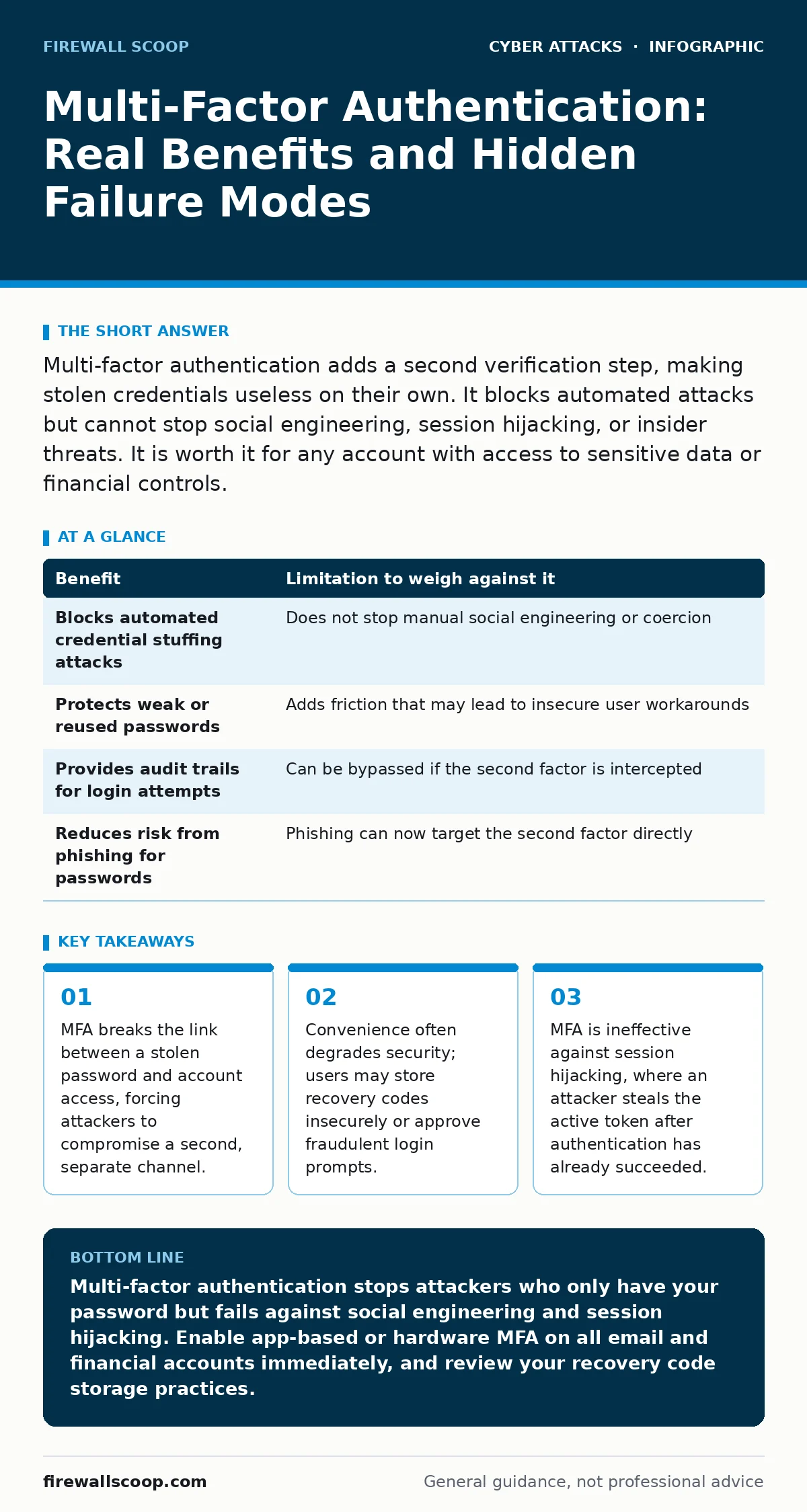
Multi-factor authentication adds a second verification step, making stolen credentials useless on their own. It blocks automated attacks but cannot stop social engineering, session hijacking, or insider threats. It is worth it for any account with access to sensitive data or financial controls.
The Mechanism Behind the Barrier
Multi-factor authentication requires two distinct forms of verification before granting access. The first is typically something you know, such as a password. The second is something you have, like a hardware token or smartphone, or something you are, like a fingerprint. This separation creates a logical gap that attackers must bridge twice. If an attacker steals your password, they still cannot enter because they lack the second factor. This design assumes that the two factors are independent. If both rely on the same device or network, the independence breaks down. You must ensure the second factor does not share the same vulnerability surface as the first.
Concrete Gains for Your Security Posture
The primary benefit is the neutralization of credential reuse. Most people use similar passwords across multiple sites. When one service suffers a data breach, attackers try those same credentials elsewhere. This automated technique is known as credential stuffing. MFA blocks these attempts because the attacker possesses only the password, not the second factor. You see an immediate drop in successful unauthorized logins. Another gain is protection against weak password choices. Even if you choose a simple password, the second factor adds complexity that brute force attacks cannot easily penetrate. This allows you to use memorable passwords without sacrificing security.
| Benefit | Limitation to weigh against it |
|---|---|
| Blocks automated credential stuffing attacks | Does not stop manual social engineering or coercion |
| Protects weak or reused passwords | Adds friction that may lead to insecure user workarounds |
| Provides audit trails for login attempts | Can be bypassed if the second factor is intercepted |
| Reduces risk from phishing for passwords | Phishing can now target the second factor directly |
The Hidden Costs of Verification
MFA introduces friction, which changes user behavior in unpredictable ways. When forced to approve every login, users may grow tired of the process. Some will write down recovery codes on sticky notes or store them in unencrypted text files. This creates a new attack vector where the backup method is less secure than the primary authentication. Additionally, MFA gives a false sense of total security. You may assume you are safe and neglect other hygiene practices, like monitoring account activity. This complacency can be dangerous if the MFA implementation has flaws.
When It Is Worth It
You should implement MFA on any account that holds sensitive data or financial authority. Email accounts are the highest priority because they allow password resets for other services. If an attacker controls your email, they can reset passwords for banking, social media, and work systems. MFA on email stops this cascade failure. Cloud storage accounts also warrant MFA because they often contain personal or professional documents. Any service that allows you to send money or manage subscriptions is a target. The cost of setup is low, and the protection against credential theft is high. The risk of account takeover far outweighs the minor inconvenience of an extra step.
When It Is Not Worth It
MFA is less valuable for accounts that hold no sensitive data and have no link to other critical services. A disposable email address used only for newsletter sign-ups does not need MFA. The effort to set it up exceeds the potential damage of a compromise. Similarly, public-facing forms that collect only non-personal data do not require MFA for submitters. Adding MFA here creates unnecessary barriers that may reduce engagement. If the account has no recovery options and is easily recreated, MFA adds complexity without meaningful security gain. Focus your resources where the impact of a breach would be severe.
Where MFA Fails Completely
MFA does not protect against every type of attack. If an attacker intercepts your authentication code, MFA provides no defense. This can happen through DNS spoofing, where your browser is redirected to a fake site that forwards your credentials and codes to the attacker. It can also occur via malware that reads clipboard data or SMS messages. MFA is also vulnerable to replay attacks, where an attacker captures a valid authentication token and reuses it before it expires. If the system does not detect unusual location or device changes, the replay succeeds. You must understand that MFA verifies identity at login, not during the entire session.
Advanced Threats and Bypasses
Sophisticated attackers may attempt to trick you into bypassing MFA entirely. This often involves CEO fraud, where an attacker impersonates a leader to authorize a payment or data release. The MFA on the login is irrelevant if the human approves the action based on a false premise. Similarly, invoice fraud may involve attackers sending fake invoices that require you to click a link and log in. The link leads to a phishing site that captures your MFA code in real-time. This technique exploits the trust you place in the second factor. You must verify the context of the request, not just the identity of the user.
Practical Implementation Choices
Not all MFA methods are equal. SMS-based MFA is vulnerable to SIM swapping, where an attacker convinces your carrier to transfer your phone number to their SIM card. Once they control your number, they receive your codes. App-based authenticators that generate time-based one-time passwords are more secure because they do not rely on the cellular network.
Hardware security keys provide the highest level of protection because they require physical possession. They also protect against typosquatting, where attackers register domains that look like yours. The key only signs requests to the correct domain. Choose the method that balances security with your operational needs.
Managing Friction and User Experience
High friction leads to shadow IT, where users create unapproved workarounds to bypass MFA. They may share credentials with colleagues or disable MFA when traveling. To prevent this, consider risk-based authentication. This approach triggers MFA only when a login looks unusual, such as from a new country or device. For routine logins from trusted devices, it skips the second factor. This reduces daily annoyance while maintaining security during suspicious activity. You must monitor logs regularly to ensure the risk engine is functioning correctly. If the system becomes too permissive, it defeats the purpose of MFA.
Conclusion on Defense Layers
MFA is a critical layer in your security strategy, but it is not a silver bullet. It stops credential theft but does not prevent social engineering or malware. You must combine MFA with other controls, such as bot protection to stop automated abuse and regular security awareness training. Understanding the limitations of MFA allows you to deploy it where it matters most. Do not let convenience erode your security posture. Evaluate each account based on the value of the data it protects. Implement the strongest form of MFA available for high-risk accounts.
Key takeaways
- MFA breaks the link between a stolen password and account access, forcing attackers to compromise a second, separate channel.
- Convenience often degrades security; users may store recovery codes insecurely or approve fraudulent login prompts.
- MFA is ineffective against session hijacking, where an attacker steals the active token after authentication has already succeeded.
Multi-factor authentication stops attackers who only have your password but fails against social engineering and session hijacking. Enable app-based or hardware MFA on all email and financial accounts immediately, and review your recovery code storage practices.
Frequently asked questions
Is SMS two-factor authentication secure enough?
SMS is vulnerable to SIM swapping and interception, making it less secure than app-based or hardware methods. Use it only if no other option is available, and prioritize upgrading to a more secure method.
Can hackers bypass multi-factor authentication?
Yes, through phishing, malware, or social engineering. They may trick you into approving a login or steal your authentication token. MFA adds a barrier but does not make you immune to all attacks.
What is the best type of second factor?
Hardware security keys are the most secure because they require physical possession and resist phishing. Authenticator apps are a good balance of security and convenience. SMS is the least secure option.
Do I need MFA for every single account?
Prioritize accounts with sensitive data, financial access, or email reset capabilities. Disposable or low-risk accounts may not justify the setup effort, but high-value targets should always have MFA enabled.
How this guide was produced: written by the Firewall Scoop editorial team with AI assistance, checked against the public references listed below, and reviewed when the facts change. See our editorial policy or report an error.