How Printed Document Leaks Happen and Where to Stop Them
Physical paper bypasses digital security controls, creating a blind spot that attackers exploit through social engineering or opportunistic theft in office spaces.

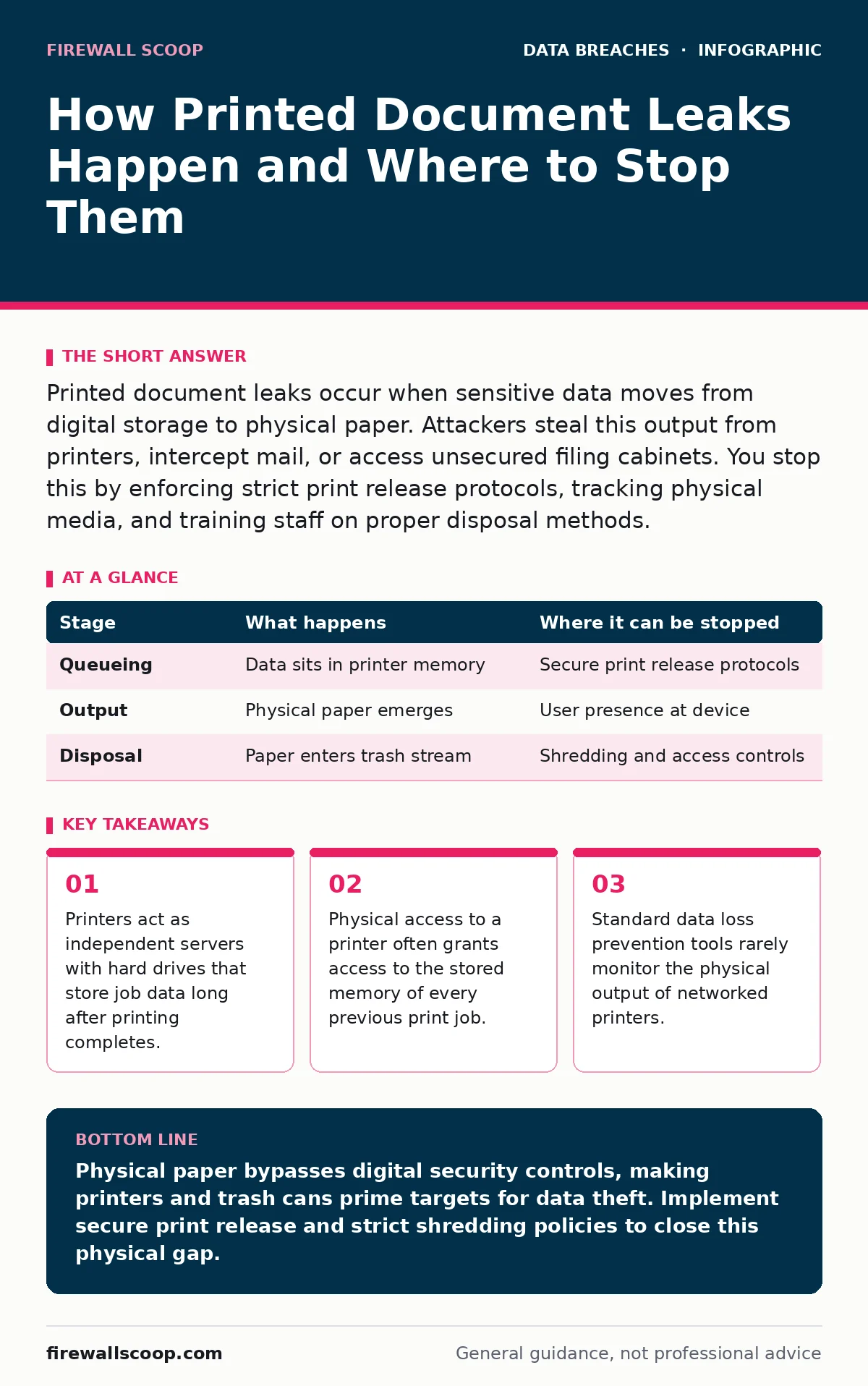
Printed document leaks occur when sensitive data moves from digital storage to physical paper. Attackers steal this output from printers, intercept mail, or access unsecured filing cabinets. You stop this by enforcing strict print release protocols, tracking physical media, and training staff on proper disposal methods.
The Digital-to-Physical Bridge
Digital security focuses on bits and bytes. You monitor network traffic, encrypt files at rest, and log user activity. But when you hit print, that data crosses a boundary your tools cannot see. This transition creates a vulnerability known as the air gap. It is the physical separation between the digital system and the physical world.
Imagine a sensitive contract is printed. The digital file is encrypted and logged. The paper, however, is just paper. It has no password. It has no audit trail. Once it leaves the printer, it exists outside your digital perimeter. Attackers know this. They do not need to hack your server to get the data. They just need to find the paper.
This stage relies on the assumption that digital security equals total security. It fails because it ignores the physical lifecycle of information. You must treat the printer not as a peripheral, but as a data storage device.
The Print Job Queue
When you send a document to a printer, it does not print instantly. It enters a queue. This queue resides on the printer’s internal hard drive or memory. Most modern network printers are essentially computers with print heads. They store the full content of every job until the user releases it or the memory is overwritten.
This storage is rarely encrypted. If an attacker gains physical access to the printer, they can often extract these stored jobs. Some printers even allow remote access to the queue via the web interface. If that interface is unsecured, anyone on the network can view or download pending documents.
You can interrupt this stage by using secure print release. This requires the user to authenticate at the printer before the job prints. The document remains encrypted in memory until that authentication happens. This prevents unauthorized users from picking up someone else’s document.
| Stage | What happens | Where it can be stopped |
|---|---|---|
| Queueing | Data sits in printer memory | Secure print release protocols |
| Output | Physical paper emerges | User presence at device |
| Disposal | Paper enters trash stream | Shredding and access controls |
The Unattended Output
The most common leak happens at the output tray. A user sends a job, walks away to get coffee, and leaves the document on the tray. This is known as "print abandonment." The document is now available to anyone who walks by. In open-plan offices, this is a daily risk.
Attackers do not need sophisticated tools here. They need eyes and a pocket. A casual glance at a document header can reveal project names, financial figures, or personal data. This is a form of data leaks that occurs without any digital breach. It relies on human habit and environmental design.
You stop this by enforcing a "follow your print" policy. Users must stay at the printer until the job completes. Combine this with secure release features mentioned earlier. If the paper never sits unattended, the opportunity for theft vanishes.
The Internal Storage Trap
Many organizations forget that printers retain data. Even after a job prints, the image may remain on the hard drive. When the printer is decommissioned, this drive is often discarded with the hardware. If the drive is not wiped, the data is recoverable.
This is a hidden cost of convenience. You assume printing is instantaneous and stateless. It is not. The printer keeps a copy. This is particularly dangerous for high-volume departments. Thousands of pages of sensitive data may sit on a drive for years.
You interrupt this by treating printer drives like computer drives. Wipe them before disposal. Better yet, disable storage on the device if the printer supports it. Some models allow you to configure them to print directly from RAM without writing to disk.
The Disposal Failure
Printing is not the end of the chain. Disposal is the final stage. Shredding is the standard defense. But not all shredding is equal. Cross-cut shredders create small particles. Strip-cut shredders create long strips. Strips can be reassembled, especially for text-heavy documents.
Many offices use recycling bins for "sensitive" documents. This is a critical error. Recycling centers do not shred. They bale paper. Your data becomes part of a bale that travels to a landfill or another facility. This violates data retention policies if the document should have been destroyed immediately.
You stop this by matching the shredder level to the data sensitivity. For highly sensitive data, use a cross-cut or micro-cut shredder. For standard documents, a high-security strip cut may suffice. Never place sensitive paper in general recycling.
See also: 7 Mistakes That Leak Session Tokens to Attackers · What Is Database Security in DBMS: Protecting Core Data
The Human Element
Technology controls fail when humans bypass them. A user might print a document to avoid sharing it digitally. This is a common workaround for collaboration friction. But it creates a physical copy that bypasses all digital controls. This is a form of employee data breaches that stems from convenience, not malice.
Another risk is the "shadow printer." A personal device connected to the office network. It may lack the security features of enterprise printers. It may store data locally. It may be accessible to anyone.
You interrupt this by educating users on the risk. Explain that printing is not a security feature. It is a risk vector. Provide easy digital alternatives for sharing. If the digital path is hard, the physical path becomes attractive.
Integrating Physical and Digital Controls
You cannot secure what you do not see. Your security framework must include physical assets. ISO 27001 includes controls for physical security. This is not just about locks on doors. It is about the lifecycle of data in physical form.
Review your data retention policies. Do they cover paper? If not, create them. Define how long paper records are kept. Define how they are destroyed. Train staff on these procedures.
Combine this with database security practices. If the digital source is secure, but the output is not, you have a gap. Close it by treating the printer as a critical node in your security architecture.
Beyond the Office
Printed documents do not stay in the office. They go home. They go in mail. They go in cars. Each step adds risk. A document left in a car is visible. A document in the mail can be intercepted.
This is where the concept of SIM swap fraud might seem irrelevant, but it highlights the theme of identity theft through indirect means. Paper leaks are another indirect path. The attacker does not target you directly. They target your waste.
You stop this by extending policies to remote work. Home printers must follow the same rules. Shredding must happen at home. Do not assume home is a safe zone. It is often the weakest link.
Key takeaways
- Printers act as independent servers with hard drives that store job data long after printing completes.
- Physical access to a printer often grants access to the stored memory of every previous print job.
- Standard data loss prevention tools rarely monitor the physical output of networked printers.
Physical paper bypasses digital security controls, making printers and trash cans prime targets for data theft. Implement secure print release and strict shredding policies to close this physical gap.
Frequently asked questions
Does encrypting the file before printing protect the physical document?
No. Encryption protects the digital file in transit and at rest. Once printed, the paper is unencrypted and readable by anyone who sees it.
How do I secure a printer that does not support secure release?
Place the printer in a locked area or a secure room. Ensure only authorized personnel have physical access to the device and its output tray.
What is the best way to dispose of sensitive printed documents?
Use a cross-cut or micro-cut shredder. Never place sensitive documents in general recycling bins or trash cans.
Can attackers access print jobs remotely?
Yes, if the printer’s web interface is unsecured or connected to the public network. Disable remote management features and restrict network access.
How this guide was produced: written by the Firewall Scoop editorial team with AI assistance, checked against the public references listed below, and reviewed when the facts change. See our editorial policy or report an error.