7 Mistakes That Leak Session Tokens to Attackers
Session tokens grant full account access without passwords, making them more dangerous than credentials and easier to steal from insecure browser storage.

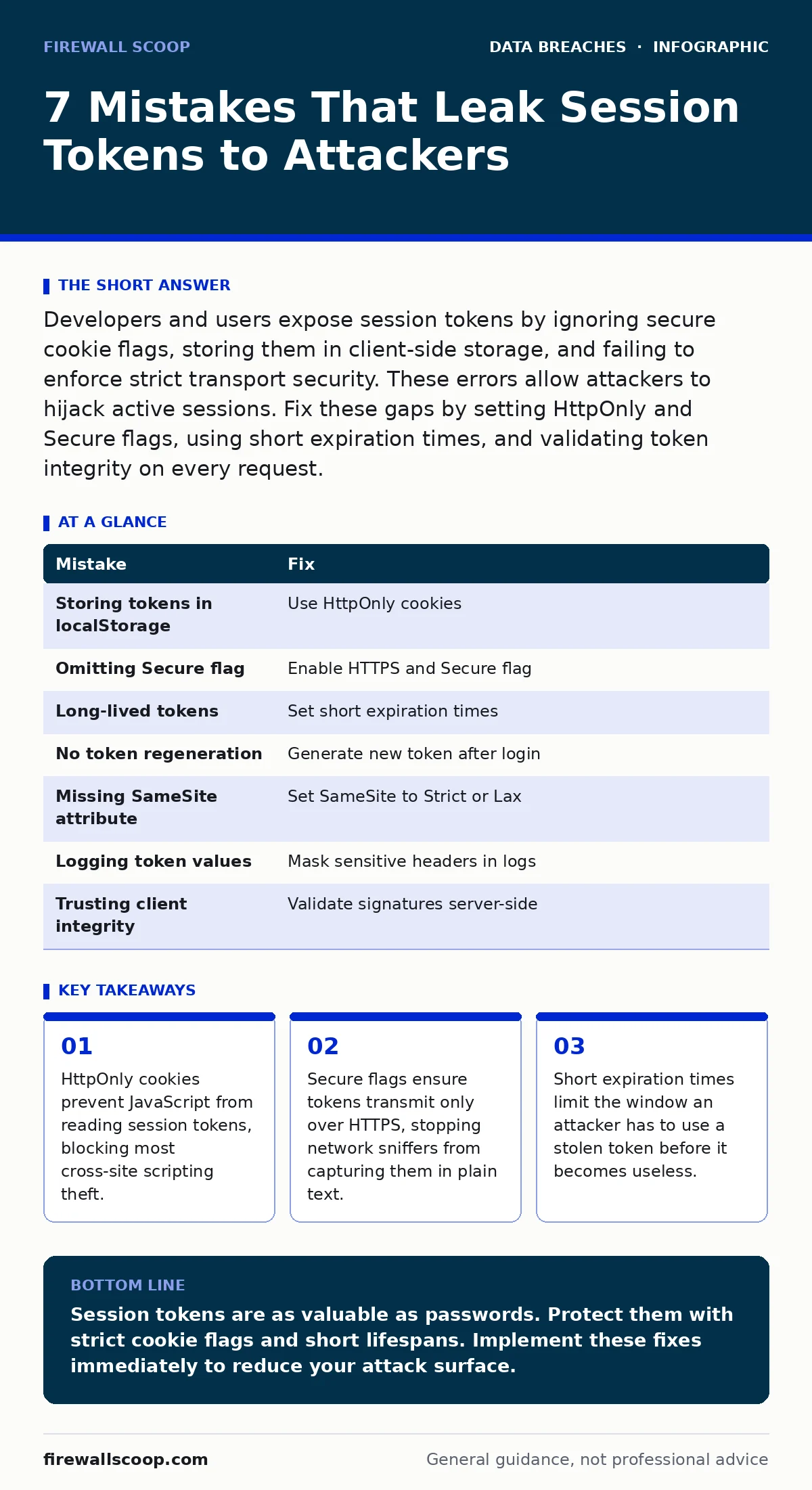
Developers and users expose session tokens by ignoring secure cookie flags, storing them in client-side storage, and failing to enforce strict transport security. These errors allow attackers to hijack active sessions. Fix these gaps by setting HttpOnly and Secure flags, using short expiration times, and validating token integrity on every request.
Mistake 1: Storing tokens in localStorage or sessionStorage
Developers often place session identifiers in browser storage objects for easy access by frontend code. This convenience creates a severe security flaw. Cross-site scripting attacks inject malicious scripts into your pages. These scripts can read the contents of localStorage and sessionStorage directly. The attacker sends the stolen token to their server and logs into your account. You lose control of your session immediately.
Why it hurts:
Browser storage is accessible to any script running in the same domain. If your application has even a minor input validation flaw, an attacker can inject code. That code reads your session token. The token grants full access to your account privileges. You cannot distinguish between your legitimate actions and the attacker's actions. The breach happens silently. You may not notice until damage is done.
The fix:
Move session tokens to HTTP-only cookies. Browsers automatically include these cookies in requests. JavaScript cannot read them. This prevents cross-site scripting attacks from exfiltrating the token. You must still protect against injection, but the attack surface shrinks significantly. Combine this with strict content security policies to reduce the impact of any script injection that does occur.
Mistake 2: Omitting the Secure flag on cookies
Cookies without the Secure flag transmit over unencrypted HTTP connections. Attackers on the same network can intercept these transmissions. They use packet sniffing tools to capture the data flowing between your browser and the server. The session token appears in plain text within the packet headers. The attacker captures the token and uses it to impersonate you. This works on public Wi-Fi and compromised home networks.
Why it hurts:
Network traffic is often shared among many users. Routers and switches can be compromised or misconfigured. Without encryption, your credentials and session tokens are visible to anyone listening. The attacker does not need to hack your computer. They only need to be on the same network segment. This makes physical proximity a major risk factor. You assume your connection is private. It is not.
The fix:
Set the Secure flag on all session cookies. This instructs the browser to send the cookie only over HTTPS connections. You must also enable HTTP Strict Transport Security. This header tells the browser to always use HTTPS for your domain. It prevents downgrade attacks where an attacker forces a connection to HTTP. These measures ensure your tokens never travel in clear text. See encryption at rest for related data protection strategies.
Mistake 3: Using long-lived session tokens
Many applications set session tokens to expire after days or weeks. This improves user convenience by reducing login prompts. It also increases the risk window significantly. If an attacker steals a token, they have weeks to use it. They can take their time exploring your account. They can wait for you to go on vacation. They can slowly exfiltrate data without triggering alerts. Long validity periods give attackers ample opportunity.
Why it hurts:
Time is your enemy in incident response. A stolen token with a long lifespan allows sustained access. The attacker can maintain persistence even if you change your password. The session remains valid until the token expires or the server invalidates it. This decouples account security from credential updates. You feel safe after a password reset. The attacker still holds the keys.
The fix:
Implement short expiration times for session tokens. Use minutes or hours rather than days. Force re-authentication for sensitive actions. Issue refresh tokens with strict usage limits. This limits the damage of a single theft. The attacker must act quickly. They face a high risk of detection during their window. This approach balances security and usability. It requires more frequent logins but protects your account.
Mistake 4: Failing to regenerate tokens after login
Reusing the same session token after a user logs in creates a vulnerability. An attacker may have stolen the token before you entered your password. They wait in the shadows. When you log in, the token becomes associated with your authenticated session. The attacker now has a valid token for your account. This is known as session fixation. You think you are starting a fresh session. You are actually handing over control.
Why it hurts:
Session fixation allows attackers to pre-set a session ID. They inject this ID into your browser. You log in using that ID. The server accepts it as valid. The attacker shares the session with you. They have full access to your authenticated state. This bypasses login protections. It exploits the trust the server places in the existing token. You cannot detect this through normal monitoring.
The fix:
Generate a new session token immediately after successful authentication. Invalidate the old token. This breaks any link to a pre-authentication session. The attacker's stolen token becomes useless. You start with a clean slate. This simple step prevents session fixation attacks. It ensures that authentication always results in a unique, secure session. Combine this with audit logging to track session creation events.
Mistake 5: Ignoring SameSite cookie attributes
Cookies without SameSite restrictions can be sent with cross-site requests. Attackers create malicious websites that trigger requests to your server. These requests include your session cookies. The server processes the requests as if they came from you. This allows cross-site request forgery attacks. The attacker forces your browser to perform actions. You do not consent to these actions. Your account performs them automatically.
Why it hurts:
Cross-site request forgery exploits the browser's automatic cookie handling. It relies on your active session. The attacker does not need to read your token. They only need to make your browser send it. This can change your email address. It can transfer funds. It can modify settings. You remain unaware until the damage is visible. The attack vector is external to your application.
The fix:
Set the SameSite attribute to Strict or Lax. Strict prevents the cookie from being sent in cross-site contexts entirely. Lax allows it for top-level navigations but blocks other requests. This stops most cross-site request forgery attacks. You must test your application to ensure functionality remains intact. Some workflows may require specific handling. Balance security with user experience.
See also: What Is Database Security in DBMS: Protecting Core Data · Audit Logging Best Practices: Secure Logs Against Tampering
Mistake 6: Exposing tokens in server logs
Logging frameworks often capture request details for debugging. This includes headers and query parameters. Session tokens appear in these logs. If logs are stored insecurely, attackers can access them. They search the logs for valid session identifiers. They find active tokens. They use them to hijack sessions. This turns your diagnostic tools into a data breach vector. You inadvertently publish your secrets.
Why it hurts:
Logs are often shared among developers and support staff. They may be stored on unsecured servers. They may be backed up without encryption. Any person with access to the logs can steal tokens. This expands the threat model significantly. It is not just external attackers. It is anyone with log access. You lose control over who holds your secrets.
The fix:
Configure logging frameworks to mask sensitive headers. Exclude Authorization and Cookie headers from logs. Use structured logging to separate metadata from sensitive data. Ensure log storage follows strict access controls. See backup strategies for securing stored data. Regularly review logging configurations. Treat logs as sensitive data. Protect them with the same rigor as your database.
Mistake 7: Trusting client-side token integrity
Some applications store state in tokens sent to the client. These tokens may be signed but not encrypted. Attackers can manipulate the token content. They change permissions or expiration dates. If the server does not verify the signature strictly, it accepts the modified token. This allows privilege escalation. The attacker gains access to admin functions. They bypass authorization checks. The client becomes an untrusted source of truth.
Why it hurts:
The client environment is hostile. Users can modify local data. Attackers can reverse engineer the token structure. They can forge valid signatures if the secret key is weak. They can exploit implementation flaws in verification logic. This breaks the trust model. The server must never trust the client. It must validate every claim.
The fix:
Use server-side session storage whenever possible. If using stateless tokens, enforce strong cryptographic signatures. Validate all claims on the server. Check expiration times and permissions. Do not rely on client-side logic for security decisions. Implement strict input validation. Monitor for anomalous token patterns. This ensures that only legitimate tokens are accepted.
| Mistake | Fix |
|---|---|
| Storing tokens in localStorage | Use HttpOnly cookies |
| Omitting Secure flag | Enable HTTPS and Secure flag |
| Long-lived tokens | Set short expiration times |
| No token regeneration | Generate new token after login |
| Missing SameSite attribute | Set SameSite to Strict or Lax |
| Logging token values | Mask sensitive headers in logs |
| Trusting client integrity | Validate signatures server-side |
Key takeaways
- HttpOnly cookies prevent JavaScript from reading session tokens, blocking most cross-site scripting theft.
- Secure flags ensure tokens transmit only over HTTPS, stopping network sniffers from capturing them in plain text.
- Short expiration times limit the window an attacker has to use a stolen token before it becomes useless.
Session tokens are as valuable as passwords. Protect them with strict cookie flags and short lifespans. Implement these fixes immediately to reduce your attack surface.
Frequently asked questions
Can I recover my account if my session token is stolen?
You can invalidate the stolen token by logging out of all devices. Change your password to force re-authentication. Monitor for unauthorized activity.
Do HttpOnly cookies stop all cross-site scripting attacks?
No. HttpOnly cookies only prevent script access to the token. They do not stop scripts from performing actions on your behalf. You still need input validation.
How often should I rotate session secrets?
Rotate signing secrets periodically. Invalidate existing tokens when you change the secret. This limits the damage of a compromised secret.
Is HTTPS enough to protect session tokens?
HTTPS protects tokens in transit. It does not protect tokens stored in the browser. You need HttpOnly and Secure flags for full protection.
How this guide was produced: written by the Firewall Scoop editorial team with AI assistance, checked against the public references listed below, and reviewed when the facts change. See our editorial policy or report an error.