Small Business Backup Strategies That Survive Ransomware
Most small business backups fail because they are online and writable, allowing ransomware to encrypt the recovery files before administrators can restore them.

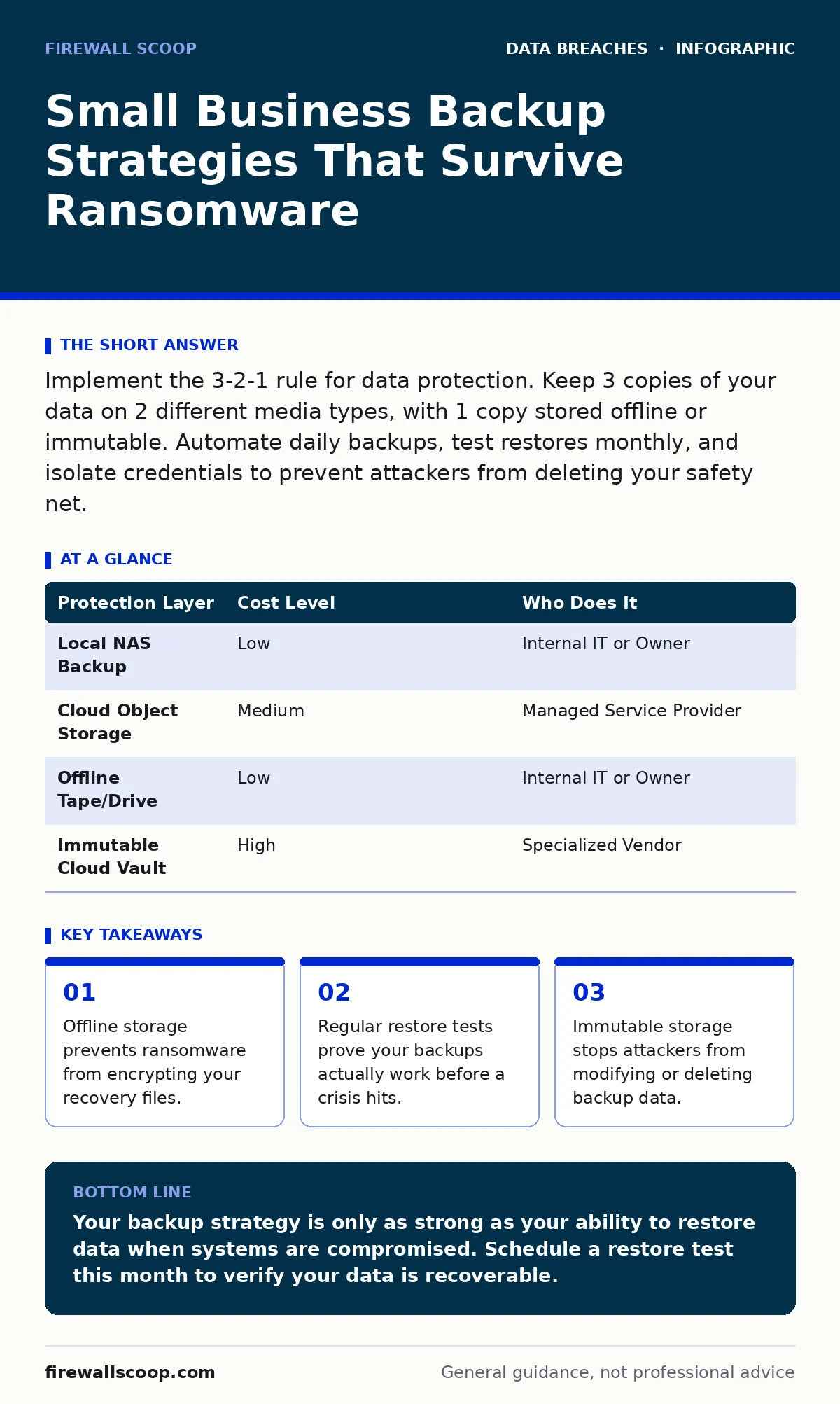
Implement the 3-2-1 rule for data protection. Keep 3 copies of your data on 2 different media types, with 1 copy stored offline or immutable. Automate daily backups, test restores monthly, and isolate credentials to prevent attackers from deleting your safety net.
The Hidden Cost of Small Scale Neglect
Small organizations often assume they are too small to be targeted by sophisticated attackers. This assumption creates a dangerous blind spot. Cybercriminals use automated tools that scan the internet for vulnerable systems regardless of company size. A small business with poor backup hygiene is an easy target. The cost of recovery without backups exceeds the cost of prevention by orders of magnitude.
When a breach occurs, speed matters. You cannot negotiate with malware. If your only backup is connected to the network, the attacker likely encrypts it too. You lose both your live data and your recovery path. This dual loss forces you to pay ransoms or rebuild from scratch. Rebuilding takes time you do not have. Downtime kills revenue and reputation.
The 3-2-1 Rule Explained
The industry standard for data protection is the 3-2-1 rule. It requires you to maintain 3 copies of your data. You store these copies on 2 different types of media. One copy must be kept offsite or offline. This structure ensures redundancy. If one system fails, another copy survives.
The first copy is your primary production data. The second copy is a local backup. This allows for quick recovery of individual files. The third copy is remote or offline. This protects against site-wide disasters like fire or ransomware. You must verify that all 3 copies are current. Stale backups are useless in a crisis.
| Protection Layer | Cost Level | Who Does It |
|---|---|---|
| Local NAS Backup | Low | Internal IT or Owner |
| Cloud Object Storage | Medium | Managed Service Provider |
| Offline Tape/Drive | Low | Internal IT or Owner |
| Immutable Cloud Vault | High | Specialized Vendor |
Why Online Backups Fail
Most cloud backup solutions are writable. This means anyone with access can modify or delete the data. Ransomware operators specifically target backup credentials. They search for admin accounts that have write access to storage buckets. Once they find them, they delete the backups.
You need immutable storage for your critical backups. Immutability means the data cannot be changed or deleted for a set period. This is often called a WORM (Write Once, Read Many) strategy. Even if an attacker gains admin access, they cannot touch the immutable data. This adds a layer of defense that simple password protection cannot provide.
Affordable Implementation Steps
You do not need enterprise-grade hardware to implement strong backups. Start with local network-attached storage (NAS) devices. These are affordable and easy to manage. Configure them to run daily incremental backups. Incremental backups only save changes since the last backup. This saves space and time.
Use object storage for your offsite copy. Many providers offer tiered pricing. You can store critical data on hot storage for quick access. Archive older backups to cold storage for lower costs. Ensure the provider supports immutability. If they do not, use a separate, air-gapped drive for your offline copy. Rotate these drives monthly.
What to Delegate to Experts
Managing backups requires consistency. Human error is the biggest risk. People forget to rotate drives. They miss configuration updates. They fail to test restores. Delegating backup management to a Managed Service Provider (MSP) reduces this risk. MSPs have standardized processes and monitoring tools.
An MSP should handle the technical configuration. They manage the software, monitor failures, and ensure compliance. You retain ownership of the data and the strategy. You decide what is backed up and how long it is retained. This division of labor allows you to focus on your business while ensuring your data is safe.
See also: Ransomware Response: Steps to Contain, Recover, and Prevent Recurrence · Integer Overflow Vulnerabilities: Risks and Protection for Small Businesses
Testing Is Non-Negotiable
A backup is only as good as its last successful restore. Many organizations discover their backups are corrupted during a real incident. This happens because they never test the restoration process. You must schedule monthly restore tests. Pick random files and folders. Restore them to a isolated test environment.
Verify the data integrity. Check that the files open correctly. Ensure the timestamps are accurate. Document the results. If a test fails, fix the issue immediately. Do not wait for the next scheduled test. Regular testing builds confidence. It also trains your staff on the recovery process. This reduces panic during an actual emergency.
Questions for Your IT Provider
Before hiring a provider, you must assess their capabilities. Ask specific questions about their backup strategy. Do not accept vague answers. You need concrete details on how they protect your data.
- How do you handle immutable backups?
- What is your average restore time?
- Do you test restores monthly?
- How are backup credentials stored?
- Can you demonstrate a recent restore?
- What happens if the primary site is destroyed?
These questions reveal the provider's true competence. A good provider will welcome them. They will explain their processes clearly. A bad provider will avoid them or give generic answers. Choose a partner that values transparency.
Integrating With Security Practices
Backups are part of a broader security posture. They work best when combined with other controls. For example, encryption at rest ensures that stolen backup drives cannot be read without the key. This protects your data even if physical security fails.
You should also review audit logging for your backup systems. Logs show who accessed the backups and when. They help you detect unauthorized changes. If you see unexpected deletions, you can investigate immediately. This early warning can save your data.
Consider how password hashing and salting applies to your backup software. The software uses passwords to encrypt data. Weak passwords make encryption useless. Use strong, unique passwords for your backup accounts. Store them in a secure vault, not in a spreadsheet.
The Role of Immutable Storage
Immutable storage is your last line of defense. It prevents ransomware from deleting your safety net. Look for providers that offer object lock. This feature locks files for a specified duration. During this time, no one can change or delete them.
This protection applies to the cloud and local storage. Some NAS devices support object lock. Configure it for your critical backups. Set the retention period to match your recovery needs. A 30-day retention period is often sufficient. It covers the window where attackers might hide before being detected.
Conclusion: Building Resilience
Small businesses face unique challenges. Resources are limited. Time is scarce. But data loss is not an option. You must prioritize backup strategies that work. The 3-2-1 rule provides a solid foundation. Immutable storage adds critical protection. Regular testing ensures reliability.
Do not wait for a breach to act. Start implementing these steps today. Delegate technical tasks to experts. Retain strategic control. Your data is your most valuable asset. Protect it with the same care you protect your finances. Resilience is built through preparation.
Key takeaways
- Offline storage prevents ransomware from encrypting your recovery files.
- Regular restore tests prove your backups actually work before a crisis hits.
- Immutable storage stops attackers from modifying or deleting backup data.
Your backup strategy is only as strong as your ability to restore data when systems are compromised. Schedule a restore test this month to verify your data is recoverable.
Frequently asked questions
How often should I backup my data?
You should backup critical data daily. For high-volume data, consider hourly incremental backups. The frequency depends on how much data loss you can tolerate.
Is cloud backup enough for ransomware protection?
Cloud backup alone is not enough if it is writable. You need immutable cloud storage or an offline copy. Ransomware can delete writable cloud backups.
What is the difference between incremental and full backups?
Full backups copy all data every time. Incremental backups only copy changes since the last backup. Incremental saves space and time but relies on a recent full backup.
How long should I keep my backups?
Keep backups for at least 30 days. This covers the typical window for detecting hidden malware. Longer retention may be required by industry regulations.
How this guide was produced: written by the Firewall Scoop editorial team with AI assistance, checked against the public references listed below, and reviewed when the facts change. See our editorial policy or report an error.