Fix Common Ransomware Backup Mistakes Before They Fail
Most backup failures stem from configuration errors that allow ransomware to encrypt copies before the original data is compromised, rendering recovery impossible.

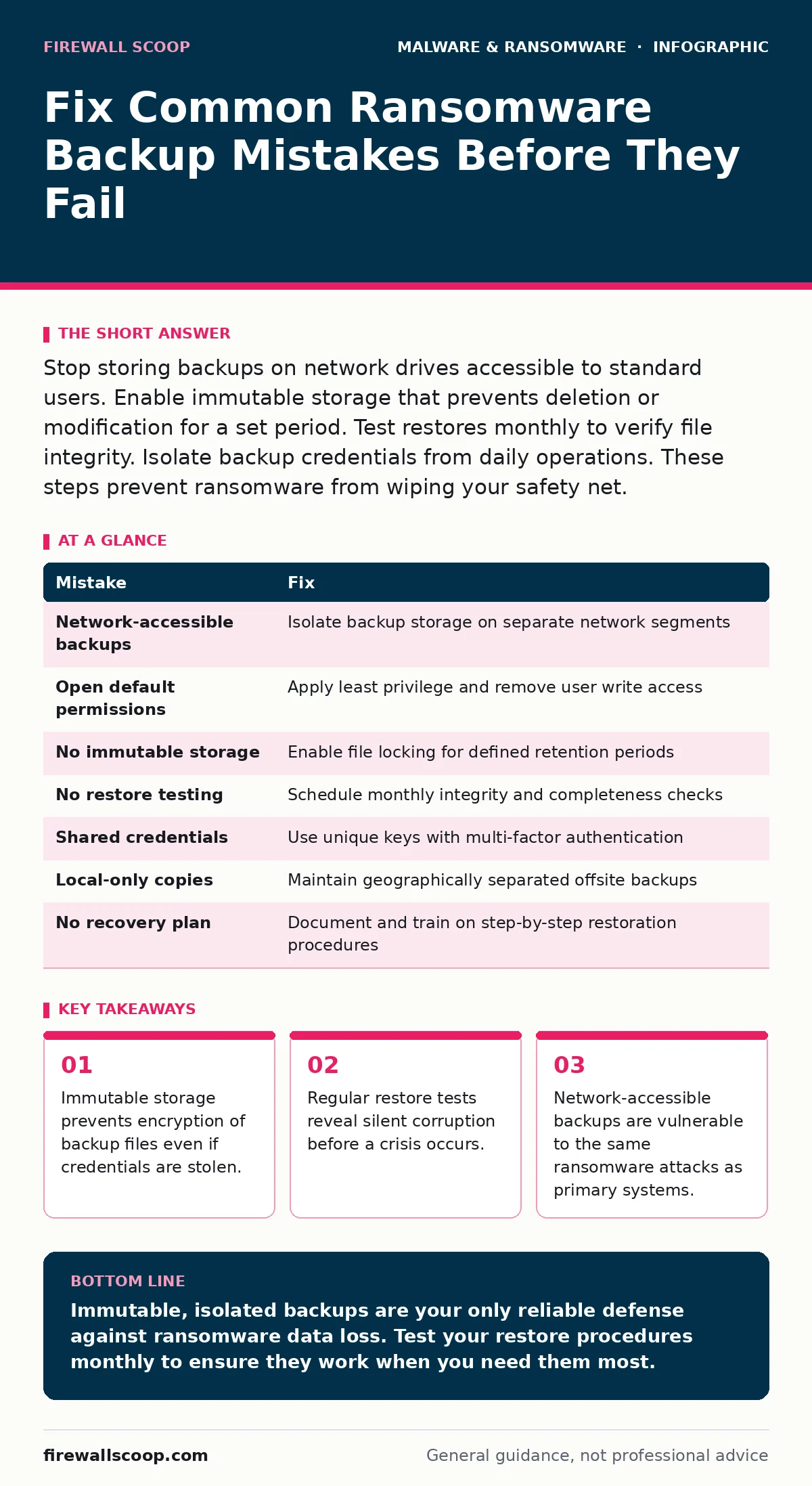
Stop storing backups on network drives accessible to standard users. Enable immutable storage that prevents deletion or modification for a set period. Test restores monthly to verify file integrity. Isolate backup credentials from daily operations. These steps prevent ransomware from wiping your safety net.
Mistake 1: Storing Backups on Network-Accessible Drives
Why it hurts: Ransomware spreads laterally across networks using stolen credentials. When backup storage resides on the same network segment as production servers, malware encrypts copies alongside original files. You lose both the active data and the recovery source simultaneously. This creates a total data loss scenario that no amount of antivirus software can reverse.
The fix: Disconnect backup storage from the primary network infrastructure. Use air-gapped systems or write-once-read-many media for critical archives. Ensure backup servers operate on isolated network segments with strict access controls. This physical or logical separation stops ransomware from reaching copies during an active infection.
Mistake 2: Leaving Default Permissions Open
Why it hurts: Default configurations often grant read-write access to standard user accounts. Ransomware operating under a compromised user account can modify or delete backup files without triggering alerts. You assume your backups are safe because they exist, but they are actually vulnerable to silent deletion. This hidden risk remains until you attempt a restore.
The fix: Apply the principle of least privilege to all backup storage. Remove write permissions for standard users and service accounts. Only dedicated backup service accounts should have modification rights. Audit permissions quarterly to detect drift. This ensures that even if a user account is compromised, the attacker cannot alter the backup repository.
Mistake 3: Neglecting Immutable Storage Features
Why it hurts: Standard backups allow modification or deletion by anyone with access credentials. Ransomware that steals backup keys can encrypt or wipe copies before you detect the breach. You lose the ability to roll back to a clean state. This mistake turns your backup system into a secondary target for attackers seeking to maximize extortion pressure.
The fix: Enable immutable storage settings on your backup platform. Immutability locks files for a defined retention period, preventing any changes or deletions. Configure retention windows that exceed the average dwell time of threats. This technical control ensures that even with full administrative access, ransomware cannot alter protected data during the lock period.
Mistake 4: Failing to Test Restores Regularly
Why it hurts: Backups that have never been restored may contain silent corruption or incomplete data. You discover this failure only when ransomware strikes and you need the files. Attempting to restore corrupted backups wastes critical time and may introduce malware into clean systems. This lack of verification creates a false sense of security that collapses under pressure.
The fix: Schedule monthly restore tests for critical data sets. Verify file integrity and completeness after each test. Document restore times and any errors encountered. Treat these tests as operational drills rather than optional checks. This practice identifies configuration drift and storage issues before they impact actual recovery operations.
Mistake 5: Using Shared Credentials for Backup Access
Why it hurts: Shared credentials increase the risk of exposure through infostealers or phishing attacks. When ransomware operators capture these shared keys, they gain immediate access to your backup infrastructure. You lose the ability to distinguish legitimate backup activities from malicious deletions. This credential sharing undermines the security boundary between production and recovery environments.
The fix: Implement unique, strong credentials for backup services. Use hardware security keys or multi-factor authentication where supported. Rotate credentials regularly and monitor for unauthorized access attempts. Separate backup credentials from daily operational accounts. This isolation limits the blast radius of any credential theft event.
See also: Ransomware Response: Steps to Contain, Recover, and Prevent Recurrence
Mistake 6: Ignoring Offsite Backup Options
Why it hurts: Local-only backups remain vulnerable to physical disasters and localized ransomware outbreaks. If your primary site is compromised, local copies may be destroyed or encrypted simultaneously. You lack a geographically separated safety net. This concentration of risk leaves you exposed to events that affect your entire physical location.
The fix: Maintain copies of critical data in geographically separate locations. Use cloud storage with strong encryption and access controls. Verify that offsite copies are synchronized regularly. Ensure you can access these copies independently of your primary network. This geographic diversity protects against localized failures and targeted attacks.
Mistake 7: Overlooking Ransomware Recovery Plans
Why it hurts: A backup strategy without a recovery plan is incomplete. You may have clean copies, but lack the procedures to restore them quickly and safely. This gap leads to panic and errors during an incident. You may restore infected files or fail to isolate the breach source. This procedural weakness extends downtime and increases operational risk.
The fix: Develop and document a ransomware recovery plan. Include steps for isolating systems, verifying backup integrity, and restoring data. Train staff on their roles during an incident. Update the plan based on test results and changes to infrastructure. This documentation ensures a coordinated response that minimizes data loss and operational disruption.
| Mistake | Fix |
|---|---|
| Network-accessible backups | Isolate backup storage on separate network segments |
| Open default permissions | Apply least privilege and remove user write access |
| No immutable storage | Enable file locking for defined retention periods |
| No restore testing | Schedule monthly integrity and completeness checks |
| Shared credentials | Use unique keys with multi-factor authentication |
| Local-only copies | Maintain geographically separated offsite backups |
| No recovery plan | Document and train on step-by-step restoration procedures |
Key takeaways
- Immutable storage prevents encryption of backup files even if credentials are stolen.
- Regular restore tests reveal silent corruption before a crisis occurs.
- Network-accessible backups are vulnerable to the same ransomware attacks as primary systems.
Immutable, isolated backups are your only reliable defense against ransomware data loss. Test your restore procedures monthly to ensure they work when you need them most.
Frequently asked questions
How often should I test my backup restores?
Test restores at least monthly for critical data. Quarterly testing may suffice for less sensitive archives. Verify file integrity and restore speed during each test.
Can cloud backups be encrypted by ransomware?
Yes, if attackers steal your cloud credentials. Use immutable storage and multi-factor authentication to protect cloud copies. Isolate cloud management from daily operations.
What is immutable storage?
Immutable storage locks files for a set period. No user or process can modify or delete these files until the lock expires. This prevents ransomware from wiping backups.
Do I need air-gapped backups?
Air-gapped backups provide maximum protection by disconnecting from networks. They are ideal for critical archives. Ensure you have a process to reconnect and restore data safely.
How this guide was produced: written by the Firewall Scoop editorial team with AI assistance, checked against the public references listed below, and reviewed when the facts change. See our editorial policy or report an error.