Audit Logging Best Practices: Secure Logs Against Tampering
Attackers delete logs first to hide their tracks, so storing copies on separate, write-only systems is the only way to ensure you see the truth.

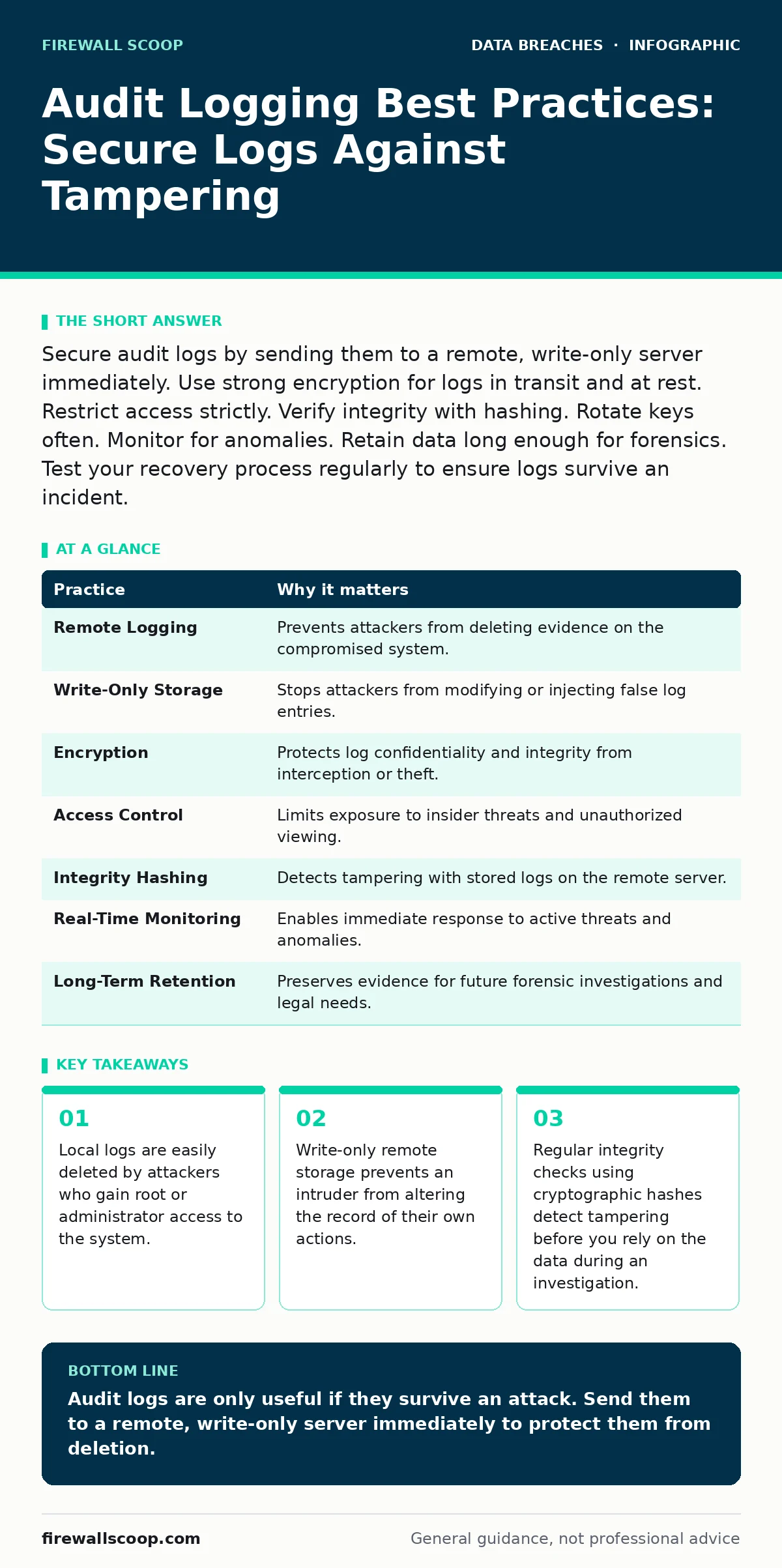
Secure audit logs by sending them to a remote, write-only server immediately. Use strong encryption for logs in transit and at rest. Restrict access strictly. Verify integrity with hashing. Rotate keys often. Monitor for anomalies. Retain data long enough for forensics. Test your recovery process regularly to ensure logs survive an incident.
Why Standard Logging Fails During Intrusions
Most organizations configure audit logging best practices incorrectly by focusing only on what is recorded rather than how it is protected. An attacker who gains high-level access knows exactly where the logs are stored. They delete or overwrite these files within minutes of entry. If your logs live only on the server they monitor, you have no evidence of the breach. You must treat logs as a high-value asset that requires protection equal to your production data.
The core problem is trust. You cannot trust a system that an attacker controls to report its own state accurately. This is why remote logging is not optional. It is the foundation of all other controls. Without separation, every other security measure is just noise.
1. Send Logs to a Remote Server Immediately
Local storage is a single point of failure. When a system is compromised, the attacker has control over the local disk. They can stop the logging service, delete the files, or overwrite the disk sectors. Sending logs to a remote server ensures that the data exists outside the attacker's reach. This separation creates a gap between the compromised system and the evidence.
Tip: Configure your logging agent to forward data to a remote syslog server or centralized platform as soon as the event occurs. Do not wait for batch transfers. Real-time forwarding reduces the window where data is vulnerable on the local host. This practice aligns with general data breaches prevention strategies by ensuring evidence survives the initial compromise.
2. Use Write-Only Access for Remote Storage
If the remote logging server allows write or modify access from the source systems, an attacker who compromises a source can also corrupt the remote logs. They might inject false entries to create confusion or delete their own tracks. Write-only access means the source system can add data but cannot change or delete existing records. This ensures the historical record remains intact.
Tip: Configure the remote logging endpoint to accept data only via append operations. Use separate credentials for ingestion and administration. Never give the logging service account the ability to modify or delete logs on the storage server. This protects against sophisticated attacks that attempt to cover their tracks.
3. Encrypt Logs in Transit and at Rest
Logs contain sensitive information about user activity, system states, and potential security incidents. If an attacker intercepts logs during transmission, they can learn about your network structure and security controls. If they access stored logs, they can read private data. Encryption protects the confidentiality and integrity of the log data. It ensures that even if logs are stolen, they remain unreadable without the keys.
Tip: Use TLS for log transmission to prevent eavesdropping. Encrypt log files at rest using strong algorithms like AES-256. Manage encryption keys separately from the log storage. Rotate keys regularly to limit the impact of a key compromise. This approach supports broader database security principles by protecting sensitive data wherever it resides.
4. Restrict Access to Log Data
Not everyone needs to see audit logs. Broad access increases the risk of insider threats and accidental exposure. Only authorized personnel should be able to view or analyze logs. Role-based access control ensures that users can only access the data necessary for their job functions. This limits the blast radius if a user account is compromised.
Tip: Implement strict role-based access controls for log management platforms. Define roles such as "Viewer," "Analyst," and "Administrator." Grant the minimum necessary permissions. Audit access to the logs themselves. Regularly review who has access and remove unnecessary permissions. This reduces the risk of employee data breaches caused by excessive internal privileges.
See also: Memory Forensics: Benefits, Limits, and When to Use It · Spear Phishing Prevention Checklist for Secure Operations
5. Verify Log Integrity with Cryptographic Hashing
An attacker might tamper with logs on the remote server if they gain access to that system. You need a way to detect this tampering. Cryptographic hashing creates a unique fingerprint for each log entry or batch. If anyone changes the log data, the hash will no longer match. This allows you to verify that the logs have not been altered since they were created.
Tip: Calculate a hash for each log entry or batch before storing it. Store these hashes securely, possibly on a separate system or using a blockchain-like structure. Verify hashes periodically to ensure integrity. If a mismatch occurs, investigate immediately. This provides a technical guarantee that the logs are authentic.
6. Monitor Logs for Anomalies in Real Time
Storing logs is useless if you never look at them. Attackers act quickly. You need to detect suspicious activity as it happens. Real-time monitoring allows you to respond to threats before they cause significant damage. Automated alerts can notify security teams of unusual patterns, such as multiple failed login attempts or access to sensitive files.
Tip: Set up automated alerts for high-severity events. Use security information and event management systems to correlate events across multiple sources. Define clear thresholds for what constitutes an anomaly. Test your alerting rules regularly to ensure they trigger correctly. This proactive approach helps you stay ahead of threats.
7. Retain Logs for Sufficient Time
Forensic investigations often take weeks or months. If you delete logs too soon, you lose the evidence needed to understand the breach. Legal requirements may also mandate long-term retention. You need a balance between storage costs and the need for historical data. Keep logs long enough to support investigations and meet compliance obligations.
Tip: Define a clear data retention policy. Store logs for at least one year, or longer if required by law. Use cost-effective storage solutions for older logs. Ensure that logs remain accessible for forensic analysis. This aligns with broader data retention policies that balance legal needs with operational efficiency.
| Practice | Why it matters |
|---|---|
| Remote Logging | Prevents attackers from deleting evidence on the compromised system. |
| Write-Only Storage | Stops attackers from modifying or injecting false log entries. |
| Encryption | Protects log confidentiality and integrity from interception or theft. |
| Access Control | Limits exposure to insider threats and unauthorized viewing. |
| Integrity Hashing | Detects tampering with stored logs on the remote server. |
| Real-Time Monitoring | Enables immediate response to active threats and anomalies. |
| Long-Term Retention | Preserves evidence for future forensic investigations and legal needs. |
Testing Your Log Recovery Process
Having logs is not enough. You must be able to retrieve and analyze them during a crisis. If your log management system is complex, you might struggle to find the right data when time is critical. Regular testing ensures that your team knows how to access and use logs effectively. This prepares you for the stress of a real incident.
Tip: Conduct regular tabletop exercises that include log analysis. Simulate a breach and require your team to find specific events in the logs. Identify gaps in your logging coverage or retrieval process. Update your procedures based on these tests. This ensures you are ready when a real data breach occurs.
Key takeaways
- Local logs are easily deleted by attackers who gain root or administrator access to the system.
- Write-only remote storage prevents an intruder from altering the record of their own actions.
- Regular integrity checks using cryptographic hashes detect tampering before you rely on the data during an investigation.
Audit logs are only useful if they survive an attack. Send them to a remote, write-only server immediately to protect them from deletion.
Frequently asked questions
How often should I rotate log encryption keys?
Rotate keys at least annually or when a key is suspected to be compromised. More frequent rotation reduces the risk window.
Can I use cloud storage for audit logs?
Yes, provided the provider supports write-only access, encryption, and integrity verification. Ensure you retain control over the data.
What if my logs are too large to store?
Prioritize high-value events. Use sampling for low-value logs. Compress data to save space. Balance retention needs with storage costs.
How do I handle log data from third-party services?
Request logs directly from the provider if possible. Ensure they use secure transmission and storage. Verify their security practices.
How this guide was produced: written by the Firewall Scoop editorial team with AI assistance, checked against the public references listed below, and reviewed when the facts change. See our editorial policy or report an error.