Spear Phishing Prevention Checklist for Secure Operations
Automated email filters miss context-heavy attacks, so human verification of delivery channels remains the only reliable defense against targeted social engineering attempts.

Protect your organization by implementing multi-factor authentication, enforcing out-of-band verification for financial requests, and training staff to recognize subtle linguistic cues. This checklist provides actionable steps to reduce the risk of successful spear phishing attempts across your infrastructure.
Audience and Usage Instructions
This checklist applies to individuals managing personal digital identities or organizations administering corporate email systems. Use these items to audit your current security posture. Do not treat this as a one-time task. Cyber threat actors refine their tactics continuously. Revisit these controls after any significant infrastructure change or personnel shift. The goal is to create layers of defense that slow down attackers and increase the cost of intrusion.
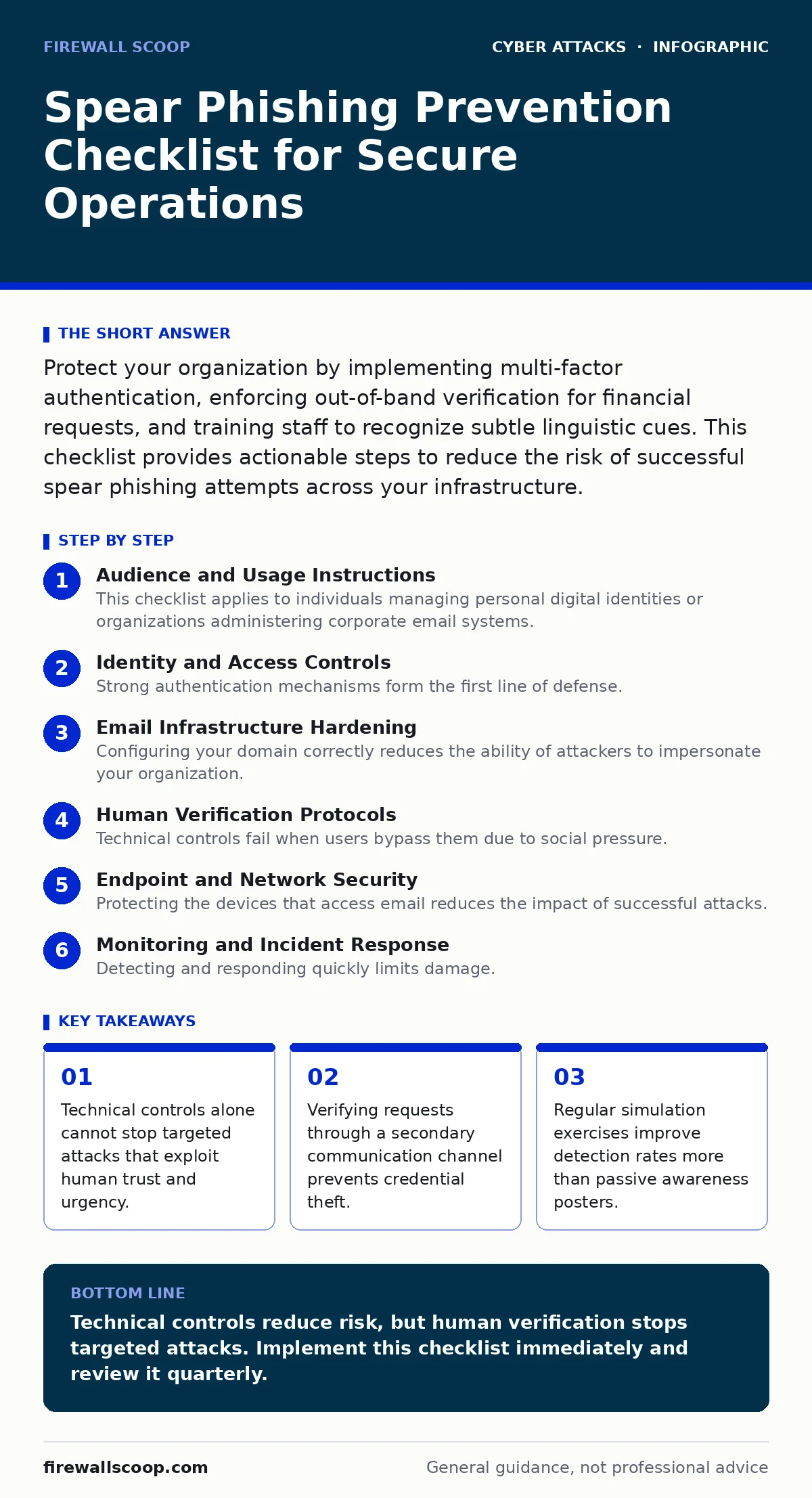
Identity and Access Controls
Strong authentication mechanisms form the first line of defense. If an attacker obtains credentials, they must face additional hurdles.
- Enable multi-factor authentication on all email accounts: This prevents login even if passwords are stolen.
- Use hardware security keys for privileged accounts: These devices resist phishing attempts that mimic login pages.
- Disable legacy authentication protocols: Older protocols lack modern security features and are easier to exploit.
- Review active sessions regularly: Terminating unknown sessions limits the window for unauthorized access.
Multi-factor authentication requires two forms of verification. Hardware keys, such as USB tokens, provide stronger protection than SMS codes. SMS codes are vulnerable to SIM swapping attacks. Attackers can redirect text messages to their own devices. Hardware keys remain secure because they require physical possession.
Email Infrastructure Hardening
Configuring your domain correctly reduces the ability of attackers to impersonate your organization. These settings are open standards that most providers support.
- Publish DMARC records with enforcement policies: This tells receivers how to handle spoofed emails.
- Configure SPF and DKIM correctly: These records verify that emails originate from authorized servers.
- Implement mail tag-based isolation for suspicious domains: This separates risky traffic from your main inbox.
- Disable external email forwarding by default: Prevents attackers from exfiltrating data through forwarded messages.
DMARC, or Domain-based Message Authentication, Reporting, and Conformance, works with SPF and DKIM. SPF lists authorized sending IPs. DKIM adds a digital signature. DMARC instructs receivers to reject or quarantine emails that fail these checks. Without proper configuration, attackers can easily mimic your domain.
Human Verification Protocols
Technical controls fail when users bypass them due to social pressure. Establishing clear procedures for high-risk requests mitigates this risk.
- Require out-of-band verification for payment changes: Confirm requests via phone or separate messaging app.
- Train staff to recognize urgent language cues: Urgency often indicates a manipulation attempt.
- Create a standard operating procedure for executive requests: Define steps for verifying high-level directives.
- Encourage reporting of suspicious emails without penalty: Early detection helps protect the wider organization.
Out-of-band verification means using a different communication channel. If an email requests a wire transfer, call the sender using a known number. Do not use contact details from the email. Attackers often compromise email accounts to send convincing requests. See the guide on CEO fraud for more details on executive impersonation tactics.
Endpoint and Network Security
Protecting the devices that access email reduces the impact of successful attacks. Malware and spyware often enter through malicious attachments or links.
- Keep operating systems and applications updated: Patches fix known vulnerabilities that attackers exploit.
- Use application whitelisting on critical systems: This prevents unauthorized software from running.
- Segment network traffic by sensitivity: Limits lateral movement if one system is compromised.
- Disable macro execution by default: Macros often deliver payloads in document attachments.
Application whitelisting allows only approved programs to run. This prevents malicious scripts from executing even if a user opens a bad file. Network segmentation isolates critical assets from general user traffic. If an endpoint is infected, the attacker cannot easily move to other systems.
See also: CEO Fraud Detection: Spotting Executive Impersonation in Logs · SPF Record Mistakes That Invite Email Fraud and How to Fix Them
Monitoring and Incident Response
Detecting and responding quickly limits damage. Proactive monitoring helps identify anomalies before they become breaches.
- Monitor for unusual login locations: Sudden geographic shifts often indicate compromised accounts.
- Analyze email headers for spoofing signs: Headers reveal the true origin of the message.
- Conduct regular phishing simulation exercises: Testing user responses identifies gaps in training.
- Maintain an incident response playbook: Clear steps reduce confusion during a real attack.
Analyzing email headers requires technical knowledge. Look for discrepancies between the displayed sender and the actual sending server. Simulation exercises should mimic real-world scenarios, including spear phishing and typosquatting attempts. Review results to tailor training programs.
Related Threat Vectors
Understanding related attacks helps you anticipate broader tactics. Spear phishing often combines with other methods to increase success rates.
- Review defenses against drive-by downloads: These exploit browser vulnerabilities without user interaction.
- Assess protection against man-in-the-middle attacks: These intercept communications on unsecured networks.
- Evaluate safeguards for vendor email compromise: Business email attacks often target third-party relationships.
- Check for baiting attacks: These use free items or services to lure victims.
Drive-by downloads occur when visiting a compromised website. Man-in-the-middle attacks intercept data in transit. Vendor email compromise targets the supply chain. Baiting attacks exploit curiosity or greed. Understanding these vectors helps you build a holistic defense strategy. See the guide on phishing for general awareness techniques.
Key takeaways
- Technical controls alone cannot stop targeted attacks that exploit human trust and urgency.
- Verifying requests through a secondary communication channel prevents credential theft.
- Regular simulation exercises improve detection rates more than passive awareness posters.
Technical controls reduce risk, but human verification stops targeted attacks. Implement this checklist immediately and review it quarterly.
Frequently asked questions
How do I verify an email sender without calling them back?
Use a pre-established secondary channel like an internal messaging platform or a known phone number from your directory, never from the email itself.
What is the difference between phishing and spear phishing?
Phishing casts a wide net to many victims, while spear phishing targets specific individuals with personalized content to increase credibility.
Can multi-factor authentication stop all spear phishing attempts?
MFA blocks unauthorized access if credentials are stolen, but it does not prevent users from voluntarily sharing information or clicking malicious links.
How often should I update my security awareness training?
Update training materials whenever new attack trends emerge or after internal simulation exercises reveal specific knowledge gaps among staff.
How this guide was produced: written by the Firewall Scoop editorial team with AI assistance, checked against the public references listed below, and reviewed when the facts change. See our editorial policy or report an error.