SPF Record Mistakes That Invite Email Fraud and How to Fix Them
A single syntax error in your SPF record can disable email authentication entirely, leaving your domain open to impersonation and fraud without any warning signs.

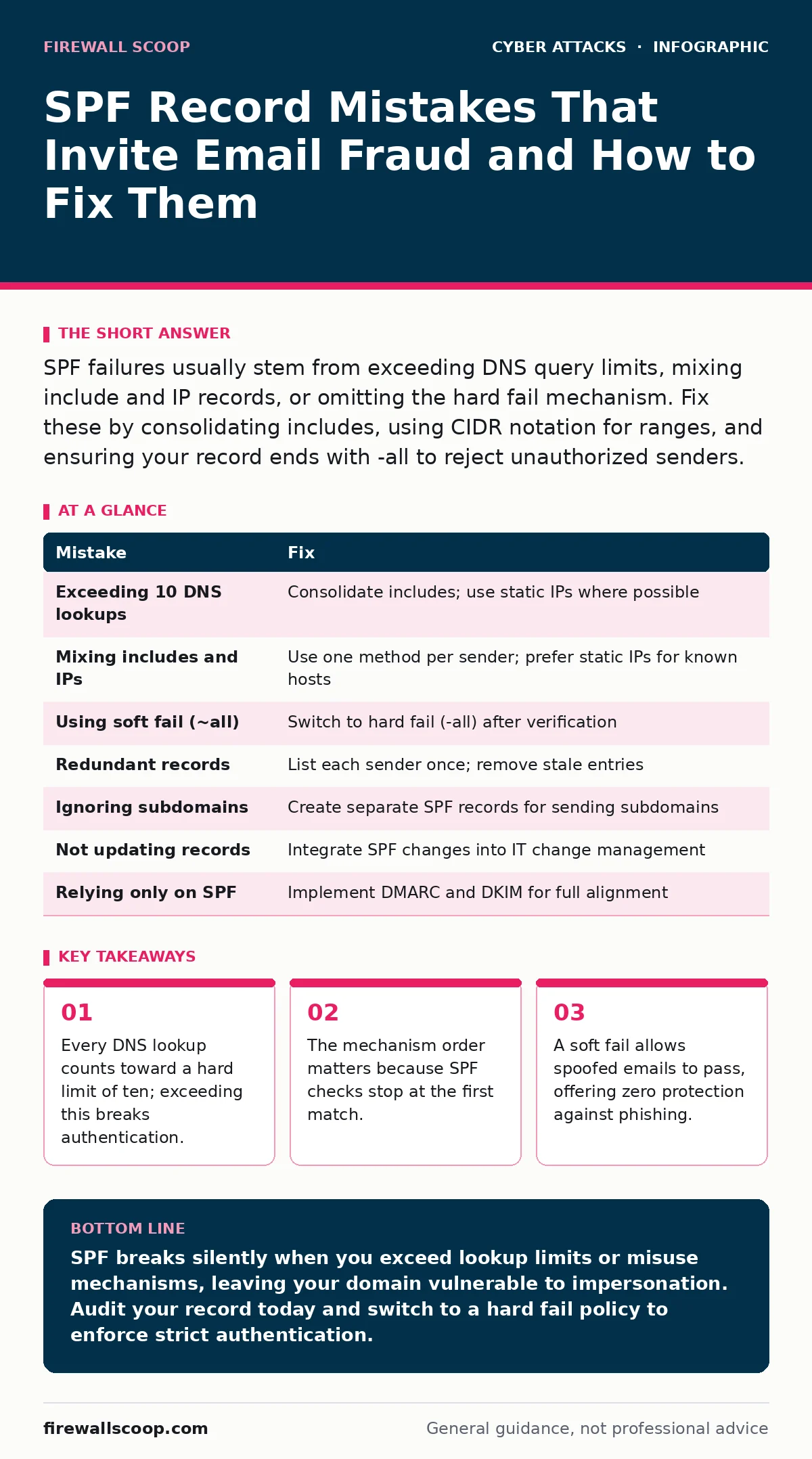
SPF failures usually stem from exceeding DNS query limits, mixing include and IP records, or omitting the hard fail mechanism. Fix these by consolidating includes, using CIDR notation for ranges, and ensuring your record ends with -all to reject unauthorized senders.
Mistake 1: Exceeding the DNS Lookup Limit
SPF works by listing authorized sending servers in a DNS text record. Each time a receiving mail server checks your SPF, it must look up every entry in that record. The standard limits you to ten DNS lookups. This includes every include, a, mx, ptr, and exists directive. ip4 and ip6 entries do not count toward this limit because they are static values.
Why it hurts: When you exceed ten lookups, the receiver stops checking further entries. The result is a permanent error, often interpreted as a neutral or soft fail. This means your legitimate emails might be marked as spam, or worse, unauthorized senders can slip through because the validation process aborted.
The fix: Audit your record and count the lookups. Replace multiple include directives with a single service provider if possible. Many modern email platforms support a consolidated SPF include. If you must keep many includes, you need to remove redundant services or switch to a different authentication method for those specific servers.
Mistake 2: Mixing Include Directives with IP Ranges
Many administrators add include directives for third-party services and then append specific IP addresses for internal servers. This is a common structural error. The include directive tells the receiver to fetch another domain’s SPF policy. If that policy contains more includes, you burn through your lookup budget quickly.
Why it hurts: This mix often leads to the lookup limit error mentioned above. It also creates a fragile configuration. If a third-party provider changes their SPF record, your domain’s authentication might break silently. You have no control over their DNS changes, yet your security depends on them.
The fix: Use ip4 and ip6 mechanisms for static IP addresses. These do not require DNS lookups. Reserve include directives only for services that do not provide static IPs. If a provider gives you a list of IPs, use those directly instead of their include tag. This reduces lookup counts and removes dependency on external DNS stability.
Mistake 3: Using Soft Fail Instead of Hard Fail
The end of an SPF record dictates what happens when an email does not match any listed sender. You can use ~all for soft fail or -all for hard fail. A soft fail tells the receiver the email is suspicious but allows delivery. A hard fail tells the receiver to reject the email outright.
Why it hurts: Soft fail offers almost no protection against determined attackers. It marks the email as suspicious, but many mail servers still deliver it to the inbox or spam folder. This allows phishers to test your domain’s defenses. If they see soft fails, they know you have SPF but that it is not enforced strictly.
The fix: Switch to -all once you have verified that all legitimate senders are listed. This ensures that any email claiming to be from your domain but sent from an unauthorized server is rejected. Before making this change, monitor your logs for a few weeks to ensure you are not blocking legitimate mail. This prevents accidental loss of business correspondence.
Mistake 4: Including Redundant DNS Records
Some administrators add both an a record and an include for the same service. They might also list the same IP address multiple times in different formats. This redundancy wastes valuable lookup slots and confuses the SPF parser.
Why it hurts: Redundancy increases the chance of hitting the lookup limit. It also makes troubleshooting difficult. When an email fails SPF, you have to check multiple entries to find the mismatch. This slows down response times during an incident. It also increases the complexity of your DNS configuration, leading to human error during updates.
The fix: List each authorized sender only once. If a service provides an include directive, do not also list its IP addresses. If you list IP addresses, do not include the service’s domain. Choose one method and stick to it. Regularly audit your SPF record to remove stale entries for services you no longer use.
Mistake 5: Ignoring Subdomain Authentication
By default, SPF records apply to the base domain. However, many organizations use subdomains for marketing, alerts, or internal tools. If you do not create separate SPF records for these subdomains, they inherit the base domain’s policy. This can cause conflicts if the subdomain uses a different sending service.
Why it hurts: If a subdomain sends email from an IP not listed in the base domain’s SPF, those emails will fail authentication. This can lead to legitimate alerts or newsletters being marked as spam. Conversely, if you add the subdomain’s sending IPs to the base domain’s SPF, you burn lookup slots for traffic that might be minimal.
The fix: Create a separate SPF record for each subdomain that sends email. This isolates the authentication policy and prevents lookup limit issues on the base domain. It also allows you to apply stricter policies to sensitive subdomains. For example, you might use a hard fail for a finance subdomain and a soft fail for a testing subdomain.
See also: 7 Phishing Mistakes That Bypass Your Defenses · CEO Fraud Detection: Spotting Executive Impersonation in Logs
Mistake 6: Forgetting to Update SPF When Services Change
IT environments change frequently. You might switch email providers, add a new marketing platform, or decommission an old server. If you do not update your SPF record to reflect these changes, your authentication breaks.
Why it hurts: Stale entries waste lookup slots and create security gaps. If you remove a service but leave its include directive, you are still making a DNS query for a non-existent or irrelevant policy. If you add a new service but forget to update SPF, its emails will fail authentication. This leads to delivery issues and potential fraud.
The fix: Treat your SPF record as a living document. Integrate SPF updates into your change management process. Whenever you onboard a new email service, update the SPF record immediately. When you offboard a service, remove its entry. Use a DNS management tool that supports version control to track changes over time.
Mistake 7: Misunderstanding SPF Scope
SPF only authenticates the envelope sender, also known as the MAIL FROM address. It does not authenticate the "From" header that users see in their email clients. Attackers can spoof the visible "From" address while using a valid envelope sender that passes SPF.
Why it hurts: This limitation makes SPF insufficient on its own. An attacker can send an email that appears to come from your CEO, using a compromised server that passes SPF for a different domain. If you rely solely on SPF, you might miss these sophisticated impersonation attempts. This is why many organizations fall victim to invoice fraud or credential stuffing attacks that bypass basic checks.
The fix: Implement DMARC alongside SPF and DKIM. DMARC provides a policy for how to handle emails that fail SPF or DKIM. It also aligns the envelope sender with the visible "From" header. This creates a stronger layer of defense. For deeper protection against automated attacks, consider bot protection mechanisms that analyze behavior rather than just headers.
| Mistake | Fix |
|---|---|
| Exceeding 10 DNS lookups | Consolidate includes; use static IPs where possible |
| Mixing includes and IPs | Use one method per sender; prefer static IPs for known hosts |
| Using soft fail (~all) | Switch to hard fail (-all) after verification |
| Redundant records | List each sender once; remove stale entries |
| Ignoring subdomains | Create separate SPF records for sending subdomains |
| Not updating records | Integrate SPF changes into IT change management |
| Relying only on SPF | Implement DMARC and DKIM for full alignment |
Key takeaways
- Every DNS lookup counts toward a hard limit of ten; exceeding this breaks authentication.
- The mechanism order matters because SPF checks stop at the first match.
- A soft fail allows spoofed emails to pass, offering zero protection against phishing.
SPF breaks silently when you exceed lookup limits or misuse mechanisms, leaving your domain vulnerable to impersonation. Audit your record today and switch to a hard fail policy to enforce strict authentication.
Frequently asked questions
How do I check my current SPF lookup count?
Use online SPF checking tools or dig commands to simulate a lookup. These tools will show you exactly how many queries your record triggers.
Can I have multiple SPF records for one domain?
No. DNS allows only one SPF record per domain. If you publish multiple, the result is undefined and likely to fail.
Does SPF protect against all email fraud?
No. SPF only verifies the sending server. It does not protect the content or the visible sender address. You need DMARC and DKIM for broader protection.
What happens if my ISP blocks my SPF record?
This is rare. Most issues stem from syntax errors or lookup limits. Check your DNS propagation and syntax if you see delivery failures.
How this guide was produced: written by the Firewall Scoop editorial team with AI assistance, checked against the public references listed below, and reviewed when the facts change. See our editorial policy or report an error.