Invoice Fraud Warning Signs: Detecting Hidden Payment Scams
Most invoice fraud bypasses visual checks by exploiting trusted vendor relationships and subtle email header inconsistencies that standard filters ignore.
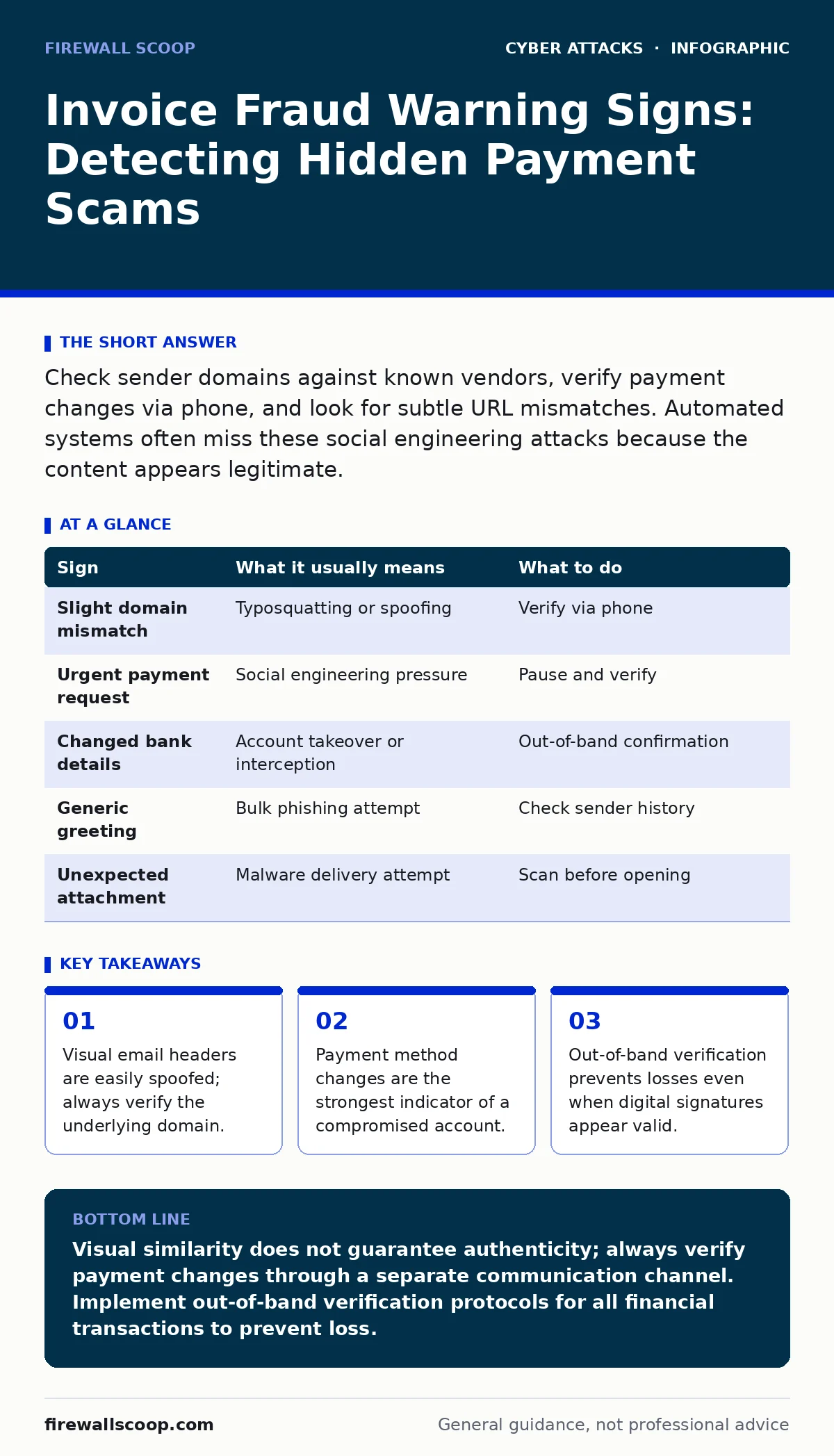
Check sender domains against known vendors, verify payment changes via phone, and look for subtle URL mismatches. Automated systems often miss these social engineering attacks because the content appears legitimate.
The Illusion of Trust
Invoice fraud relies on your trust in established business relationships. Attackers do not create new identities; they hijack existing ones. You receive a request that looks exactly like a routine bill from a supplier you have paid for years. The urgency feels familiar, which lowers your natural skepticism.
This method exploits the cognitive bias where you assume continuity implies safety. The attacker has studied your communication patterns. They mimic the formatting, tone, and branding of the vendor. Your eyes skip over the details because the context feels safe.
First Noticed Signs
The most obvious signs appear in the metadata of the message. Check the sender’s email address carefully. It may look correct at a glance, but the domain might differ by a single character. This is a common tactic in typosquatting, where attackers register domains that resemble legitimate ones.
Look for generic greetings. A vendor who knows your procurement team usually uses names. A message addressing "Accounts Payable" or "Team" suggests a bulk operation. Also, watch for attachments you did not expect. If you do not receive invoices as PDFs normally, a sudden attachment is a red flag.
Hidden Indicators
Some signs require looking beyond the body of the email. Hover over any links before clicking. The destination URL may point to a completely different domain. This discrepancy is a clear sign of compromise. Even if the link text says "View Invoice," the underlying address matters.
Check for subtle changes in payment instructions. Attackers often wait until a vendor has changed their bank details legitimately, then inject their own details into the email. This makes the fraud harder to spot because the change is real, but the notification is fake. This overlaps with CEO fraud tactics, where authority is impersonated to bypass checks.
The Role of Email Protocols
Standard email security relies on protocols like SPF, which verifies that an email comes from an authorized server. However, SPF only checks the envelope sender, not the display name. An attacker can send an email from a legitimate-looking domain that passes SPF checks if they have compromised that domain or found a misconfiguration.
This is why visual checks fail. The email passes technical validation but fails logical validation. You must understand that passing SPF does not mean the content is safe. It only means the server sending the email is allowed to send emails for that domain.
Verification Methods
When you spot a discrepancy, do not reply to the email. Reply-to addresses are often spoofed. Instead, use an out-of-band method. Call the vendor using a number you already have on file, not one in the email. This breaks the chain of deception.
Document the incident. Save the email headers and the content. This helps your security team analyze the attack vector. If you use multi-factor authentication for your email, ensure it is enabled. MFA prevents attackers from accessing your account to send fraudulent invoices to your partners.
See also: 7 Phishing Mistakes That Bypass Your Defenses · CEO Fraud Detection: Spotting Executive Impersonation in Logs
Automated Defenses
Relying on human vigilance is insufficient. Implement automated checks for payment changes. Your accounting software should flag any request to change bank details. These requests should require manual approval from a second party.
Consider using bot protection to filter out automated phishing campaigns. While sophisticated invoice fraud is manual, many initial attempts are automated. Filtering these reduces the noise, allowing your team to focus on high-risk messages.
Response Protocol
If you suspect fraud, stop the payment immediately. Contact your bank to freeze the transaction. Then, notify your IT security team. They can investigate if your systems have been compromised. Do not delete the email until the investigation is complete.
Update your internal procedures. Train staff to recognize the subtle signs of invoice fraud. Regular training keeps these skills sharp. Remember that attackers adapt. What works today may not work tomorrow. Stay proactive in updating your defenses.
| Sign | What it usually means | What to do |
|---|---|---|
| Slight domain mismatch | Typosquatting or spoofing | Verify via phone |
| Urgent payment request | Social engineering pressure | Pause and verify |
| Changed bank details | Account takeover or interception | Out-of-band confirmation |
| Generic greeting | Bulk phishing attempt | Check sender history |
| Unexpected attachment | Malware delivery attempt | Scan before opening |
Key takeaways
- Visual email headers are easily spoofed; always verify the underlying domain.
- Payment method changes are the strongest indicator of a compromised account.
- Out-of-band verification prevents losses even when digital signatures appear valid.
Visual similarity does not guarantee authenticity; always verify payment changes through a separate communication channel. Implement out-of-band verification protocols for all financial transactions to prevent loss.
Frequently asked questions
Can email filters stop invoice fraud?
Standard filters catch known malware and spam, but they often miss sophisticated social engineering attacks that mimic legitimate business communications.
Why do attackers use invoice fraud instead of hacking bank accounts directly?
Hacking bank accounts requires high-level technical skills and carries greater risk. Invoice fraud exploits human trust and existing business processes, making it easier and less detectable.
How can I protect my company from replay attacks on invoices?
Ensure that each invoice has a unique reference number and timestamp. Do not accept duplicate payments for the same reference. Verify new requests against your records.
Is credential stuffing a risk for invoice fraud?
Yes, if attackers compromise vendor accounts using stolen credentials, they can send fraudulent invoices that appear to come from a legitimate source. Strong password policies and MFA mitigate this risk.
How this guide was produced: written by the Firewall Scoop editorial team with AI assistance, checked against the public references listed below, and reviewed when the facts change. See our editorial policy or report an error.