CEO Fraud Detection: Spotting Executive Impersonation in Logs
Executive impersonation often bypasses human scrutiny because it exploits trusted communication channels rather than technical vulnerabilities, making log analysis the primary defense.

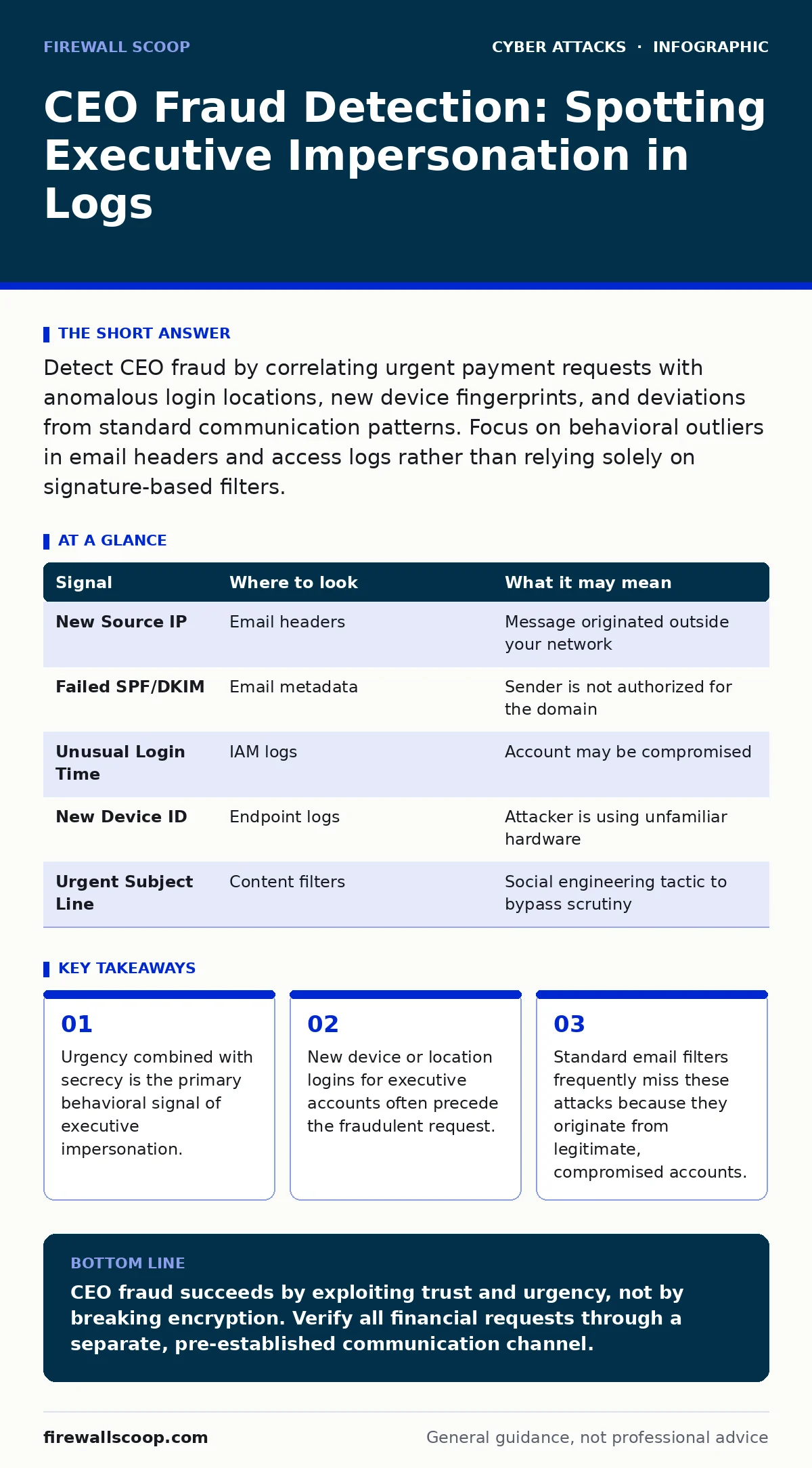
Detect CEO fraud by correlating urgent payment requests with anomalous login locations, new device fingerprints, and deviations from standard communication patterns. Focus on behavioral outliers in email headers and access logs rather than relying solely on signature-based filters.
The Anatomy of a Trust Exploit
CEO fraud relies on social engineering rather than technical exploitation. An attacker compromises an executive’s email account or mimics their identity to request urgent fund transfers. The success rate depends on your staff’s willingness to bypass normal verification procedures under pressure.
You must shift your focus from preventing the message from arriving to detecting the anomaly within your systems. The attacker does not need to break into your firewall. They need to break your trust model.
Email Header Anomalies
When an executive sends a request, the email headers tell a story. Look at the Received headers to trace the path the message took. A legitimate message from your CEO usually originates from your internal mail server.
If the message appears to come from an external IP address, even if the sender name matches, it is a red flag. Check the SPF (Sender Policy Framework) results. A fail or soft-fail status indicates the sending server is not authorized to send mail for your domain.
Attackers often use look-alike domains. This relates to typosquatting, where they register domains that differ by one character from your legitimate domain. Your filters might not catch this if the visual difference is subtle.
Authentication and Access Logs
The most reliable signal is often found in identity and access management logs. When an executive’s account is compromised, the attacker must log in. This login usually occurs from a new geographic location or a new device.
Compare the current login against the user’s baseline. Does the CEO typically log in from the office IP range? If a login occurs from a foreign country at 3:00 AM, that is an outlier.
Even if multi-factor authentication is bypassed, the method of bypass matters. Did the user approve a push notification? Or did the attacker use a stolen session token? This connects to replay attacks, where valid data transmission is intercepted and reused.
| Signal | Where to look | What it may mean |
|---|---|---|
| New Source IP | Email headers | Message originated outside your network |
| Failed SPF/DKIM | Email metadata | Sender is not authorized for the domain |
| Unusual Login Time | IAM logs | Account may be compromised |
| New Device ID | Endpoint logs | Attacker is using unfamiliar hardware |
| Urgent Subject Line | Content filters | Social engineering tactic to bypass scrutiny |
Behavioral Deviations in Communication
Attackers know that executives are busy. They craft messages that demand immediate action and discourage verification. Look for phrases like "do not reply to this email" or "call me on my private line."
Analyze the tone and structure. Does the message deviate from the executive’s usual style? If the CEO typically writes detailed emails, a short, vague command is suspicious.
This behavior exploits the hierarchy. Staff members are conditioned to obey authority. The attacker leverages this psychological trigger. You must train your team to question authority when it conflicts with process.
Financial System Triggers
The ultimate goal is a transfer. Monitor your payment systems for unusual patterns. A large wire transfer to a new vendor is a high-risk event.
Check if the beneficiary details have changed recently. Attackers often update vendor records in your ERP system to point to their own bank account. This is a form of invoice fraud where the document looks legitimate but the destination is malicious.
Ensure that payment approvals require dual control. One person initiates, another approves. This prevents a single compromised account from moving funds.
See also: 7 Phishing Mistakes That Bypass Your Defenses · SPF Record Mistakes That Invite Email Fraud and How to Fix Them
Endpoint and Network Telemetry
Sometimes the executive’s device is the entry point. Malware on the CEO’s laptop can harvest credentials or monitor keystrokes. This is similar to drive-by downloads, where malicious code executes without user consent.
Monitor for outbound connections to known command and control servers. Look for processes that inject themselves into legitimate email clients.
If you see unusual network traffic from the executive’s device, isolate it immediately. Do not assume the activity is authorized just because it comes from a high-level user.
Common Blind Spots in Detection
Many organizations focus heavily on perimeter defenses. They install advanced firewalls and email gateways. However, these tools often miss attacks that originate from inside the network.
Another blind spot is the assumption that multi-factor authentication stops all compromises. If an attacker steals a valid session cookie, MFA is bypassed. This is why session management is critical.
You may also overlook the human element. Security teams often analyze logs but do not correlate them with HR changes. If an executive recently changed roles or left the company, their access should be revoked immediately.
Integrating Detection Signals
To effectively detect CEO fraud, you must correlate data from multiple sources. A single anomaly might be benign. A combination of anomalies is likely malicious.
Use a Security Information and Event Management system to aggregate logs. Create rules that alert when a high-value user logs in from a new location and immediately sends an email with financial keywords.
This holistic approach reduces false positives. It allows your team to focus on genuine threats.
Strengthening Your Verification Process
Technology alone is insufficient. You need a process for verifying financial requests. This process must be independent of the communication channel used for the request.
If an email requests a payment, verify it via a phone call to a known number. Do not use the number provided in the email.
This step adds friction. Attackers rely on speed. By slowing down the process, you reduce the likelihood of success.
Key takeaways
- Urgency combined with secrecy is the primary behavioral signal of executive impersonation.
- New device or location logins for executive accounts often precede the fraudulent request.
- Standard email filters frequently miss these attacks because they originate from legitimate, compromised accounts.
CEO fraud succeeds by exploiting trust and urgency, not by breaking encryption. Verify all financial requests through a separate, pre-established communication channel.
Frequently asked questions
Why do email filters fail to catch CEO fraud?
Filters often miss these attacks because they originate from legitimate, compromised accounts within your own organization, bypassing external spam filters.
Can multi-factor authentication prevent CEO fraud?
MFA helps but does not guarantee protection. Attackers can bypass MFA by stealing session cookies or tricking users into approving push notifications.
How do I distinguish between a busy executive and an attacker?
Look for deviations in behavior, such as new login locations, unusual times, and requests for secrecy or bypassing standard procedures.
What is the most common mistake in detecting this fraud?
The most common mistake is relying solely on the sender’s name or email address without checking the underlying headers or authentication logs.
How this guide was produced: written by the Firewall Scoop editorial team with AI assistance, checked against the public references listed below, and reviewed when the facts change. See our editorial policy or report an error.