Drive-by Downloads: How Silent Infections Bypass Your Defenses
Drive-by downloads exploit software flaws to install malware without your consent, meaning your caution alone cannot prevent the infection if your system is unpatched.

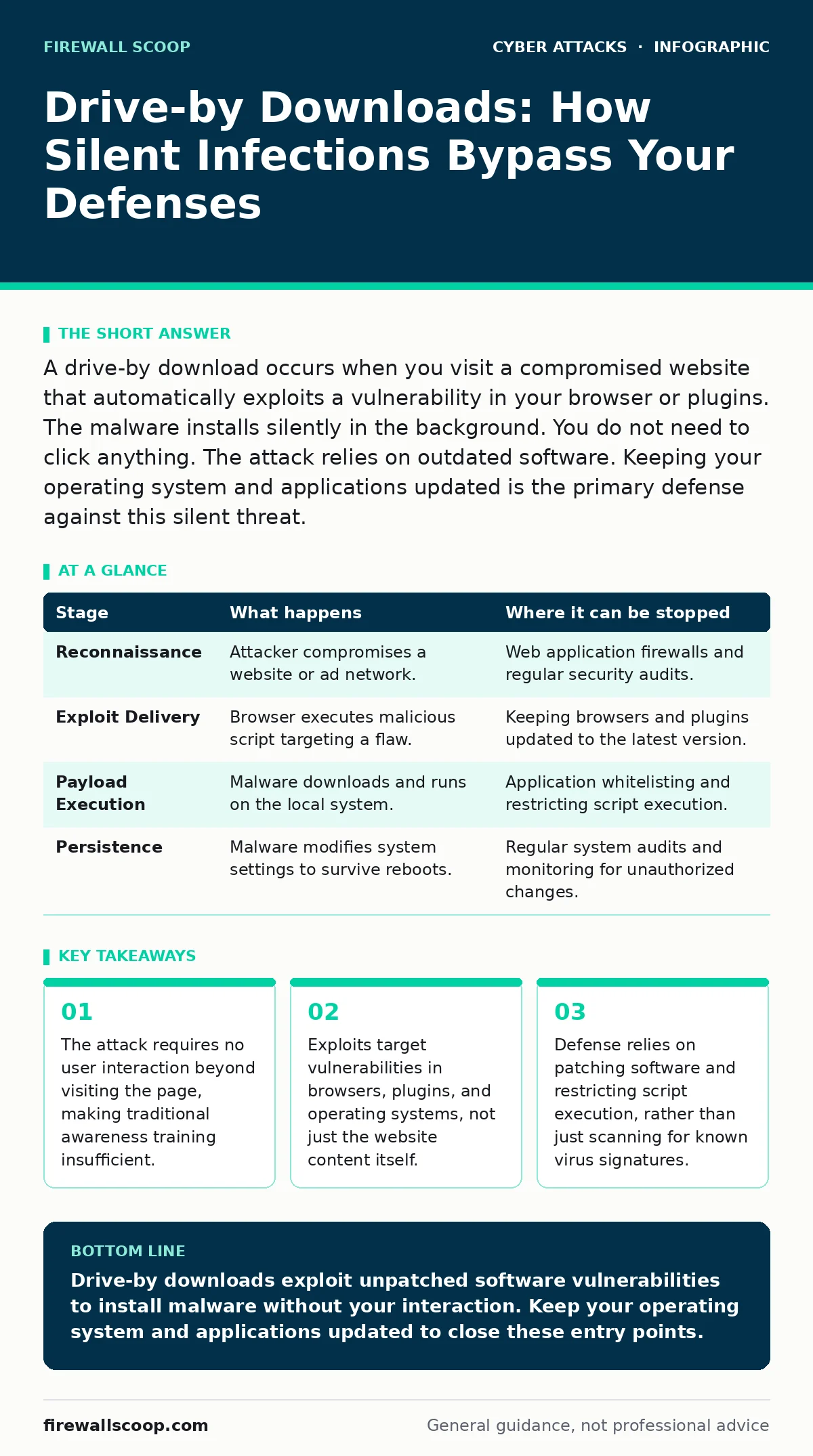
A drive-by download occurs when you visit a compromised website that automatically exploits a vulnerability in your browser or plugins. The malware installs silently in the background. You do not need to click anything. The attack relies on outdated software. Keeping your operating system and applications updated is the primary defense against this silent threat.
The Silent Entry Point
Imagine you visit a popular news site or a forum to read an article. The page loads normally, displaying text and images as expected. You do not download any files. You do not click any links that look suspicious. Yet, within seconds, malicious code is executing on your machine. This is a drive-by download.
It differs from traditional phishing because it does not rely on social engineering to trick you into clicking. Instead, it relies on technical vulnerabilities in the software that renders the web page. The attacker has injected malicious code into the website’s server or compromised a third-party advertising network. When your browser requests the page, it also requests the malicious code.
The browser attempts to execute this code. If your software is up to date, the code fails to run because the vulnerability it targets has been patched. If your software is outdated, the code executes with the same privileges as your browser. This allows the attacker to move from the sandboxed environment of the web page to your local file system. The entire process happens in milliseconds. You see no dialog boxes asking for permission. You hear no warning sounds. The infection is silent because the exploit bypasses the user interface entirely.
### Stage 1: Reconnaissance and Injection
The attacker begins by identifying websites with weak security. They do not need to hack a major corporation. A small blog or a defunct forum with outdated software is often easier to compromise. Once access is gained, the attacker injects malicious scripts into the site’s code. These scripts are often hidden in images, CSS files, or JavaScript libraries. The goal is to make the malicious code indistinguishable from legitimate content. The attacker may also compromise a Content Delivery Network, which serves files to thousands of sites. This amplifies the reach of the attack.
The injected code waits for a visitor. It does not activate until a browser requests the page. This is known as a client-side attack. The server does not know it is hosting malware. It simply serves the files as it always has. The malicious payload is often encoded or obfuscated to avoid detection by security filters. This layer of confusion protects the attacker’s intent until the code reaches the victim’s device.
### Stage 2: The Exploit Delivery
When you load the page, your browser parses the HTML and executes the JavaScript. The malicious script checks your browser version and operating system. It looks for a specific vulnerability that matches your environment. If it finds one, it sends a specially crafted request to trigger the flaw. This request is designed to confuse the software’s memory management. It overwrites memory addresses to redirect the program’s execution flow. This technique is called a buffer overflow. It forces the software to run the attacker’s code instead of its intended instructions.
This stage is critical because it bridges the gap between the web and your computer. The exploit must be precise. If the target software has been patched, the exploit fails and nothing happens. The attacker relies on the fact that many users delay updating their software. They also rely on the complexity of modern software, which contains millions of lines of code. Even carefully written software contains bugs. These bugs become the entry points for the attacker. The exploit code is often reused from previous attacks, modified slightly to evade signature-based detection.
### Stage 3: Payload Execution
Once the exploit succeeds, the browser is no longer in control. The attacker’s code now runs on your system. The first task is to download the actual malware payload. This payload might be a remote access trojan, a cryptominer, or a keylogger. The code fetches this file from a remote server. It saves the file to a temporary directory on your hard drive. The file name is often random to avoid detection by simple name-based filters. The code then makes the file executable. This step requires bypassing operating system protections that prevent arbitrary code execution.
The malware may use a technique called process injection. This involves inserting its code into a legitimate running process, such as a web browser or system service. This hides the malware’s activity. Security tools often trust these legitimate processes. By hiding inside them, the malware avoids triggering alarms. The payload is now active on your system. It may establish a connection to the attacker’s command and control server. This server provides further instructions, such as which data to steal or which other systems to attack.
### Stage 4: Persistence and Evasion
The malware now wants to survive a reboot. If the computer restarts, the malware must start again. It achieves this by modifying system settings. It may add a new entry to the startup folder or modify the Windows Registry. These changes ensure the malware launches when the operating system boots. The malware may also disable security software. It attempts to stop antivirus services or disable firewall rules. This creates a window of opportunity for the attacker to operate freely.
Evasion is key to long-term success. The malware may use encryption to hide its communications. This prevents network monitors from seeing the data it sends to the attacker. It may also mimic legitimate network traffic. For example, it might send data over HTTPS, which is encrypted and trusted by most networks. This makes it difficult to distinguish malicious activity from normal web browsing. The malware stays quiet until it has achieved its goal. This could be stealing credentials, encrypting files for ransom, or using your computer to attack others.
| Stage | What happens | Where it can be stopped |
|---|---|---|
| Reconnaissance | Attacker compromises a website or ad network. | Web application firewalls and regular security audits. |
| Exploit Delivery | Browser executes malicious script targeting a flaw. | Keeping browsers and plugins updated to the latest version. |
| Payload Execution | Malware downloads and runs on the local system. | Application whitelisting and restricting script execution. |
| Persistence | Malware modifies system settings to survive reboots. | Regular system audits and monitoring for unauthorized changes. |
See also: Bot Protection: How to Stop Automated Abuse Without Blocking Users
Interrupting the Chain
You can interrupt this process at multiple points. The most effective method is patch management. Updating your operating system, browser, and plugins closes the vulnerabilities the exploit relies on. If the flaw is patched, the exploit cannot execute. This renders the attack harmless. You should also use application whitelisting. This security measure allows only approved software to run. Any other executable file is blocked. This prevents the payload from launching even if the exploit succeeds.
Another layer of defense is restricting script execution. You can configure your browser to block JavaScript from unknown sources. While this may break some websites, it significantly reduces the risk of drive-by downloads. You should also monitor your system for unusual activity. Look for new processes starting without your input. Check for changes in system files or registry keys. These signs may indicate that malware has established persistence. If you suspect an infection, disconnect from the network immediately. This prevents the malware from communicating with the attacker.
The Hidden Costs of Convenience
Many users disable security features for convenience. They allow all scripts to run. They delay updates to avoid restarting their computer. They install plugins without checking their source. These choices create the environment drive-by downloads need to succeed. The attack exploits the gap between security and usability. It targets the human desire for ease of use. The attacker does not need to trick you. They only need you to neglect maintenance.
The cost of this convenience is high. Once infected, your data is at risk. Your credentials may be stolen. Your computer may be used to attack others. The cleanup process is time-consuming and complex. You may need to reinstall your operating system to ensure complete removal. This downtime affects your productivity and trust in technology. The initial convenience of skipping an update leads to significant disruption later.
Related Threat Vectors
Drive-by downloads are often part of a broader attack strategy. Attackers may use DNS spoofing to redirect you to a malicious site that looks identical to the legitimate one. This makes the drive-by download harder to detect. They may also employ typosquatting, registering domain names that are slight misspellings of popular sites. When you mistype a URL, you land on the attacker’s site. The site then attempts the drive-by download.
These techniques rely on user error and infrastructure weaknesses. They complement the technical exploit of the drive-by download. Understanding these related threats helps you build a deeper defense. You must secure not just your software, but your access to the internet. This includes verifying domain names and using secure DNS protocols. By addressing these vectors, you reduce the likelihood of ever reaching the malicious page in the first place.
Key takeaways
- The attack requires no user interaction beyond visiting the page, making traditional awareness training insufficient.
- Exploits target vulnerabilities in browsers, plugins, and operating systems, not just the website content itself.
- Defense relies on patching software and restricting script execution, rather than just scanning for known virus signatures.
Drive-by downloads exploit unpatched software vulnerabilities to install malware without your interaction. Keep your operating system and applications updated to close these entry points.
Frequently asked questions
Can a drive-by download happen on a mobile device?
Yes, if your mobile operating system or browser has unpatched vulnerabilities. Mobile devices are increasingly targeted for this type of attack.
Do I need to click anything to get a drive-by download?
No, the attack is triggered simply by loading the webpage. Your browser executes the malicious code automatically if a vulnerability exists.
Can antivirus software stop a drive-by download?
It may detect the payload after it downloads, but it often cannot stop the initial exploit. Patching software is a more effective prevention method.
How do I know if I have been infected?
Look for slow performance, unexpected pop-ups, or new programs you did not install. Network monitoring tools can also detect suspicious outbound connections.
How this guide was produced: written by the Firewall Scoop editorial team with AI assistance, checked against the public references listed below, and reviewed when the facts change. See our editorial policy or report an error.