Patch Management Checklist: Secure Systems Without Breaking Them
Unpatched systems fail not just because of missing updates, but because the process lacks verification steps that catch failed installations and misconfigurations.
Use a structured checklist to inventory assets, prioritize updates by risk, test patches in isolation, deploy in waves, and verify success. This method prevents downtime while closing security gaps faster than ad-hoc updates.
Define Scope and Inventory Accuracy
You cannot patch what you do not know exists. Shadow IT, forgotten servers, and decommissioned hardware often remain connected to the network. These devices become the weakest link in your defense.
- Maintain a dynamic asset inventory: Static lists become obsolete quickly, leaving new devices unprotected.
- Tag assets by criticality and exposure: Not all systems face the same threat level or business impact.
- Identify end-of-life software: Vendors stop supporting old versions, leaving known flaws unpatched forever.
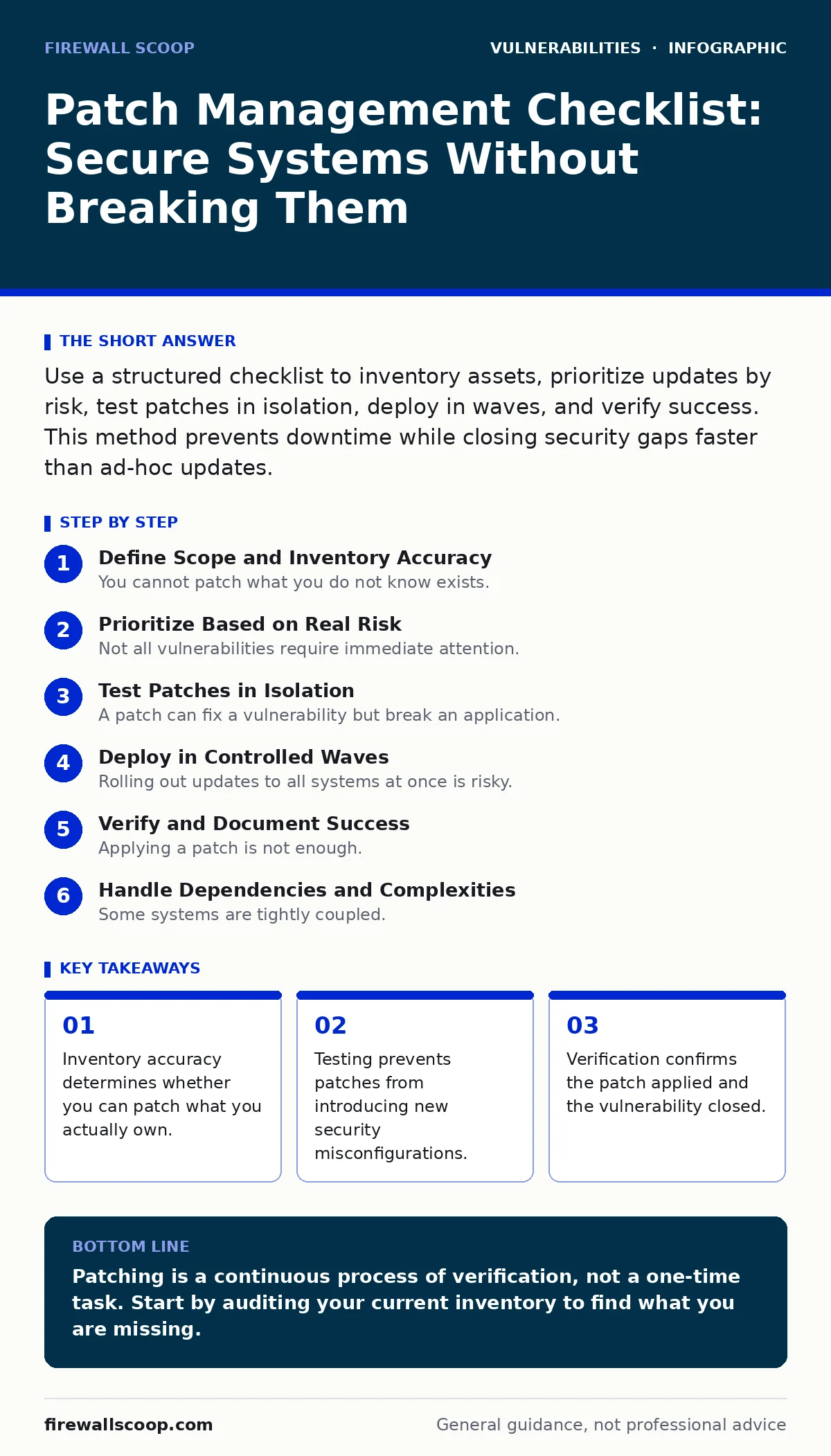
Prioritize Based on Real Risk
Not all vulnerabilities require immediate attention. Some exist in closed systems with no external access. Others expose sensitive data to the internet. You must distinguish between noise and genuine danger.
- Review security bulletins for severity ratings: High scores often indicate easier exploitation or greater impact.
- Cross-reference with your asset inventory: A critical flaw on a disconnected printer is less urgent than one on a web server.
- Consider exploit availability: If attackers are actively using a flaw, patch it immediately.
This approach aligns with principles found in risk-based vulnerability management. You focus resources where they matter most, rather than chasing every minor issue.
- Check for dependencies: Some patches require other updates to function correctly.
- Note business impact windows: Patching during peak hours can disrupt operations more than the vulnerability itself.
Test Patches in Isolation
A patch can fix a vulnerability but break an application. This is known as regression. It occurs when new code interacts poorly with existing systems. Testing prevents this from happening in production.
- Deploy patches to a staging environment first: This mirrors production without affecting real users.
- Verify application functionality: Ensure core features work after the update is applied.
- Check for compatibility issues: New patches may conflict with older software or hardware drivers.
This step is particularly important when dealing with firmware vulnerabilities. Firmware is low-level software that controls hardware. A bad firmware update can brick a device, making it unusable.
- Test network connectivity: Ensure the patch does not block necessary traffic.
- Validate security controls: Confirm that firewalls and access controls still function as expected.
Deploy in Controlled Waves
Rolling out updates to all systems at once is risky. If a patch fails, it fails everywhere. Wave deployment limits the blast radius. It allows you to monitor the first group before proceeding.
- Patch non-critical systems first: These systems can tolerate downtime or minor issues.
- Monitor for errors and performance hits: Watch logs and user feedback closely after deployment.
- Proceed to critical systems only after validation: Wait until you are confident the patch is stable.
- Use automated tools for consistency: Manual patching is slow and prone to human error.
- Schedule maintenance windows: Notify users and plan for potential downtime.
Verify and Document Success
Applying a patch is not enough. You must confirm it worked. Sometimes installations fail silently. The system appears updated, but the vulnerability remains. This false sense of security is dangerous.
- Scan for remaining vulnerabilities: Use automated tools to check if the patch closed the gap.
- Verify the patch version: Ensure the installed version matches the expected release.
- Document the deployment: Record what was patched, when, and any issues encountered.
This verification step helps prevent security misconfigurations that can arise from incomplete updates. It also provides an audit trail for compliance and incident response.
- Update your asset inventory: Reflect any changes made during the patching process.
- Archive old versions: Keep records of previous software states for rollback if necessary.
- Review and refine the process: Identify bottlenecks or failures to improve future cycles.
See also: WordPress Page Builder Vulnerabilities: What to Know · How Security Bulletins Work: The Hidden Mechanics of Patch Intelligence
Handle Dependencies and Complexities
Some systems are tightly coupled. A change in one component can break another. This is especially true for software composition analysis, where you must understand all libraries and modules.
- Map software dependencies: Know which components rely on which libraries.
- Test for race condition vulnerabilities: These timing issues can be introduced or fixed by patches.
- Coordinate with application teams: They may need to adjust their code to work with new updates.
- Monitor for new attack vectors in CVSS: New patches may change how vulnerabilities are scored or exploited.
- Plan for rollback: Have a strategy to revert changes if the patch causes critical failures.
This careful handling ensures that you do not introduce new problems while solving old ones. It balances speed with stability.
Key takeaways
- Inventory accuracy determines whether you can patch what you actually own.
- Testing prevents patches from introducing new security misconfigurations.
- Verification confirms the patch applied and the vulnerability closed.
Patching is a continuous process of verification, not a one-time task. Start by auditing your current inventory to find what you are missing.
Frequently asked questions
How often should I patch systems?
Patch critical vulnerabilities immediately and schedule regular updates for other issues, typically monthly or quarterly depending on vendor releases.
What if a patch breaks my application?
Roll back to the previous version, investigate the compatibility issue, and wait for a vendor fix or apply a workaround if available.
Can automated tools replace manual checks?
Automation speeds up deployment but cannot replace human judgment in prioritization, testing, and verifying complex dependencies.
How do I handle end-of-life software?
Isolate these systems from the network, replace them if possible, or use compensating controls like strict firewalls and monitoring.
How this guide was produced: written by the Firewall Scoop editorial team with AI assistance, checked against the public references listed below, and reviewed when the facts change. See our editorial policy or report an error.