Firmware Updates Explained: How Low-Level Code Affects Security
Firmware updates alter the static instructions embedded in hardware, creating a permanent risk window if the installation process is interrupted or tampered with.
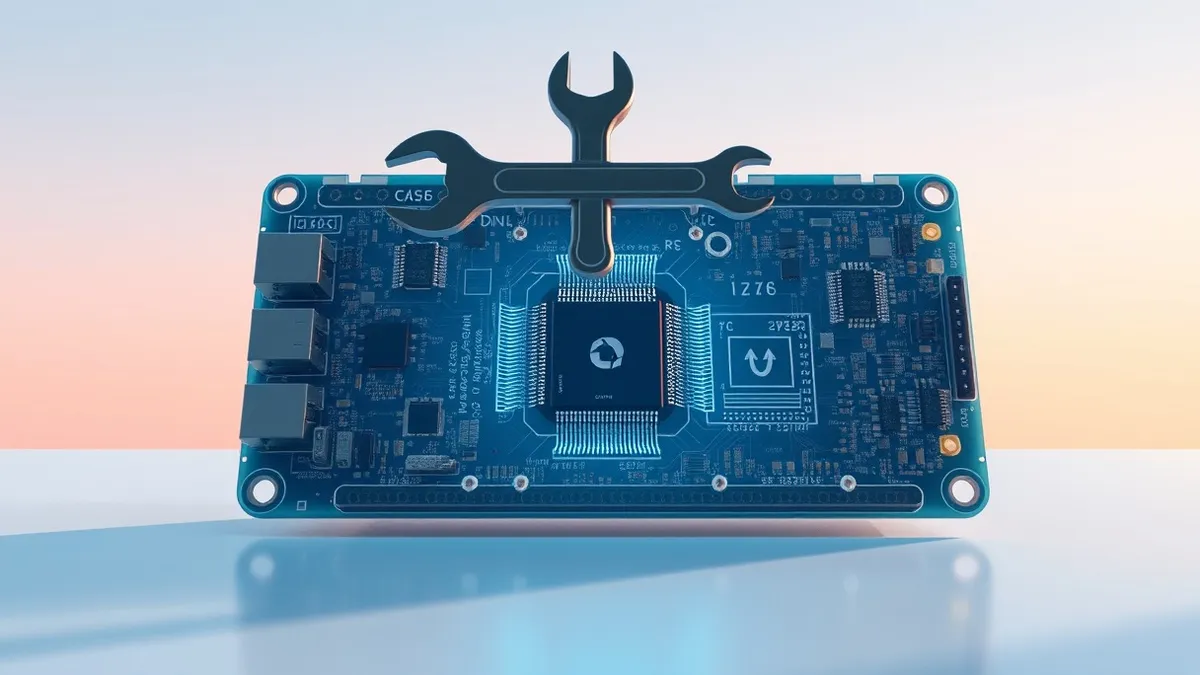
Firmware updates are low-level software packages that control hardware functions directly. They differ from operating system patches by residing in non-volatile memory. Proper installation requires verifying cryptographic signatures to prevent malicious code from gaining permanent control over your device’s core operations.
The Invisible Foundation Layer
Imagine your computer is a house. The operating system is the furniture and decor you can rearrange at will. Firmware is the foundation, the wiring, and the plumbing hidden inside the walls. You rarely see it, but if it fails, the entire structure becomes unsafe. Unlike application software, which lives on a hard drive you can format, firmware lives in specialized chips attached to the motherboard. These chips retain their data even when power is cut. This persistence makes firmware updates powerful but risky. A failed update does not just crash an app; it can render the physical device useless.
What Firmware Actually Does
Firmware is a specific type of software that provides low-level control for a device’s specific hardware. It acts as a translator between the hardware components and the higher-level operating system. When you press a key on your keyboard, firmware tells the computer which signal to send. When your network card connects to Wi-Fi, firmware manages the radio frequencies. Because it runs before the operating system starts, it has complete authority over the hardware. This early execution stage is called the boot process. If an attacker compromises this layer, they can bypass every security measure the operating system provides later.
| Term | Plain meaning |
|---|---|
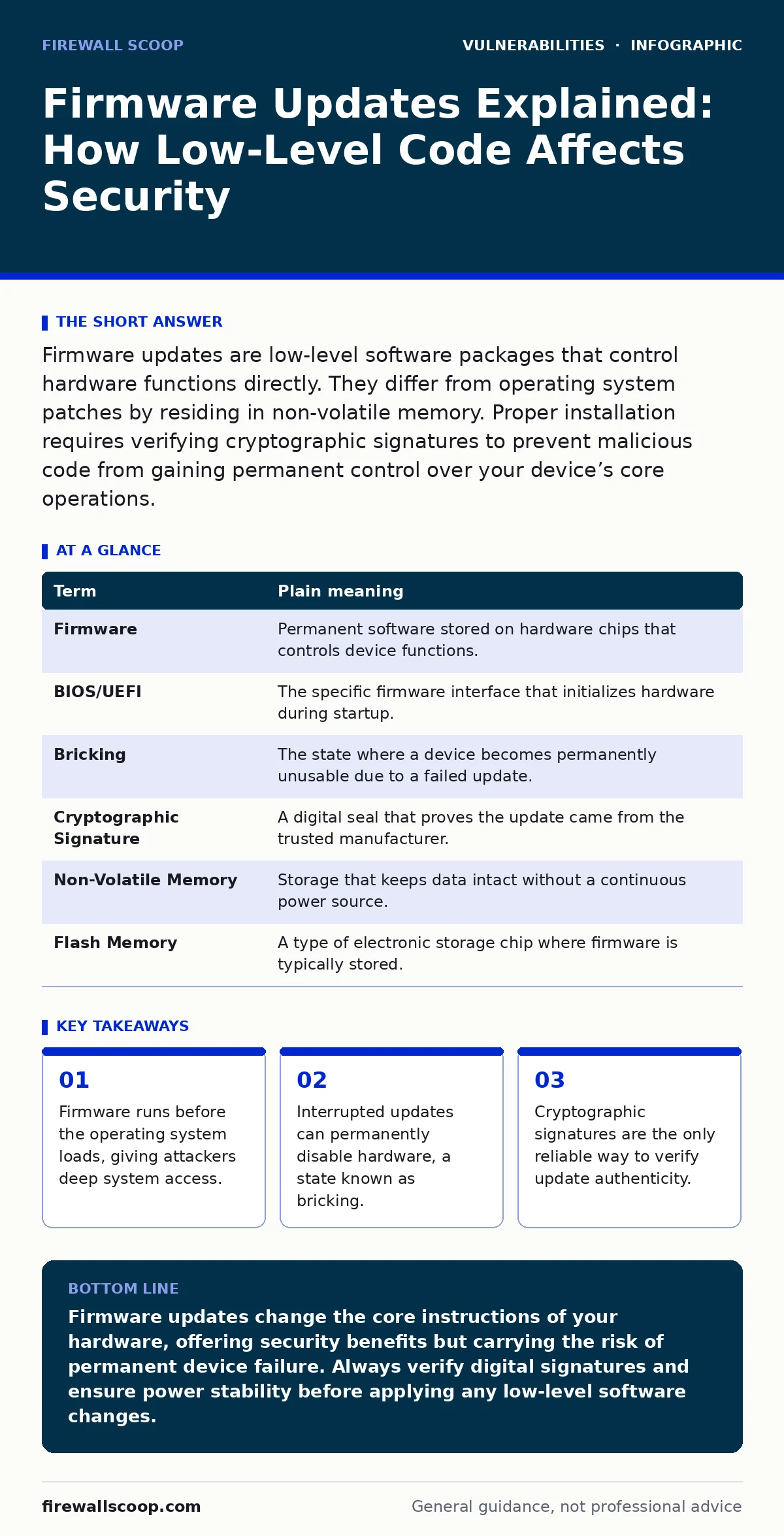
| Firmware | Permanent software stored on hardware chips that controls device functions. |
| BIOS/UEFI | The specific firmware interface that initializes hardware during startup. |
| Bricking | The state where a device becomes permanently unusable due to a failed update. |
| Cryptographic Signature | A digital seal that proves the update came from the trusted manufacturer. |
| Non-Volatile Memory | Storage that keeps data intact without a continuous power source. |
| Flash Memory | A type of electronic storage chip where firmware is typically stored. |
The Risk of Permanent Failure
The most immediate danger of firmware updates is physical damage to the device. This is often referred to as bricking. Suppose you update your router and the power fails during the process. The firmware file remains incomplete. The router cannot start its basic functions because the instructions are corrupted. Unlike an operating system, you cannot simply boot into a safe mode to fix it. The device may require specialized hardware tools to reprogram the chip, or it may be totaled. This is why firmware updates demand stable power and uninterrupted connections.
Verifying the Source of Truth
The second major risk is installing malicious code. Because firmware has such deep access, a compromised update can install a rootkit. A rootkit is a malicious program that hides its presence from the operating system. It sits below the security software, allowing attackers to monitor everything you do. To prevent this, manufacturers use cryptographic signatures. This is a mathematical proof that the code was created by the holder of the private key. Your device checks this signature before applying the update. If the signature does not match, the update is rejected. You must trust the manufacturer’s key management. If their private key is stolen, the protection fails.
Managing the Update Lifecycle
Effective firmware maintenance is part of broader patch management strategies. You cannot rely on automatic updates alone. Many devices, especially IoT gadgets, lack secure update channels. They may use directory listing exposure vulnerabilities to reveal version information to attackers. This allows criminals to target specific outdated firmware versions. You should manually check for critical updates on devices that handle sensitive data. Integrate this check into your regular risk-based vulnerability management routine. Do not wait for a critical alert to act. The window between a vulnerability disclosure and an exploit is often short.
The Hidden Cost of Complexity
Firmware updates are difficult because they are opaque. You rarely see the code that is being installed. This contrasts with software composition analysis, which scans open-source libraries for known flaws. Firmware is usually closed-source and proprietary. You must trust the vendor to have tested the update for race condition vulnerabilities. A race condition occurs when the outcome depends on the timing of events. In firmware, a race condition during an update can leave the system in a half-configured state. This creates security misconfigurations that are hard to detect. The only defense is to verify that the vendor follows secure development practices.
Three Steps for Secure Updates
- Verify the Source: Only download firmware from the manufacturer’s official website. Check for HTTPS and verify the digital signature if the device supports it.
- Ensure Power Stability: Connect laptops to chargers and routers to a UPS if possible. Ensure a stable internet connection before starting the process.
- Isolate During Update: If possible, update devices on a separate network segment. This prevents any potential exploit during the update from spreading to your main systems.
Key takeaways
- Firmware runs before the operating system loads, giving attackers deep system access.
- Interrupted updates can permanently disable hardware, a state known as bricking.
- Cryptographic signatures are the only reliable way to verify update authenticity.
Firmware updates change the core instructions of your hardware, offering security benefits but carrying the risk of permanent device failure. Always verify digital signatures and ensure power stability before applying any low-level software changes.
Frequently asked questions
Can firmware updates remove malware?
Yes, if the malware resides in the firmware itself, a clean update can overwrite it. However, most malware lives in the operating system, where standard antivirus tools are more effective.
How do I know if my device needs a firmware update?
Check the manufacturer’s support page or the device’s admin interface. Look for version numbers and release notes that mention security fixes.
Are automatic firmware updates safe?
They are convenient but risky if the update fails. For critical devices, manual updates allow you to verify the file and ensure power stability.
What is the difference between a driver and firmware?
Drivers are software that helps the operating system talk to hardware. Firmware is the software embedded directly on the hardware chip that controls its basic functions.
How this guide was produced: written by the Firewall Scoop editorial team with AI assistance, checked against the public references listed below, and reviewed when the facts change. See our editorial policy or report an error.