Stop Directory Listing Exposure: Configuration Fixes That Work
Default server configurations often expose file structures, turning your web server into an open directory for automated scanners to index and exploit.

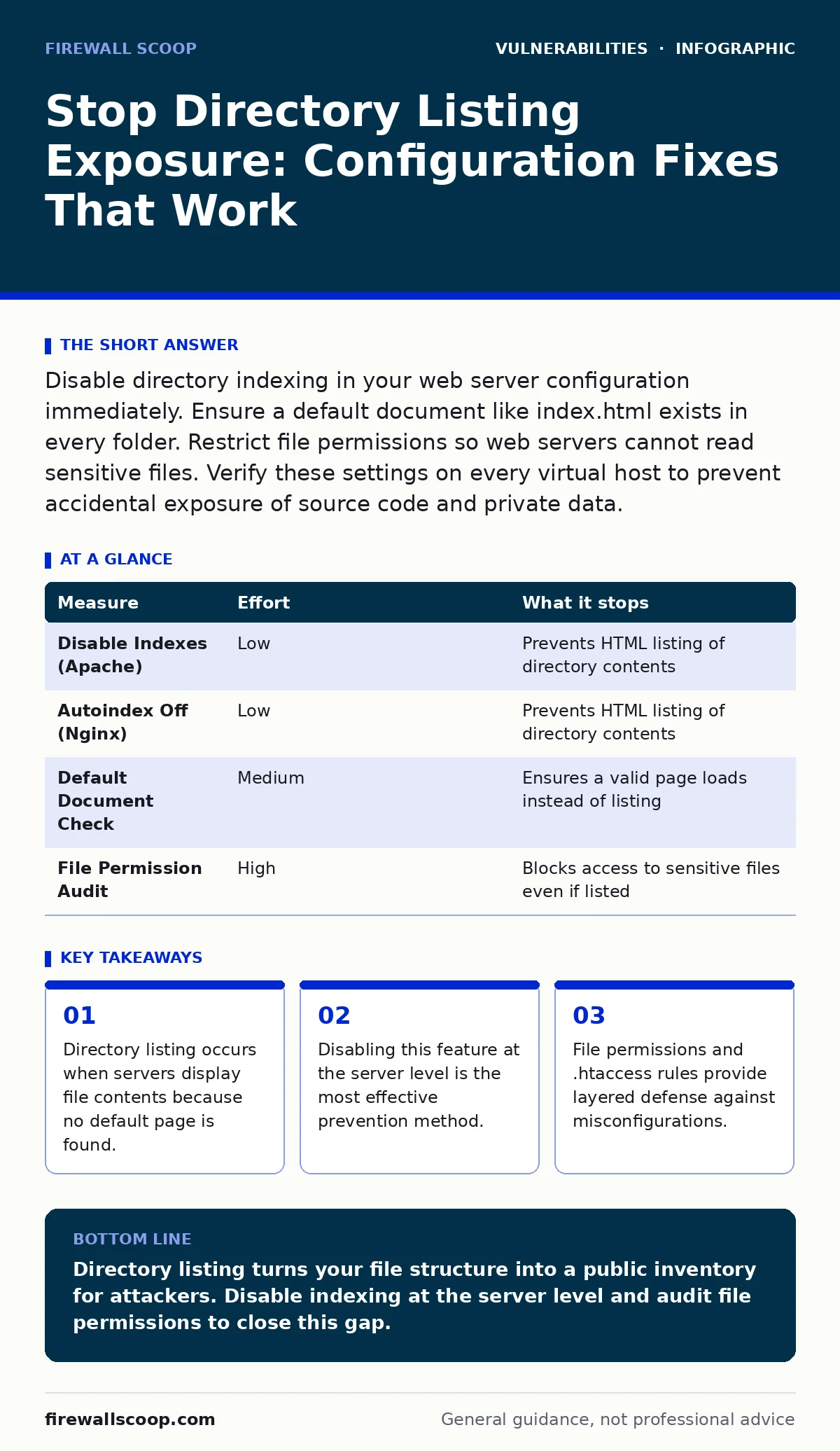
Disable directory indexing in your web server configuration immediately. Ensure a default document like index.html exists in every folder. Restrict file permissions so web servers cannot read sensitive files. Verify these settings on every virtual host to prevent accidental exposure of source code and private data.
The Silent Leak of File Structures
Imagine a web server configured with default settings. When a visitor requests a folder path, the server looks for a default file such as index.html. If that file is missing, the server falls back to displaying the directory contents. This behavior is called directory listing. It turns your internal file organization into a public catalog.
Attackers use automated tools to scan for these open directories. They look for backup files, configuration templates, and uncompressed archives. These files often contain credentials, database schemas, or source code. You do not need to be targeted by a specific threat group to suffer this exposure. The risk exists wherever default configurations remain active.
This vulnerability is a classic example of security misconfigurations, where the software works exactly as designed but the design exposes more than intended. The server is not broken; it is simply too helpful. Fixing this requires changing how the server responds to requests for directories that lack a defined entry point.
Disable Indexing at the Server Level
The most effective way to prevent directory listing is to disable the feature in your web server software. This setting controls whether the server generates an HTML page listing files when no default document is present. You must change this setting globally and for each virtual host.
For Apache servers, locate the Options directive in your configuration file. Remove the Indexes keyword from this directive. If you remove Indexes entirely, the server returns a 403 Forbidden error when a directory is accessed without a default file. This error message tells the user nothing about the contents of the folder.
For Nginx servers, the configuration uses the autoindex directive. Set this directive to off. By default, Nginx does not enable autoindexing, but some distribution packages or control panels may enable it. Verify this setting in your main configuration block and in any server blocks that serve static content.
| Measure | Effort | What it stops |
|---|---|---|
| Disable Indexes (Apache) | Low | Prevents HTML listing of directory contents |
| Autoindex Off (Nginx) | Low | Prevents HTML listing of directory contents |
| Default Document Check | Medium | Ensures a valid page loads instead of listing |
| File Permission Audit | High | Blocks access to sensitive files even if listed |
Ensure Default Documents Exist
Disabling indexing is not enough if your application structure relies on deep nesting without entry points. Every directory that serves content must contain a default document. This document acts as the first point of contact for visitors and automated crawlers.
Common default documents include index.html, index.php, or default.aspx. The specific name depends on your server configuration. You must ensure that every directory in your public path has one of these files. If a directory is empty or contains only assets, it should not be accessible via a URL.
Consider a directory that stores uploaded images. It should not have an index file. Instead, you should block all directory traversal for that path. If you cannot remove the directory from the public tree, place an empty index.html file in it. This file satisfies the server’s requirement for a default document without displaying any content.
Restrict File Access with Permissions
Web servers run under a specific user account. This account needs read access to serve files but should not need write access to most directories. Misconfigured permissions can allow the web server user to read sensitive files that should remain private.
Check the ownership and permissions of your web root directory. Files should generally be owned by the application user or root, not the web server user. Permissions should allow reading for the web server but not writing. Directories should allow execution of scripts but not modification of their contents by the server process.
This layer of defense helps even if directory listing is accidentally enabled. If the web server cannot read a file, it cannot display it. This is a key concept in risk-based vulnerability management, where you reduce the impact of a single failure by adding independent controls. It ensures that a configuration error does not immediately lead to data exposure.
Audit for Sensitive File Types
Even with directory listing disabled, attackers may guess specific filenames. They look for common backup extensions like .bak, .old, or .swp. These files often contain the same data as the original configuration but lack proper access controls.
Scan your web root for files with these extensions. Remove them or move them outside the public document root. Your application should not store backups in a location accessible via HTTP. Use a separate storage system for backups and configurations.
This practice aligns with security bulletins that frequently highlight exposed configuration files as a primary entry point. Attackers do not need to browse directories if they know the standard names of configuration files. Removing these files reduces the attack surface significantly.
See also: Bot Protection: How to Stop Automated Abuse Without Blocking Users
Validate with Automated Scanning
Manual checks are prone to error. You may miss a subdirectory or a newly deployed virtual host. Use automated tools to scan your web server for directory listing vulnerabilities. These tools send requests to various paths and check the response codes and content.
Look for responses that contain HTML lists of files. A 200 OK response with a list of filenames indicates a vulnerability. A 403 Forbidden or 404 Not Found response is the desired outcome. Integrate these scans into your deployment pipeline to catch misconfigurations before they reach production.
This approach is similar to software composition analysis, where you scan for known vulnerable components. Here, you scan for known misconfigured states. Both practices aim to identify weaknesses before an attacker can exploit them. Consistent scanning ensures that new deployments do not reintroduce old risks.
What Does Not Work
Some administrators attempt to hide directory listings by renaming files with obscure extensions. This does not work. Attackers do not need to see a directory listing to guess filenames. They use dictionaries of common names and extensions.
Another ineffective method is placing a large number of dummy files in directories. This confuses automated scanners but does not prevent skilled attackers from accessing specific files. It also increases server load and storage costs. The only reliable method is to deny access to directories that do not serve a purpose.
Checklist for Immediate Action
Review your web server configuration files. Ensure that directory indexing is disabled globally. Check each virtual host for overrides that might re-enable this feature.
Scan your web root for backup files and sensitive configuration files. Move them to a secure location outside the public directory. Delete any files that are no longer needed.
Verify that every accessible directory contains a default document. If a directory should not be browsed, ensure it returns a 403 Forbidden error when accessed. Use these steps to reduce the risk of attack vectors in CVSS that rely on information disclosure.
Key takeaways
- Directory listing occurs when servers display file contents because no default page is found.
- Disabling this feature at the server level is the most effective prevention method.
- File permissions and .htaccess rules provide layered defense against misconfigurations.
Directory listing turns your file structure into a public inventory for attackers. Disable indexing at the server level and audit file permissions to close this gap.
Frequently asked questions
How do I know if my server has directory listing enabled?
Visit a directory URL that does not contain an index file. If you see a list of files and folders, directory listing is enabled.
Can a firewall prevent directory listing exposure?
A firewall controls network traffic but does not change how the web server responds to requests. It cannot prevent the server from generating directory listings.
Is directory listing a critical vulnerability?
It depends on what files are exposed. If sensitive data or source code is visible, it is a high-risk issue. If only harmless images are listed, the risk is lower.
Should I use robots.txt to block directory listing?
No. Robots.txt is a suggestion for search engines, not a security control. Attackers and automated tools ignore robots.txt instructions.
How this guide was produced: written by the Firewall Scoop editorial team with AI assistance, checked against the public references listed below, and reviewed when the facts change. See our editorial policy or report an error.