WordPress Page Builder Vulnerabilities: What to Know
Page builders execute code on the server side, turning visual design tools into high-risk entry points for attackers who bypass standard input validation.
Page builders often allow unfiltered HTML and JavaScript insertion. This breaks the site’s security perimeter by letting visitors run arbitrary code. You must restrict editor access, validate all shortcodes, and treat builder plugins like high-privilege applications. Regular updates and strict role management are your primary defenses against these complex injection risks.
What makes page builders different from standard themes?
Page builders execute dynamic code generation on the server side, unlike static themes that primarily serve pre-written HTML. Standard themes rely on template files that you or a developer edit directly. Page builders use a visual interface that translates drag-and-drop actions into database entries. These entries are then rendered into HTML at runtime.
This runtime rendering introduces complex logic paths that are difficult to audit. Attackers target these logic paths to inject malicious scripts. The visual abstraction hides the underlying code complexity from administrators. You cannot see the raw code execution flow through a graphical interface. This opacity increases the risk of undetected security flaws.
Do page builders introduce new attack vectors?
Page builders introduce injection vectors through shortcode execution and dynamic asset loading. Shortcodes are placeholders that execute PHP functions when the page renders. If a page builder allows users to input custom shortcodes without validation, an attacker can run arbitrary server commands. Dynamic asset loading fetches external resources to render widgets. If the builder does not validate the source of these resources, it can load malicious scripts. These vectors exist because the builder must interpret user-defined layout structures. This interpretation requires parsing logic that is prone to errors. You must assume any input field in the builder is a potential entry point.
How do shortcode injections compromise a site?
Shortcode injections compromise a site by executing unauthorized PHP functions within the WordPress context. A shortcode like [builder_element] triggers a specific function in the plugin code. If the plugin passes user input directly to this function without sanitization, an attacker can modify the input. Suppose an attacker inserts [builder_element param="system('whoami')"] into a post. The server executes the system command and returns the result. This allows remote code execution on the web server. The attacker gains full control over the site files and database. This risk exists in many older builder versions that lack strict parameter validation.
Can a compromised builder lead to data theft?
A compromised builder can lead to data theft by exposing database credentials and user information. Page builders often store layout data in serialized PHP arrays within the database. If an attacker injects malicious code through the builder interface, they can read these arrays. Serialized data can contain sensitive configuration values, including API keys and database passwords. Attackers use these credentials to access other systems connected to the website. They can also export user tables to steal login details. This theft happens silently, without triggering standard intrusion alerts. You must monitor database access logs for unusual read operations.
Why do updates sometimes break security fixes?
Updates sometimes break security fixes because developers prioritize new features over rigorous code review. Page builders are complex applications with thousands of lines of code. Adding new widgets or layout options introduces new code paths. Developers may not test these new paths against all known attack techniques. This results in regression vulnerabilities, where old flaws reappear in new versions. Some updates also change how data is stored, creating new serialization risks. You should test updates in a staging environment before applying them to production. This testing helps identify unintended security regressions.
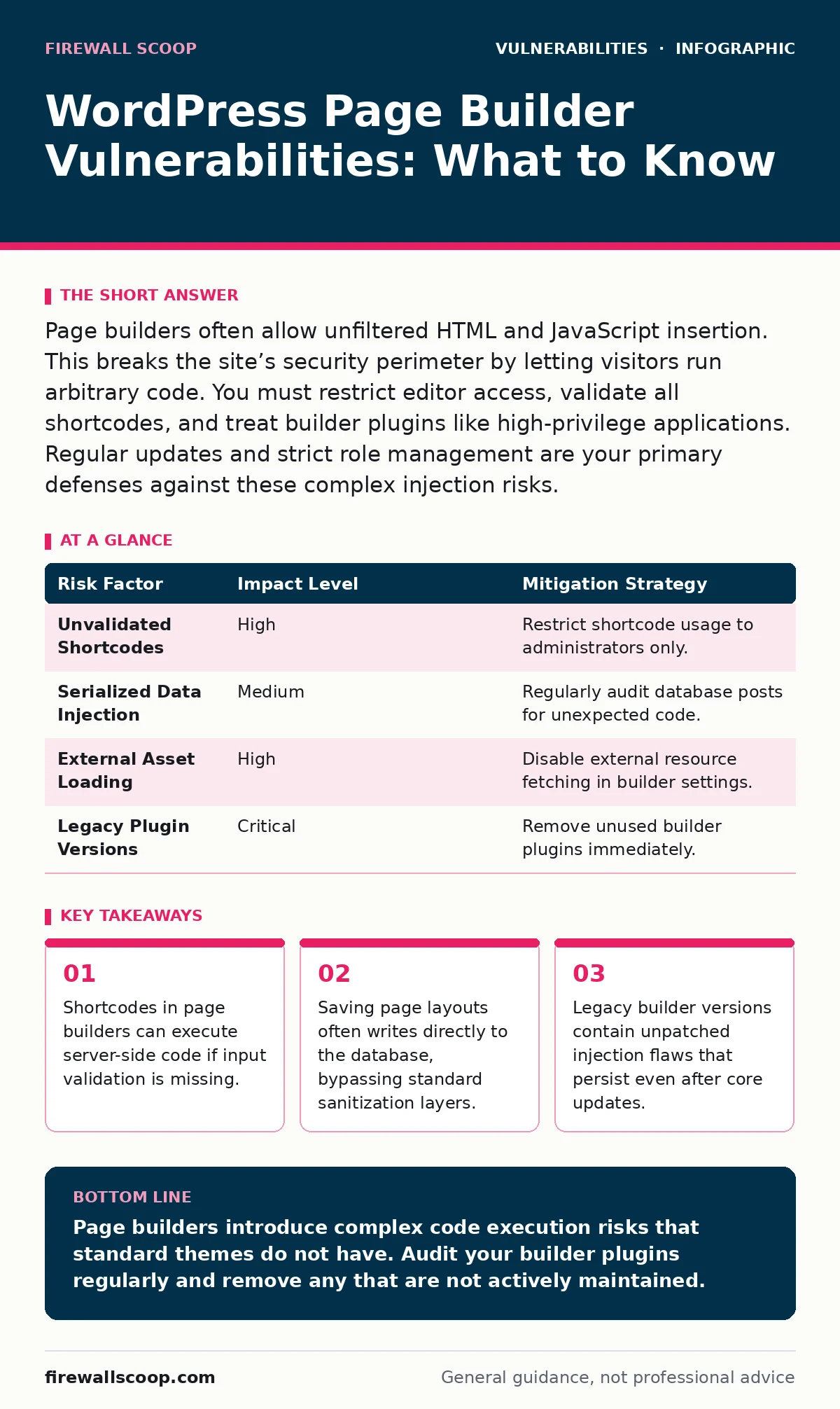
| Risk Factor | Impact Level | Mitigation Strategy |
|---|---|---|
| Unvalidated Shortcodes | High | Restrict shortcode usage to administrators only. |
| Serialized Data Injection | Medium | Regularly audit database posts for unexpected code. |
| External Asset Loading | High | Disable external resource fetching in builder settings. |
| Legacy Plugin Versions | Critical | Remove unused builder plugins immediately. |
See also: How Security Bulletins Work: The Hidden Mechanics of Patch Intelligence · Software Composition Analysis: Answers to Your Top Questions
Should you disable the visual editor?
You should disable the visual editor for non-administrative users to reduce the attack surface. The visual editor provides the interface for inserting builder elements. If a user with limited privileges can access this interface, they can potentially inject malicious content. Disabling the editor forces content creation through the classic text editor or API. This reduces the complexity of input handling. However, this measure does not stop an attacker who has gained administrative access. It only limits the damage from compromised low-privilege accounts. You must combine this restriction with strong password policies.
How do you detect builder-specific exploits?
You detect builder-specific exploits by monitoring for unusual shortcode usage and database modifications. Security bulletins often highlight specific shortcode parameters that are vulnerable. You can search your database for these specific parameter patterns. Unusual spikes in database write operations may indicate an attacker injecting payloads. Monitor file system changes for new PHP files created in the uploads directory. Builders often save assets there, which can be exploited to host web shells. Regular integrity checks help identify these unauthorized file creations. You should also review error logs for PHP warnings related to undefined variables.
What is the hidden cost of relying on builders?
The hidden cost of relying on builders is the increased complexity of your risk-based vulnerability management program. Page builders add a layer of abstraction that obscures the underlying code. This makes it harder to identify which components are vulnerable. You must track vulnerabilities not just in the core WordPress software, but in the builder plugin and its dependencies. This increases the time required for patch management. It also increases the likelihood of missing a critical update. The convenience of visual design comes at the expense of security transparency. You must accept this trade-off and allocate resources accordingly.
Can you secure a builder without disabling it?
You can secure a builder without disabling it by implementing strict input validation and output encoding. Configure the builder to whitelist allowed HTML tags and attributes. Disable the ability to insert custom CSS or JavaScript unless absolutely necessary. Use security plugins that scan for malicious shortcode patterns. Regularly update the builder to the latest stable version. Review the National Vulnerability Database for known issues in your specific builder version. Disable any unused widgets or features within the builder settings. This reduces the number of potential entry points for attackers.
How do legacy versions affect long-term security?
Legacy versions affect long-term security by retaining known vulnerabilities that are no longer patched. When a page builder stops receiving updates, it becomes a permanent liability. Attackers scan for sites running these outdated versions. They exploit known flaws that have public proof-of-concept code. Even if you do not use the builder actively, its presence on the server is a risk. You must remove unused builder plugins entirely. This eliminates the code base that attackers target. It also simplifies your security audits and reduces false positives.
Key takeaways
- Shortcodes in page builders can execute server-side code if input validation is missing.
- Saving page layouts often writes directly to the database, bypassing standard sanitization layers.
- Legacy builder versions contain unpatched injection flaws that persist even after core updates.
Page builders introduce complex code execution risks that standard themes do not have. Audit your builder plugins regularly and remove any that are not actively maintained.
Frequently asked questions
Do all page builders have shortcode vulnerabilities?
Not all builders have active vulnerabilities, but most have had them in the past due to the complexity of their code. You must check the specific version you are using against known security advisories.
Is it safe to use a page builder for client sites?
It is safe only if you enforce strict access controls and keep the plugin updated. You should disable the builder for clients who do not need visual editing capabilities to reduce risk.
How often should I scan for builder exploits?
You should scan for builder exploits after every update and monthly as part of your routine maintenance. Automated scanning tools can help detect unusual shortcode patterns or file changes.
Can a race condition vulnerability exist in a page builder?
Yes, race condition vulnerabilities can exist if the builder saves data concurrently without proper locking mechanisms. This can lead to data corruption or privilege escalation if not handled correctly.
How this guide was produced: written by the Firewall Scoop editorial team with AI assistance, checked against the public references listed below, and reviewed when the facts change. See our editorial policy or report an error.