Warning Signs of Data Leaks: What to Watch For and How to React
Most data exfiltration happens through legitimate channels, meaning the first sign is often a performance anomaly rather than a direct security alert.

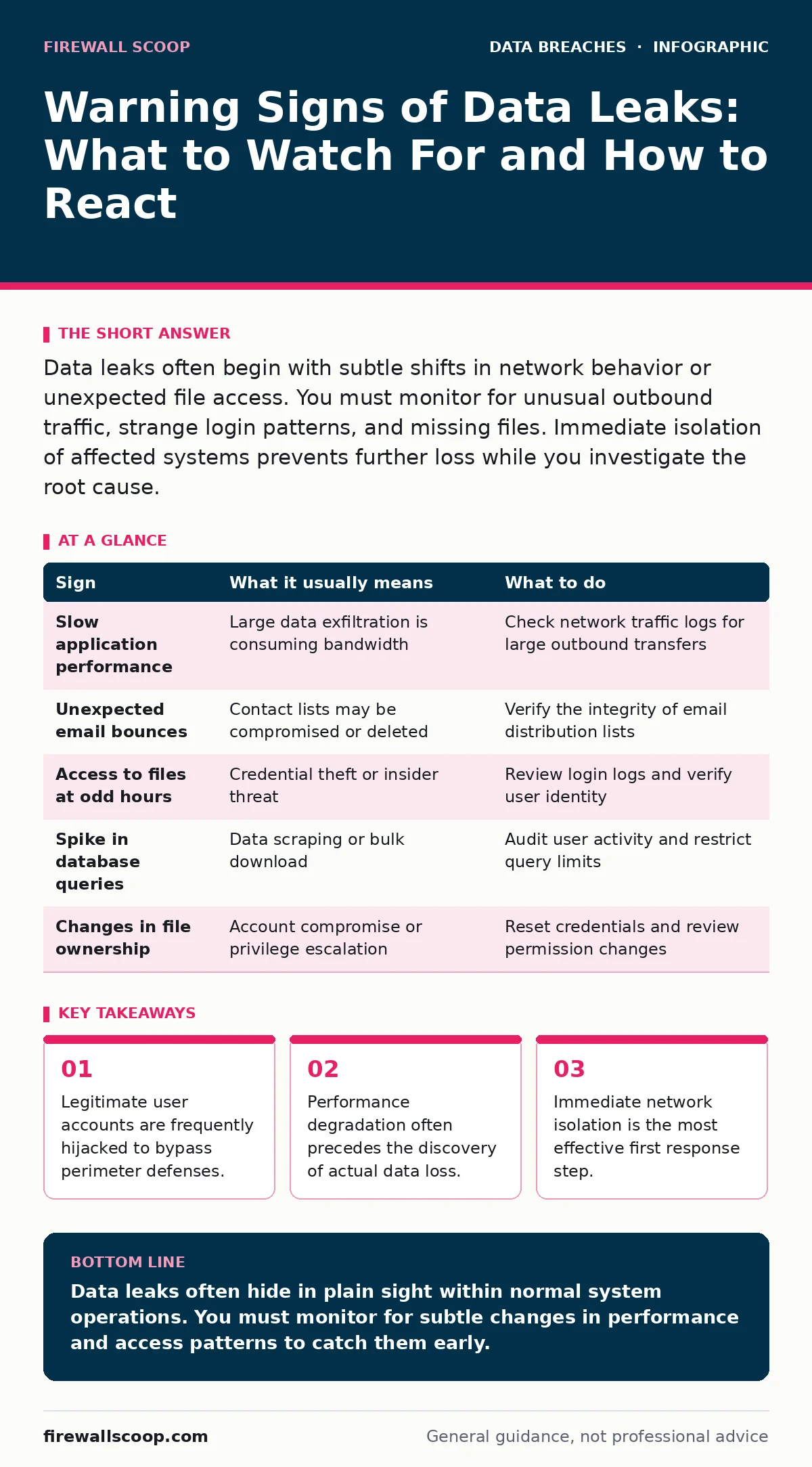
Data leaks often begin with subtle shifts in network behavior or unexpected file access. You must monitor for unusual outbound traffic, strange login patterns, and missing files. Immediate isolation of affected systems prevents further loss while you investigate the root cause.
The First Visible Clues
You often notice the first signs of a data leak through user complaints rather than automated alerts. Employees report that their applications are running slower than usual. This latency suggests that large volumes of data are moving across the network. The system is struggling to keep up with the outbound traffic.
Another early indicator is unexpected email bounces. If a batch of messages returns to sender because the addresses no longer exist, it may indicate that a contact list was compromised or deleted. You should also watch for users who cannot access files they previously could. This loss of access often happens when an attacker modifies permissions to hide their tracks.
Hidden Indicators in the Logs
The signs that are easy to miss usually reside in the metadata of your systems. You need to look at the timing of data access. If files are being accessed at unusual hours, such as late at night or on weekends, this warrants investigation. Automated backups also run at odd hours, so you must distinguish between routine jobs and manual activity.
Database query logs reveal another hidden layer. A sudden spike in the number of records retrieved by a single user account is a red flag. This behavior suggests that someone is scraping data rather than working with it. You should also monitor for changes in file ownership. When a user suddenly owns files they did not create, it indicates a potential compromise of their credentials.
Analyzing Network Traffic Patterns
Network traffic analysis provides a broader view of potential leaks. You should look for connections to unknown external IP addresses. Even if the traffic is encrypted, the volume and destination matter. Large transfers to personal cloud storage services are a common method for exfiltrating data.
Protocol misuse is another subtle sign. Attackers often use standard protocols like DNS or ICMP to tunnel data out of the network. This technique makes the traffic look like normal system noise. If you see an unusually high number of DNS queries, especially for long domain names, you may be witnessing data hiding in plain sight.
Immediate Response Actions
When you spot a potential leak, your first action must be containment. Isolate the affected systems from the network immediately. This stops the attacker from moving laterally to other machines. Do not shut down the systems, as this destroys volatile memory evidence. Instead, disconnect the network cables or disable the wireless adapters.
Next, preserve the evidence. Take snapshots of the affected systems if possible. Record the time of discovery and the specific symptoms you observed. This information is critical for the subsequent forensic analysis. You must also reset the credentials of any compromised accounts. This includes passwords, API keys, and session tokens.
Preventing Future Exfiltration
Prevention requires a shift from relying solely on perimeter defenses. You must implement strict data loss prevention controls. These tools monitor and block unauthorized data transfers. They can detect sensitive information in emails, chat messages, and file uploads.
Regular audits of data retention policies help reduce the amount of sensitive data available to attackers. If you do not keep data longer than necessary, there is less to steal. You should also review access controls regularly. Ensure that users only have access to the data they need to perform their jobs. This principle of least privilege limits the damage of a compromised account.
See also: Memory Forensics: Benefits, Limits, and When to Use It · Audit Logging Best Practices: Secure Logs Against Tampering
The Role of Encryption
Encryption at rest protects data even if it is stolen. If an attacker copies files from a server, they cannot read them without the decryption keys. This adds a layer of security that does not rely on network monitoring. However, encryption does not prevent the theft itself. It only renders the stolen data useless to the attacker.
You should also consider encryption in transit. This ensures that data moving between systems is scrambled. Man-in-the-middle attacks become much harder when the traffic is encrypted. Use strong, modern protocols to secure your communications. Regularly update your encryption keys to maintain security.
| Sign | What it usually means | What to do |
|---|---|---|
| Slow application performance | Large data exfiltration is consuming bandwidth | Check network traffic logs for large outbound transfers |
| Unexpected email bounces | Contact lists may be compromised or deleted | Verify the integrity of email distribution lists |
| Access to files at odd hours | Credential theft or insider threat | Review login logs and verify user identity |
| Spike in database queries | Data scraping or bulk download | Audit user activity and restrict query limits |
| Changes in file ownership | Account compromise or privilege escalation | Reset credentials and review permission changes |
Key takeaways
- Legitimate user accounts are frequently hijacked to bypass perimeter defenses.
- Performance degradation often precedes the discovery of actual data loss.
- Immediate network isolation is the most effective first response step.
Data leaks often hide in plain sight within normal system operations. You must monitor for subtle changes in performance and access patterns to catch them early.
Frequently asked questions
How do I know if my password was leaked?
Check if your password appears in known breach databases. Many services offer this check for free. If it does, change it immediately and enable multi-factor authentication.
Can encrypted data still be considered leaked?
Yes. The data has left your control, even if the attacker cannot read it. You must still report the incident and assess the risk of key compromise.
What is the difference between a data breach and a data leak?
A breach is the unauthorized entry into a system. A leak is the unauthorized release of data. A breach can occur without a leak, but a leak implies a breach has happened.
How often should I review access logs?
You should review them continuously using automated tools. Manual reviews should happen weekly for high-risk systems and monthly for lower-risk ones.
How this guide was produced: written by the Firewall Scoop editorial team with AI assistance, checked against the public references listed below, and reviewed when the facts change. See our editorial policy or report an error.