Replay Attacks: Risks and Protection for Small Businesses
Attackers steal valid data packets and resend them to trick systems into granting unauthorized access or repeating transactions.

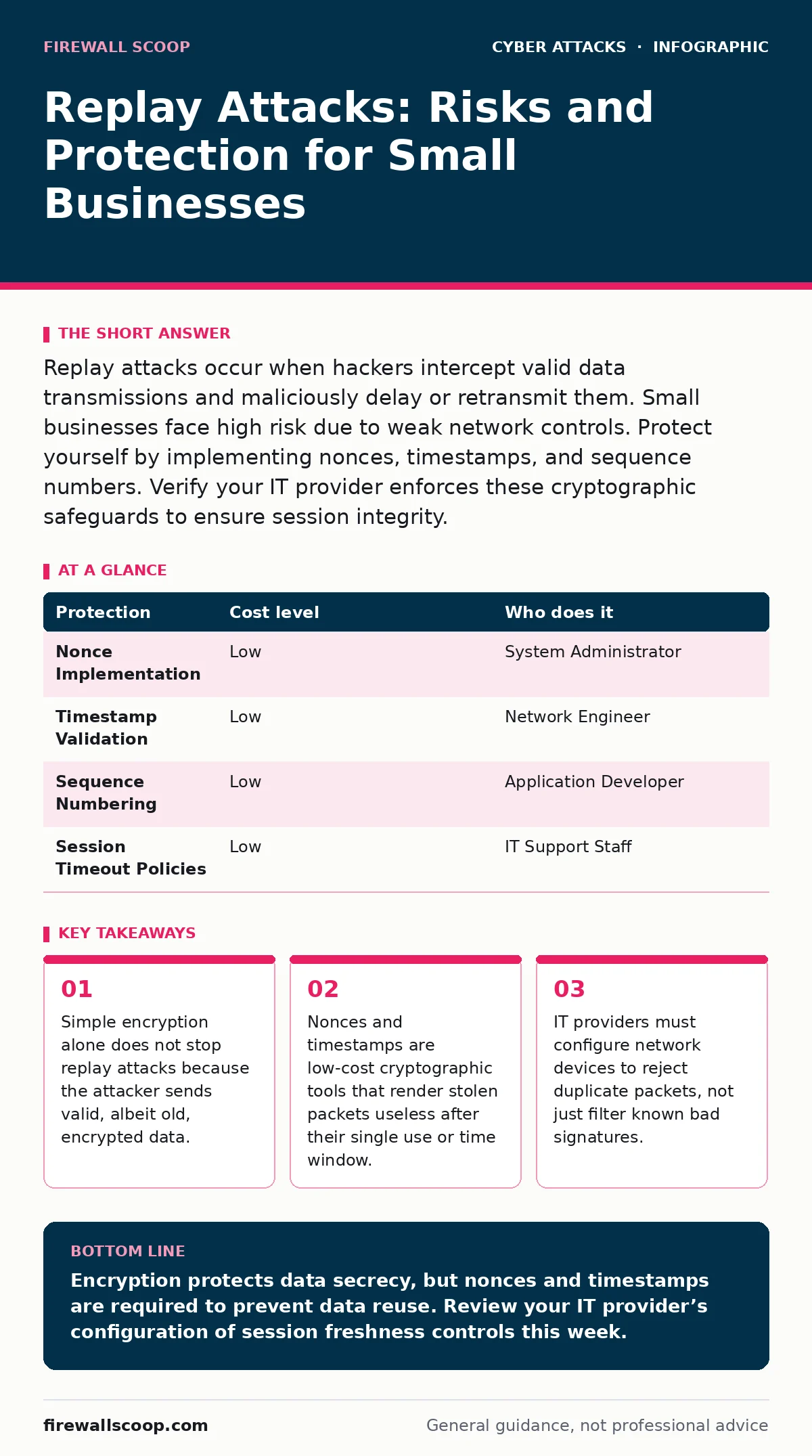
Replay attacks occur when hackers intercept valid data transmissions and maliciously delay or retransmit them. Small businesses face high risk due to weak network controls. Protect yourself by implementing nonces, timestamps, and sequence numbers. Verify your IT provider enforces these cryptographic safeguards to ensure session integrity.
The Mechanics of Intercepted Traffic
A replay attack exploits the trust a server places in previously valid data. You send a request to a system, such as a login credential or a financial transaction. The server accepts it because the data is correct. An attacker captures this data stream as it travels across the network. They do not need to decrypt the message. They only need to record it and send it back to the server later.
The server receives the old data and treats it as new. It cannot distinguish between the original request and the copy. This happens because many standard protocols lack a way to identify if a message has been seen before. The security failure lies in the absence of freshness indicators. Without these, any valid historical message remains valid forever.
This is distinct from a man-in-the-middle attack where the attacker modifies data in real-time. In a replay scenario, the data remains intact. The danger is the repetition of action. If the action was "transfer funds," the replay causes another transfer. If the action was "grant access," the replay grants access to an unauthorized user.
Why Small Organizations Are Vulnerable
Small organizations often rely on default network configurations. These defaults prioritize ease of setup over security depth. Many small business networks lack segmented zones. This means a guest on the Wi-Fi can potentially see traffic from the main office. This exposure creates a large surface area for packet capture.
Employees often reuse connections and credentials. If a user logs into a sensitive system over an unsecured connection, that session token becomes a target. Small teams rarely have dedicated security analysts to monitor for anomalous traffic patterns. They rely on perimeter defenses that stop known threats but miss logical flaws like replay loops.
The assumption that encryption solves everything is a common blind spot. Encryption protects confidentiality. It ensures no one can read the message. It does not protect integrity or freshness. An encrypted replay is still a valid replay. This misconception leaves many small firms exposed to automation attacks that exploit this gap.
Low-Cost Cryptographic Protections
You can mitigate replay attacks without expensive hardware. The primary defense is adding uniqueness to each message. A nonce is a number used once. It is a random value generated for a single session. When you send a request, you include the nonce. The server stores used nonces and rejects any repeat. This makes stolen packets useless because the nonce is already marked as consumed.
Timestamps provide another layer of defense. You attach a time stamp to each message. The server checks if the time falls within a narrow acceptance window. If the packet is too old, the server discards it. This prevents an attacker from capturing a message and using it hours or days later. The trade-off is clock synchronization. All devices must have accurate time settings.
Sequence numbers help in ongoing communications. Each packet in a stream gets an incrementing number. The receiver expects numbers in order. It rejects packets that arrive out of sequence or with duplicate numbers. This is standard in many transport protocols. Ensuring your applications enforce strict sequence checking adds a significant barrier to replay attempts.
Network Configuration Trade-Offs
Implementing these protections requires configuration changes. Enabling strict nonce validation increases server memory usage. The server must store a list of used nonces to check against. For high-volume systems, this storage grows quickly. You must balance security with performance. Setting an expiration time for nonces limits the memory footprint.
Timestamps require precise time synchronization across your network. If your server clock drifts, it may reject valid legitimate requests. This causes service disruptions for your users. You need a reliable time source, such as a public time protocol, to keep all systems aligned. The cost is low, but the maintenance requirement is constant.
Sequence checking can disrupt legitimate retransmissions. Networks are imperfect. Packets get lost. A strict sequence check might drop a valid packet that was simply delayed. You must configure your systems to tolerate minor delays while rejecting obvious replays. This tuning requires technical expertise. It is not a set-and-forget solution.
| Protection | Cost level | Who does it |
|---|---|---|
| Nonce Implementation | Low | System Administrator |
| Timestamp Validation | Low | Network Engineer |
| Sequence Numbering | Low | Application Developer |
| Session Timeout Policies | Low | IT Support Staff |
What to Ask Your IT Provider
Your IT provider should understand the difference between confidentiality and integrity. Ask them how your systems verify that a message is fresh. If they mention encryption alone, dig deeper. Encryption is necessary but not sufficient against replay attacks. You need proof of mechanism, not just a promise of safety.
Ask about your network segmentation. If your guest Wi-Fi shares the same broadcast domain as your corporate devices, you are at risk. Providers should isolate traffic using VLANs. This limits the scope of an attacker’s capture. They should also enable Wi-Fi Protected Access 3, which includes protections against specific replay vectors in wireless protocols.
Inquire about monitoring tools. Standard firewalls look for known bad signatures. They do not easily detect a replay of a good signature. You need tools that analyze behavior and session states. Ask if your provider monitors for duplicate session tokens or anomalous login times. If they cannot answer, you lack visibility into this specific threat.
See also: What Is Intrusion Prevention: How IPS Stops Attacks Before They Land · Lateral Movement Prevention Checklist for Network Security
Integrating Broader Security Measures
Replay attacks often combine with other threats. An attacker might use credential stuffing to overwhelm a login page, capturing valid responses in the process. They then replay those responses to bypass rate limits. Understanding this connection helps you build layered defenses. You must protect the entry point and the data in transit.
Bot protection helps filter automated traffic that might be used to harvest packets for replay. If you use multi-factor authentication, ensure the second factor is bound to the session. A one-time code should not be reusable in a different session. This prevents the attacker from replaying the code along with the captured password.
Be aware of invoice fraud and CEO fraud. These social engineering attacks often rely on urgency. Attackers may create fake urgency to bypass security checks. While not a technical replay, the psychology is similar. They reuse a trusted context to gain access. Verify the source of urgent requests through out-of-band channels.
Related risks include drive-by downloads that install malware to capture keystrokes or packets. Typosquatting can lead you to a fake site where your credentials are captured for immediate replay. ARP spoofing allows an attacker to intercept local traffic on your network, facilitating the capture phase of a replay attack. Understanding these adjacent threats helps you see the full picture of network integrity.
Maintaining Long-Term Resilience
Security is a continuous process. You must regularly review your system logs. Look for patterns of repeated actions from the same source. A single replay might look like a glitch. Multiple replays indicate an active attacker. Your IT provider should have alerting rules for these anomalies.
Update your software regularly. Many modern applications include built-in protections against replay attacks. Older versions may lack nonce generation or sequence checking. Keeping your systems current ensures you benefit from these security improvements. This applies to both operating systems and application frameworks.
Train your staff to recognize unusual system behavior. If a user logs in and finds data missing or changed, they should report it immediately. This could be the result of a successful replay attack altering the state of your system. Early detection limits the damage. You cannot prevent every attack, but you can reduce the window of exposure.
Key takeaways
- Simple encryption alone does not stop replay attacks because the attacker sends valid, albeit old, encrypted data.
- Nonces and timestamps are low-cost cryptographic tools that render stolen packets useless after their single use or time window.
- IT providers must configure network devices to reject duplicate packets, not just filter known bad signatures.
Encryption protects data secrecy, but nonces and timestamps are required to prevent data reuse. Review your IT provider’s configuration of session freshness controls this week.
Frequently asked questions
Can a firewall stop a replay attack?
Standard firewalls filter based on IP addresses and ports. They do not inspect the content for uniqueness. You need application-layer controls or intrusion prevention systems with specific replay detection rules.
Does HTTPS prevent replay attacks?
HTTPS encrypts the data, but it does not inherently prevent replay. The application layer must implement nonces or timestamps within the encrypted payload to ensure each request is unique.
How do I know if I am under a replay attack?
Look for duplicate transactions, unexpected access grants, or system state changes that mirror previous actions. Monitoring logs for repeated session IDs is a key indicator.
Is this a common threat for small businesses?
Yes, because many small businesses rely on default settings that lack freshness checks. The low cost of packet capture tools makes this a viable attack vector for opportunistic criminals.
How this guide was produced: written by the Firewall Scoop editorial team with AI assistance, checked against the public references listed below, and reviewed when the facts change. See our editorial policy or report an error.