Kubernetes RBAC Explained: How to Lock Down Cluster Access
Kubernetes RBAC prevents unauthorized command execution by binding specific user identities to precise API actions within your container orchestration environment.

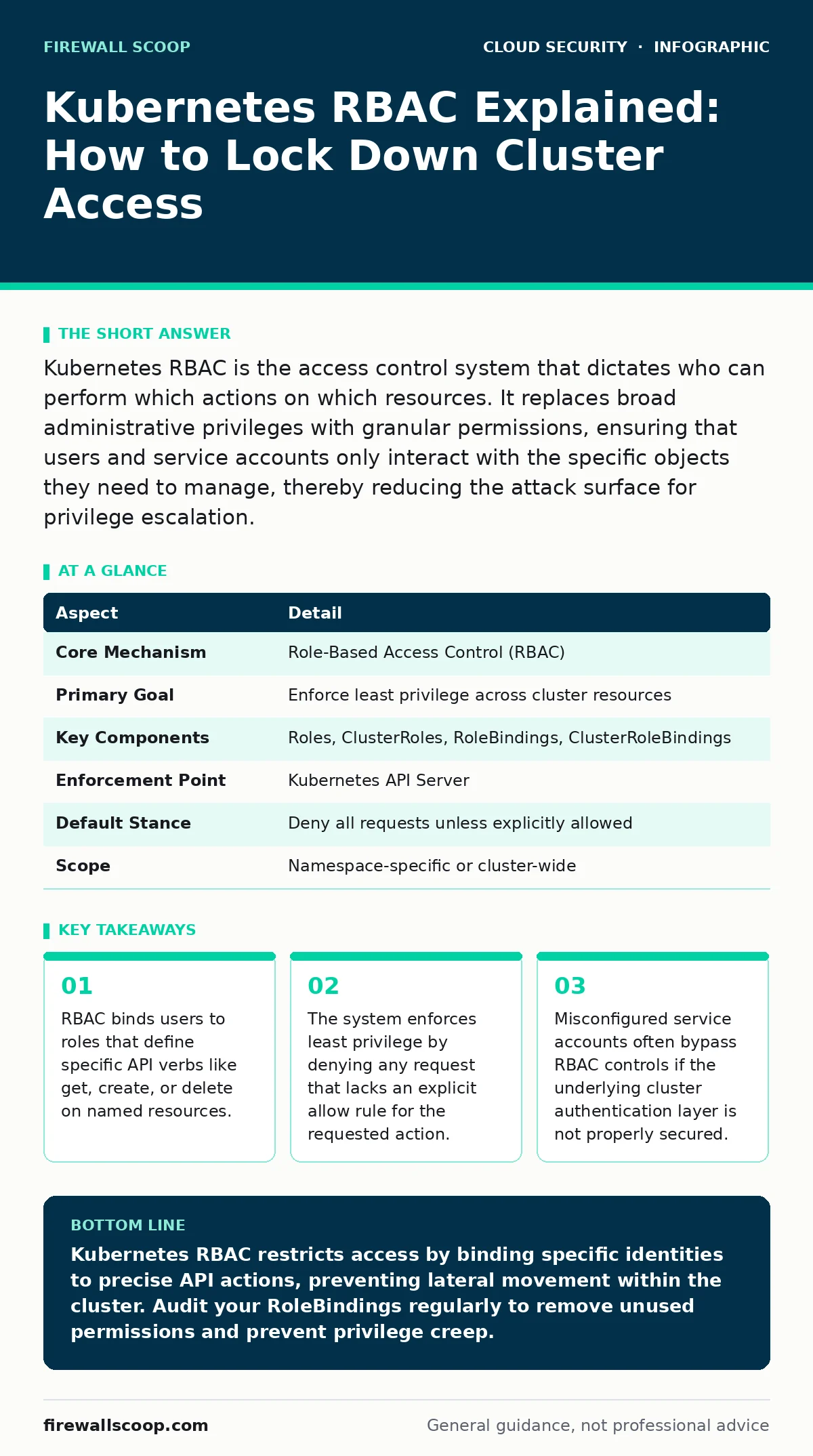
Kubernetes RBAC is the access control system that dictates who can perform which actions on which resources. It replaces broad administrative privileges with granular permissions, ensuring that users and service accounts only interact with the specific objects they need to manage, thereby reducing the attack surface for privilege escalation.
The Bouncer Analogy for Cluster Access
Imagine a nightclub with multiple private rooms. The bouncer at the front door checks your ID, but that only gets you into the main lobby. To enter the VIP section, you need a specific wristband. To access the stage, you need a different pass. Kubernetes RBAC functions exactly like this layered security model. It does not just verify who you are; it determines exactly which doors you can open and what you can touch once inside.
| Aspect | Detail |
|---|---|
| Core Mechanism | Role-Based Access Control (RBAC) |
| Primary Goal | Enforce least privilege across cluster resources |
| Key Components | Roles, ClusterRoles, RoleBindings, ClusterRoleBindings |
| Enforcement Point | Kubernetes API Server |
| Default Stance | Deny all requests unless explicitly allowed |
| Scope | Namespace-specific or cluster-wide |
Why Default Permissions Are Dangerous
Kubernetes clusters operate on a default-deny model for RBAC, but the initial setup often grants broad access to simplify deployment. This creates a hidden risk. When you deploy a container, it runs with a specific identity. If that identity has too much power, an attacker who compromises that container can pivot to other parts of the cluster. This is a common vector for cloud privilege escalation. You must treat every service account as a potential breach point.
The problem RBAC solves is the blast radius of a compromise. Without it, a single vulnerable container could read secrets from other namespaces or delete critical system pods. RBAC restricts this lateral movement by ensuring that each identity has only the permissions required for its specific job. This limits the damage if an insecure container image is deployed.
The Four Pillars of RBAC
You need to understand the four distinct objects that make up the RBAC system. These objects work together to create a permission matrix.
- Roles: These define a set of permissions within a single namespace. They specify which resources can be accessed and which actions can be performed.
- ClusterRoles: These function like Roles but apply across the entire cluster. They can grant access to cluster-scoped resources like nodes or persistent volumes.
- RoleBindings: These connect a user, group, or service account to a Role within a specific namespace. This grants the permissions defined in that Role.
- ClusterRoleBindings: These bind a user, group, or service account to a ClusterRole. This grants cluster-wide permissions.
A common mistake is using ClusterRoleBindings when a RoleBinding would suffice. ClusterRoleBindings grant access to all namespaces. If you only need to manage pods in one area, a namespace-scoped RoleBinding is safer. This prevents accidental exposure of resources in other parts of the cluster.
How the API Server Enforces Rules
The Kubernetes API Server is the gatekeeper for all requests. When a user or service account sends a request, the API Server checks the RBAC configuration. It looks for a matching Role or ClusterRole that allows the requested verb on the requested resource. If no match is found, the request is denied.
This check happens before the request reaches the underlying etcd datastore. This means RBAC protects the configuration data itself. However, RBAC does not validate the content of the request. It only checks if the identity is allowed to make the request. You still need other controls to validate the data being sent. This is where cloud workload protection tools often add an extra layer of inspection.
What People Usually Get Wrong
Many administrators believe that creating a Role is enough to secure the cluster. They forget to bind the Role to a specific identity. Without a Binding, the Role is just a definition with no effect. Conversely, binding a Role to a group that includes too many users creates a permission creep problem.
Another frequent error is ignoring service accounts. Every pod runs with a service account. If you do not explicitly restrict what these accounts can do, they may inherit broad permissions. This is a critical gap in DevSecOps practices. You should define a default service account with minimal permissions and require explicit bindings for any higher-privilege tasks.
Integrating RBAC with Other Defences
RBAC is not a standalone solution. It works best when combined with other security layers. For instance, federated identity allows you to use your existing corporate directory to manage Kubernetes users. This ensures that when an employee leaves, their access is revoked automatically.
You should also consider CI/CD pipeline attacks. If an attacker compromises your build pipeline, they can inject malicious code that requests high-privilege RBAC roles. Even with strict RBAC, a trusted service account in the pipeline could be abused. Therefore, you must secure the pipeline itself. This often involves using short-lived tokens and strict signing mechanisms.
Cloud firewalls can limit network access to the API Server, but they cannot stop internal RBAC violations. If a user has valid credentials and proper RBAC permissions, the firewall will allow the traffic. This is why network segmentation and RBAC must work together. The firewall keeps outsiders out, while RBAC controls what insiders can do.
Auditing and Maintenance
Permissions drift over time. Roles that were once necessary may become obsolete. Service accounts may accumulate bindings that are no longer required. You must regularly audit your RBAC configuration. Look for unused bindings and overly permissive roles.
Kubernetes provides an audit log that records every API request. You can use this log to identify unusual activity. For example, if a service account suddenly starts requesting access to secrets in a different namespace, it may indicate a compromise. Monitoring these logs helps you detect cloud privilege escalation attempts in real time.
Summary of Best Practices
Start by defining the minimum permissions required for each workload. Use namespace-scoped Roles whenever possible. Avoid using the default service account for production workloads. Bind roles to specific users or groups, not to broad categories. Regularly audit your configurations and review audit logs. This disciplined approach ensures that your cluster remains secure as it grows.
Remember that RBAC is a policy enforcement mechanism. It relies on accurate identity information. If your authentication layer is weak, your RBAC policies are ineffective. Ensure that your identity provider is secure and that multi-factor authentication is enforced for human users. This creates a strong foundation for your multi-cloud security strategy.
Key takeaways
- RBAC binds users to roles that define specific API verbs like get, create, or delete on named resources.
- The system enforces least privilege by denying any request that lacks an explicit allow rule for the requested action.
- Misconfigured service accounts often bypass RBAC controls if the underlying cluster authentication layer is not properly secured.
Kubernetes RBAC restricts access by binding specific identities to precise API actions, preventing lateral movement within the cluster. Audit your RoleBindings regularly to remove unused permissions and prevent privilege creep.
Frequently asked questions
What is the difference between a Role and a ClusterRole?
A Role is scoped to a specific namespace, while a ClusterRole applies to the entire cluster and can access cluster-wide resources.
Can RBAC prevent a compromised pod from attacking other pods?
RBAC limits what API actions a pod's service account can perform, but it does not isolate network traffic between pods.
How do I check the permissions of a service account?
Use the kubectl auth can-i command to test what actions a specific service account is allowed to perform on resources.
Does RBAC protect against external network attacks?
No, RBAC only controls access to the Kubernetes API. You need cloud firewalls and network policies to protect against external traffic.
How this guide was produced: written by the Firewall Scoop editorial team with AI assistance, checked against the public references listed below, and reviewed when the facts change. See our editorial policy or report an error.