Detect CI/CD Pipeline Attacks: Signals, Logs, and Blind Spots
Attackers often compromise build artifacts before deployment, leaving runtime defenses blind to the initial breach vector.
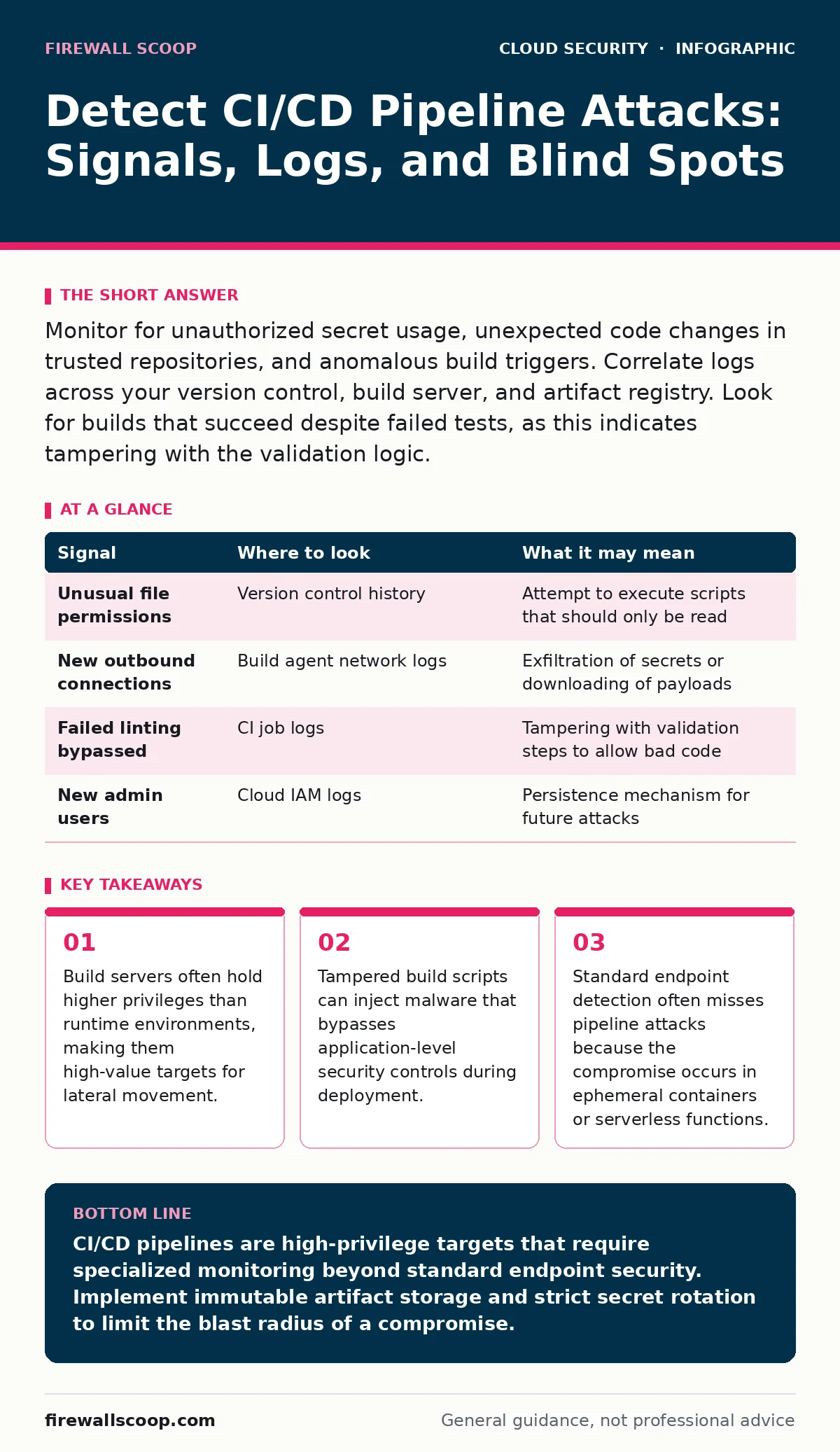
Monitor for unauthorized secret usage, unexpected code changes in trusted repositories, and anomalous build triggers. Correlate logs across your version control, build server, and artifact registry. Look for builds that succeed despite failed tests, as this indicates tampering with the validation logic.
The Privileged Build Server
Your continuous integration and continuous deployment pipeline is the factory where code becomes software. This factory runs with elevated privileges to access source code, secrets, and deployment targets. Attackers target this stage because a single compromise allows them to inject malicious code into every subsequent release. Once the malicious code is signed or verified by the build system, it appears legitimate to downstream security tools.
You must treat the build server as a critical infrastructure component, not just a utility. It often has direct access to production databases or cloud keys. If an attacker gains control here, they can exfiltrate credentials or alter the software before it ever reaches your users. The damage is compounded because the resulting binary looks identical to the original code, just with added malicious functionality.
Repository Integrity Signals
The attack often begins at the source code level. Look for commits that modify build configuration files rather than application logic. Files that define how the software is compiled or packaged are prime targets for injection. An attacker might add a single line to a script that downloads a secondary payload during the build process.
Check for changes to dependency lists. Attackers frequently exploit supply chain vulnerabilities by pointing a dependency to a malicious mirror or a compromised version of a library. This is known as a dependency confusion attack. If a package manager resolves a name to an external repository instead of your internal one, the build may pull in compromised code.
| Signal | Where to look | What it may mean |
|---|---|---|
| Unusual file permissions | Version control history | Attempt to execute scripts that should only be read |
| New outbound connections | Build agent network logs | Exfiltration of secrets or downloading of payloads |
| Failed linting bypassed | CI job logs | Tampering with validation steps to allow bad code |
| New admin users | Cloud IAM logs | Persistence mechanism for future attacks |
Artifact Registry Anomalies
After the build completes, the resulting software package is stored in an artifact registry. This is where you can detect if the output differs from expectations. Compare the hash of the built artifact against the hash of the known good version. Even a small change in the source code will result in a completely different hash.
Look for artifacts that are promoted to production without proper verification. Automated pipelines sometimes skip manual approval gates if configuration drift occurs. An attacker might modify the pipeline definition to remove these gates. You should also watch for artifacts that are deleted and re-uploaded. This technique allows an attacker to overwrite a legitimate binary with a malicious one, relying on the fact that many systems trust the last uploaded version.
Runtime Behavior Mismatches
Standard endpoint detection tools often fail in CI/CD environments because build agents are ephemeral. They spin up, run the build, and then disappear. If malware runs only during this window, traditional antivirus scans may never see it. You need to monitor the behavior of the build agent itself.
Watch for processes that spawn unexpected child processes. A compiler should not be launching a web browser or a network utility. If a build step initiates an outbound connection to an unknown IP address, it is a strong indicator of compromise. The build environment should be isolated from the internet unless it needs to download specific, whitelisted dependencies.
Secret Management Failures
Build pipelines require access to secrets like API keys, database passwords, and signing certificates. These secrets are often stored in environment variables or vaults. Attackers look for ways to extract these secrets during the build process. They might modify a script to print environment variables to the log output.
Review your build logs for any instance where sensitive data is printed. Many logging systems mask secrets by default, but a clever attacker can bypass this by encoding the data or writing it to a file that is then uploaded as a build artifact. If you see a build artifact that contains unexpected text files or scripts, inspect them closely. They may contain stolen credentials.
Common Blind Spots
One major blind spot is the assumption that signed code is safe. Code signing verifies the identity of the author, not the safety of the content. If an attacker compromises the developer's machine or the build server, they can sign malicious code with legitimate keys. This makes the malware appear trusted to all downstream systems.
Another blind spot is the lack of visibility into third-party plugins. CI/CD platforms rely on plugins to integrate with various tools. If a plugin is compromised, it can act as a backdoor into your entire pipeline. You rarely audit the code of these plugins, assuming the platform vendor has done so. This trust is a significant risk.
Detection Tooling Strategy
You need a combination of tools to detect these attacks. Static application security testing (SAST) tools scan code for vulnerabilities but may miss logic flaws. Dynamic application security testing (DAST) tools test running applications but do not inspect the build process. You need software composition analysis (SCA) to track dependencies and detect known vulnerabilities in libraries.
Integrate these tools into your pipeline so that builds fail if malicious code is detected. However, remember that attackers can disable these checks if they have write access to the pipeline configuration. Therefore, you must protect the pipeline configuration itself with strict access controls. This relates closely to the principles found in guides on cloud privilege escalation and cloud workload protection.
Closing the Loop
Detection is only half the battle. You must have a response plan that includes rolling back deployments and rotating all secrets used in the pipeline. Assume that any secret exposed during a compromised build is invalid. This includes database passwords, API keys, and signing certificates.
Regularly review access logs for your CI/CD platform. Look for login attempts from unusual locations or at unusual times. Enforce multi-factor authentication for all users with access to the pipeline. This aligns with the recommendations in zero trust network access frameworks, ensuring that identity is verified at every step.
Key takeaways
- Build servers often hold higher privileges than runtime environments, making them high-value targets for lateral movement.
- Tampered build scripts can inject malware that bypasses application-level security controls during deployment.
- Standard endpoint detection often misses pipeline attacks because the compromise occurs in ephemeral containers or serverless functions.
CI/CD pipelines are high-privilege targets that require specialized monitoring beyond standard endpoint security. Implement immutable artifact storage and strict secret rotation to limit the blast radius of a compromise.
Frequently asked questions
How do I know if my build server is compromised?
Look for unexpected network connections, changes to build scripts, and artifacts that differ from the source code hash.
Can code signing prevent pipeline attacks?
No, code signing only verifies the author. If the build server is compromised, the attacker can sign malicious code with valid keys.
What is the biggest risk in CI/CD security?
The high level of access granted to build servers, which allows attackers to inject malware that bypasses runtime defenses.
How often should I rotate CI/CD secrets?
Immediately after any suspected compromise or unauthorized access. Regular rotation is also recommended as a best practice.
How this guide was produced: written by the Firewall Scoop editorial team with AI assistance, checked against the public references listed below, and reviewed when the facts change. See our editorial policy or report an error.