Insecure Container Images: Response and Recovery Steps
The base image remains the attack vector even after you remove the compromised container instance, requiring a full rebuild process.

Stop the running container immediately to cut off active exploitation. Do not restart it. Scan the image registry for the vulnerable layer. Pull a verified, signed base image. Rebuild the application from source code. Deploy the new instance. Rotate all credentials that the container accessed.
First hour
The clock starts when you detect the anomaly. Speed matters, but accuracy matters more. Panic leads to mistakes that expand the blast radius. You must isolate the threat before you investigate it.
- Stop the container. Use your orchestration platform to halt the process. This cuts network access and CPU usage.
- Isolate the network. If the container is part of a larger cluster, ensure the network policy blocks traffic from that node.
- Preserve evidence. Take a snapshot of the container’s filesystem state if your platform allows it without executing code. Do not delete the container object yet.
- Check for lateral movement. Review logs for connections from this container to other internal services.
You need to determine if the container accessed sensitive data. Look at the environment variables and mounted volumes. If it had access to a database or an API key, assume those credentials are compromised.
First hour checklist
- Stop the specific container instance.
- Block network traffic from the host node.
- Rotate credentials for any service the container accessed.
- Snapshot the container state for forensic analysis.
- Notify the incident response team.
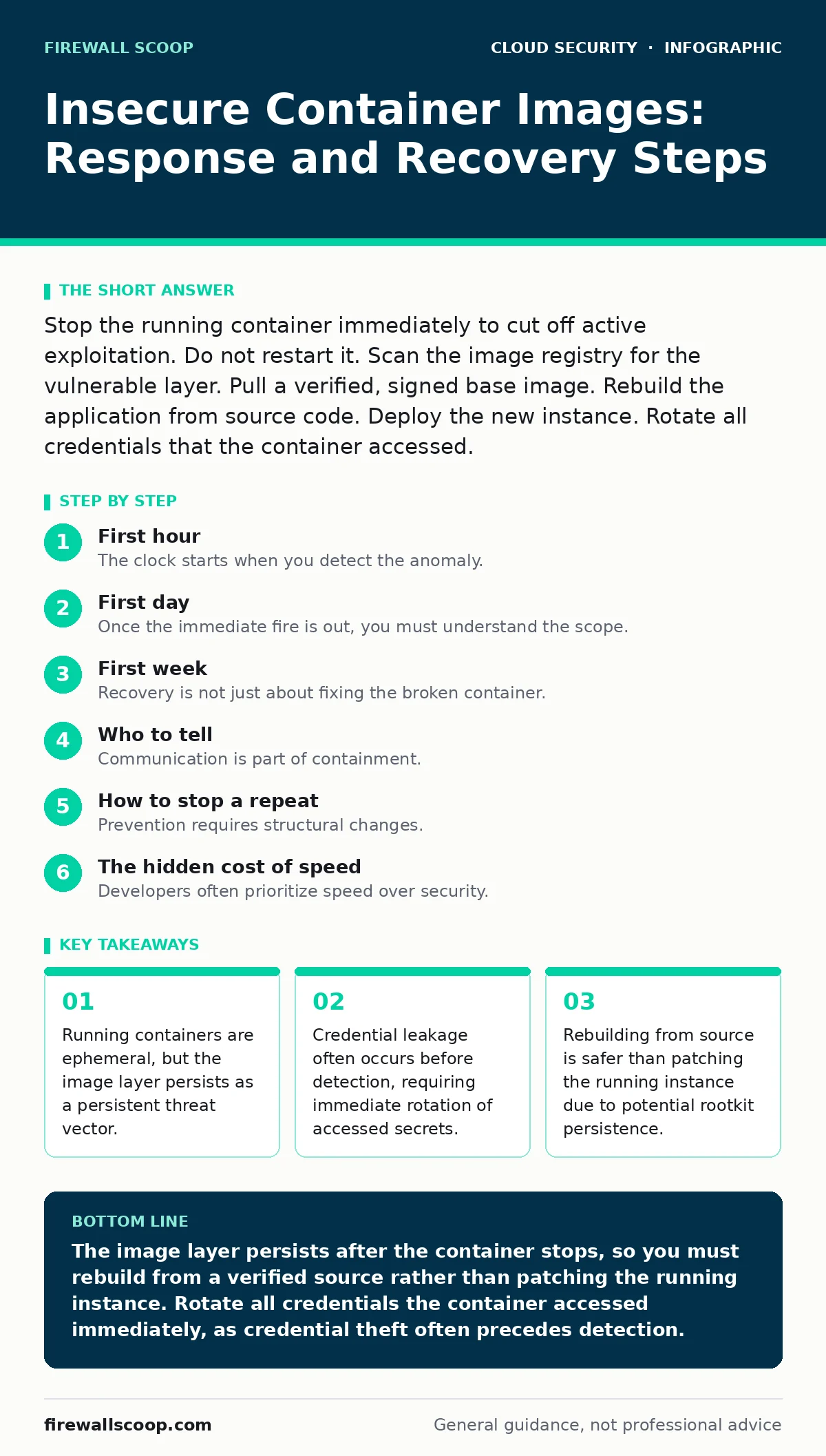
First day
Once the immediate fire is out, you must understand the scope. The compromised image likely exists in your registry. Other teams may be using the same image. You must find them before they deploy it to production.
Search your container registry for the specific image tag and digest. Identify all repositories that reference this vulnerable layer. Do not rely on manual checks. Use automated scanning tools to flag images with known vulnerabilities.
Review the build history. How did the insecure image get into the registry? Was it a developer pushing a local build? Was it a supply chain attack on a base image? Understanding the entry point prevents recurrence.
You should also review the cloud workload protection policies. These tools monitor runtime behavior. They might have detected the malicious activity before you did. Tune these alerts to reduce noise and improve future detection.
If the container had access to external services, check for unauthorized API calls. Look for data exfiltration patterns. This step is critical for understanding the business impact.
First week
Recovery is not just about fixing the broken container. It is about fixing the process that allowed the break. You must rebuild trust in your deployment pipeline.
Rebuild the application from source code. Do not patch the existing image. Patching an image often leaves residual artifacts. A fresh build ensures a clean slate. Use a known-good base image. Verify the image signature before pushing it to the registry.
Update your CI/CD pipeline attacks defenses. The pipeline is the factory. If the factory is compromised, every product is suspect. Ensure that only authorized users can push images to the production registry.
Implement image signing. This ensures that only verified images can run in your environment. Tools like Cosign or Notary provide this capability. Require signature verification in your admission controller.
Review your cloud privilege escalation paths. Did the container run as root? Did it have host network access? These privileges make containment harder. Follow the principle of least privilege.
Who to tell
Communication is part of containment. You must inform the right people without causing unnecessary alarm.
Tell the engineering team that owns the service. They need to know why their service is down. They also need to help rebuild the application.
Tell the security operations center. They need to monitor for similar patterns elsewhere. They can help with forensic analysis.
Tell the product owner. They need to know the business impact. They can help prioritize the fix.
Do not tell everyone. Limit information to those who need it to act. This prevents misinformation and reduces stress.
How to stop a repeat
Prevention requires structural changes. You cannot rely on vigilance alone. You must automate security checks.
Integrate vulnerability scanning into your build process. Fail the build if critical vulnerabilities are found. This shifts security left.
Use minimal base images. Smaller images have fewer components to exploit. Alpine or Distroless images are good choices. They reduce the attack surface.
Implement zero trust network access for container-to-container communication. Assume the network is hostile. Require mutual TLS for service mesh connections.
Regularly update base images. Outdated libraries are easy targets. Automate the update process to ensure consistency.
See also: DFIR Training for Small Business Threat Readiness · Memory Forensics: Benefits, Limits, and When to Use It
The hidden cost of speed
Developers often prioritize speed over security. They bypass checks to meet deadlines. This creates technical debt.
Insecure images are a form of technical debt. They accumulate risk. When that risk materializes, the cost is high.
You must balance speed and security. Automated checks add seconds to the build time. They save hours of incident response.
Make security part of the definition of done. A feature is not done until it is secure. This mindset shift is crucial for long-term stability.
Final verification
Before declaring the incident closed, verify the fix. Run a full scan of the new image. Compare it to the baseline.
Test the application in a staging environment. Ensure it works as expected. Check for performance regressions.
Monitor the new deployment closely. Watch for anomalous behavior. Keep the incident response team on standby for a few days.
Document the lessons learned. Update your runbooks. Share the knowledge with the wider team. This builds organizational resilience.
Key takeaways
- Running containers are ephemeral, but the image layer persists as a persistent threat vector.
- Credential leakage often occurs before detection, requiring immediate rotation of accessed secrets.
- Rebuilding from source is safer than patching the running instance due to potential rootkit persistence.
The image layer persists after the container stops, so you must rebuild from a verified source rather than patching the running instance. Rotate all credentials the container accessed immediately, as credential theft often precedes detection.
Frequently asked questions
Should I delete the compromised image from the registry?
Do not delete it immediately. Keep it for forensic analysis. Tag it as "compromised" to prevent accidental reuse. Delete it only after you have rebuilt and verified the new image.
How do I know if the container exfiltrated data?
Review network logs for outbound connections to unknown IPs. Check for large data transfers. Look for DNS queries to suspicious domains. Correlate these with the container’s runtime.
Can I just patch the running container?
No. Patching a running container is risky. The malicious code may have modified the filesystem. Rebuilding from source ensures a clean state. It is the only reliable way to remove the threat.
What if I don't have image signing enabled?
Enable it immediately. Until then, manually verify image digests before deployment. Use a secure registry that supports access controls. Restrict push permissions to trusted CI/CD pipelines.
How this guide was produced: written by the Firewall Scoop editorial team with AI assistance, checked against the public references listed below, and reviewed when the facts change. See our editorial policy or report an error.