Cloud Metadata Service Attack Mistakes and How to Stop Them
Misconfigured network rules allow internal services to harvest cloud credentials from metadata endpoints, granting attackers full account control without external access.

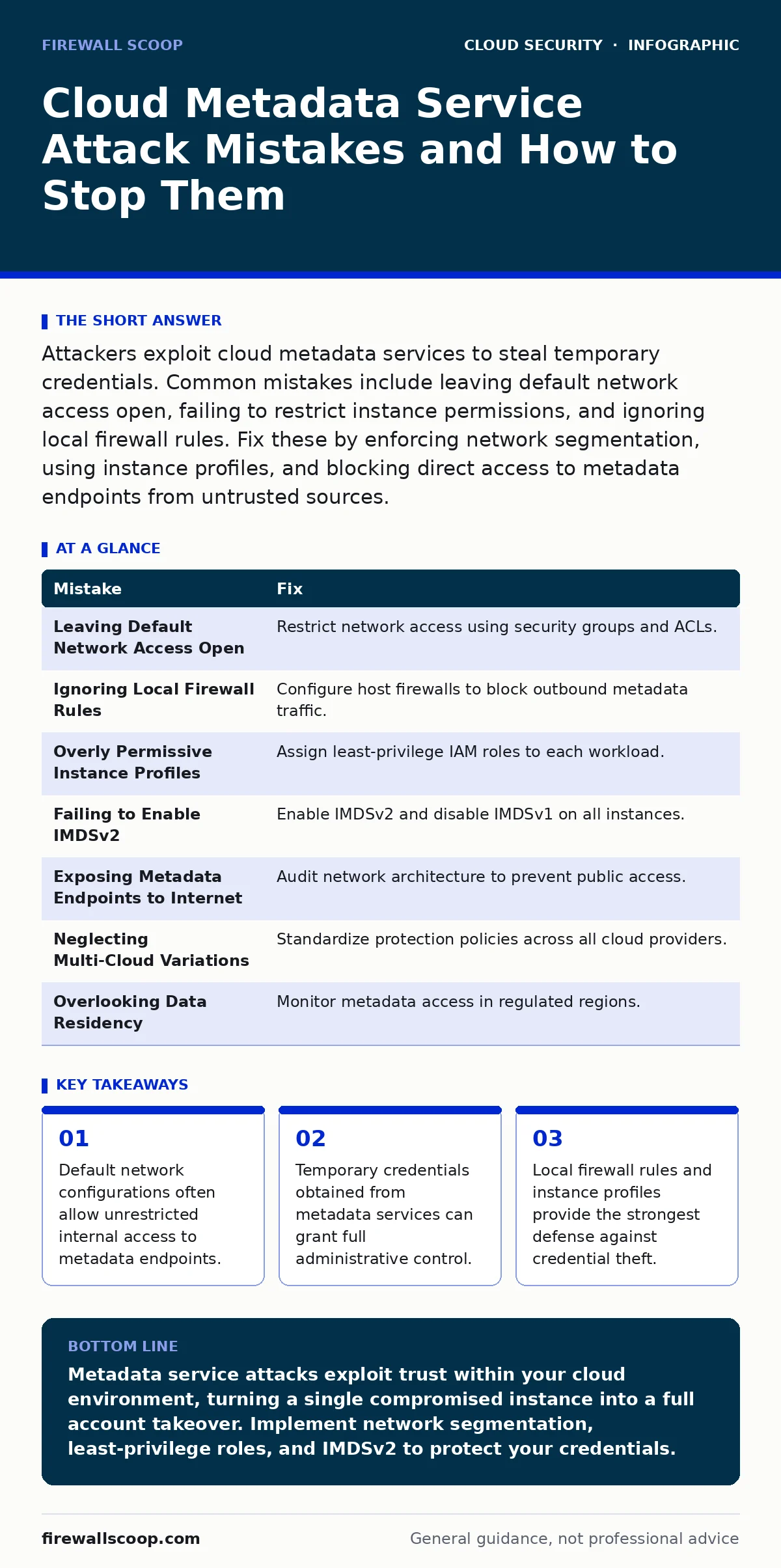
Attackers exploit cloud metadata services to steal temporary credentials. Common mistakes include leaving default network access open, failing to restrict instance permissions, and ignoring local firewall rules. Fix these by enforcing network segmentation, using instance profiles, and blocking direct access to metadata endpoints from untrusted sources.
Mistake 1: Leaving Default Network Access Open
Cloud providers often configure virtual machines with default network rules that permit unrestricted internal traffic. This convenience assumes your network is safe, but it creates a direct path for attackers who have compromised a single instance. They can query the metadata service from any machine on the same subnet.
Why it hurts:
An attacker who gains shell access to one web server can pivot to the metadata endpoint. The endpoint returns temporary security credentials for the instance profile. These credentials often have broad permissions, allowing the attacker to list storage buckets, create new admin users, or exfiltrate sensitive data. The damage occurs entirely within the cloud provider's network, bypassing perimeter defenses.
The fix:
Restrict network access to the metadata service using security groups or network ACLs. Allow traffic only from specific subnets or instances that genuinely require metadata access. Verify that your cloud privilege escalation controls prevent lateral movement between workloads. Test your segmentation by attempting to reach the metadata endpoint from an isolated test instance.
Mistake 2: Ignoring Local Firewall Rules on Instances
Many administrators rely solely on cloud-level security groups to protect their infrastructure. They forget that the operating system inside the virtual machine has its own firewall. If the local firewall allows outbound connections to the metadata IP address, an attacker with local code execution can bypass network-level restrictions.
Why it hurts:
A compromised application can execute arbitrary code within the instance. If the local firewall permits HTTP requests to the metadata service IP, the attacker can retrieve credentials directly. This happens even if the cloud security group blocks inbound traffic from other subnets. The local firewall is the last line of defense for the instance's network traffic.
The fix:
Configure the host firewall to block outbound traffic to the metadata service IP address unless the application explicitly needs it. Use tools like iptables on Linux or Windows Defender Firewall on Windows. Combine this with secure access service edge (SASE) principles to enforce strict egress filtering. Monitor for unexpected outbound connections to internal metadata IPs.
Mistake 3: Overly Permissive Instance Profiles
Instance profiles attach IAM roles to virtual machines. A common mistake is assigning a role with broad administrative privileges to every instance for convenience. This violates the principle of least privilege. If an attacker compromises any instance, they inherit the full power of that role.
Why it hurts:
The metadata service returns credentials for the attached IAM role. If that role can manage all resources, the attacker gains total control of your cloud account. They can encrypt your data, delete backups, or spin up expensive resources to drain your budget. The blast radius of a single compromised instance becomes the entire cloud environment.
The fix:
Create specific IAM roles for each workload with only the permissions it needs. A web server should not have permissions to manage databases or modify security groups. Regularly audit role permissions and remove unused grants. Implement DevSecOps practices to enforce permission policies during deployment. Use AWS Organizations or Azure Blueprints to standardize role creation.
Mistake 4: Failing to Enable IMDSv2
Cloud providers offer two versions of the metadata service. The older version, IMDSv1, allows unauthenticated requests. The newer version, IMDSv2, requires a session token before returning any data. Leaving IMDSv1 enabled exposes your instances to simple HTTP requests from any process on the machine.
Why it hurts:
IMDSv1 does not require any authentication to access credentials. An attacker who can execute code on the instance can simply fetch the credentials using a basic HTTP GET request. IMDSv2 adds a layer of security by requiring a token obtained from a separate endpoint. This prevents accidental or malicious scripts from easily harvesting credentials.
The fix:
Enable IMDSv2 on all instances and disable IMDSv1 where possible. Configure your applications to use the session token when accessing metadata. Update your CI/CD pipeline attacks prevention strategy to include checks for IMDSv2 configuration. Verify that your infrastructure as code templates enforce IMDSv2 by default.
Mistake 5: Exposing Metadata Endpoints to the Internet
Some misconfigurations route traffic to the metadata service from public subnets or expose it via proxy servers. This is rare but catastrophic. If the metadata endpoint is reachable from the public internet, anyone can attempt to access it.
Why it hurts:
Direct internet access to metadata endpoints is usually blocked by cloud providers, but misconfigured proxies or NAT gateways can inadvertently expose it. An attacker scanning the internet might find an open proxy that forwards requests to the metadata service. They can then harvest credentials for instances behind that proxy, bypassing internal network controls.
The fix:
Audit your network architecture to ensure metadata endpoints are never reachable from public subnets. Disable unnecessary proxy servers that could forward traffic to internal IPs. Use zero trust network access models to verify every request, regardless of its origin. Monitor logs for unusual traffic patterns targeting metadata IPs.
See also: Firewalls in Cloud Computing: How They Work and Where They Fail · What Does DevSecOps Mean: Integrating Security Into The Software Pipeline
Mistake 6: Neglecting Multi-Cloud Metadata Variations
Organizations using multiple cloud providers often assume metadata services work the same way. They apply the same security rules across AWS, Azure, and Google Cloud. This assumption fails because each provider uses different IP addresses, headers, and authentication mechanisms.
Why it hurts:
A security rule that blocks the AWS metadata IP might not block the Azure or Google Cloud equivalent. Attackers targeting multi-cloud environments will exploit these differences. They might compromise an AWS instance and then pivot to an Azure instance if the metadata protections are inconsistent. This creates blind spots in your security posture.
The fix:
Standardize metadata protection policies across all cloud providers. Create a multi-cloud security framework that addresses the specific metadata service of each platform. Document the differences and ensure your infrastructure as code templates handle them correctly. Regularly test your defenses in each cloud environment to identify gaps.
Mistake 7: Overlooking Data Residency and Compliance
Metadata requests can reveal information about the instance's location and configuration. In regulated industries, this data might be subject to data residency laws. Failing to monitor or restrict metadata access can lead to compliance violations.
Why it hurts:
Attackers can use metadata to determine the geographic location of your data and the services attached to the instance. This information helps them tailor their attacks and understand your compliance landscape. If you store regulated data, exposing metadata details might violate privacy laws or industry standards. The legal and financial consequences can be severe.
The fix:
Implement strict access controls to metadata services in regions where data residency is critical. Monitor metadata access logs for unusual activity. Ensure your federated identity policies restrict access based on user location and role. Regularly review your compliance posture against industry standards and update your security controls accordingly.
| Mistake | Fix |
|---|---|
| Leaving Default Network Access Open | Restrict network access using security groups and ACLs. |
| Ignoring Local Firewall Rules | Configure host firewalls to block outbound metadata traffic. |
| Overly Permissive Instance Profiles | Assign least-privilege IAM roles to each workload. |
| Failing to Enable IMDSv2 | Enable IMDSv2 and disable IMDSv1 on all instances. |
| Exposing Metadata Endpoints to Internet | Audit network architecture to prevent public access. |
| Neglecting Multi-Cloud Variations | Standardize protection policies across all cloud providers. |
| Overlooking Data Residency | Monitor metadata access in regulated regions. |
Key takeaways
- Default network configurations often allow unrestricted internal access to metadata endpoints.
- Temporary credentials obtained from metadata services can grant full administrative control.
- Local firewall rules and instance profiles provide the strongest defense against credential theft.
Metadata service attacks exploit trust within your cloud environment, turning a single compromised instance into a full account takeover. Implement network segmentation, least-privilege roles, and IMDSv2 to protect your credentials.
Frequently asked questions
How do I check if my instances are vulnerable to metadata attacks?
Attempt to access the metadata endpoint from a compromised test instance. If you can retrieve credentials without authentication, your instance is vulnerable. Review your network rules and local firewall configurations.
Can I use the same IAM role for all instances?
No, using a single role with broad permissions increases the blast radius of a compromise. Create specific roles for each workload with only the necessary permissions. This limits the damage if one instance is breached.
Does enabling IMDSv2 break my applications?
Applications that use IMDSv1 may fail if IMDSv2 is enforced. Update your applications to use the session token required by IMDSv2. Most modern cloud SDKs support IMDSv2 automatically, so check your library versions.
How often should I audit my metadata security?
Audit your metadata security configurations regularly, at least quarterly. Include checks for network rules, IAM roles, and IMDSv2 status. Automate these checks using infrastructure as code tools to ensure consistent compliance.
How this guide was produced: written by the Firewall Scoop editorial team with AI assistance, checked against the public references listed below, and reviewed when the facts change. See our editorial policy or report an error.