Detect Malicious Browser Extensions: Signs, Logs, and Blind Spots
Malicious browser extensions often hide in plain sight by mimicking legitimate tools and accessing data that standard endpoint protection ignores.

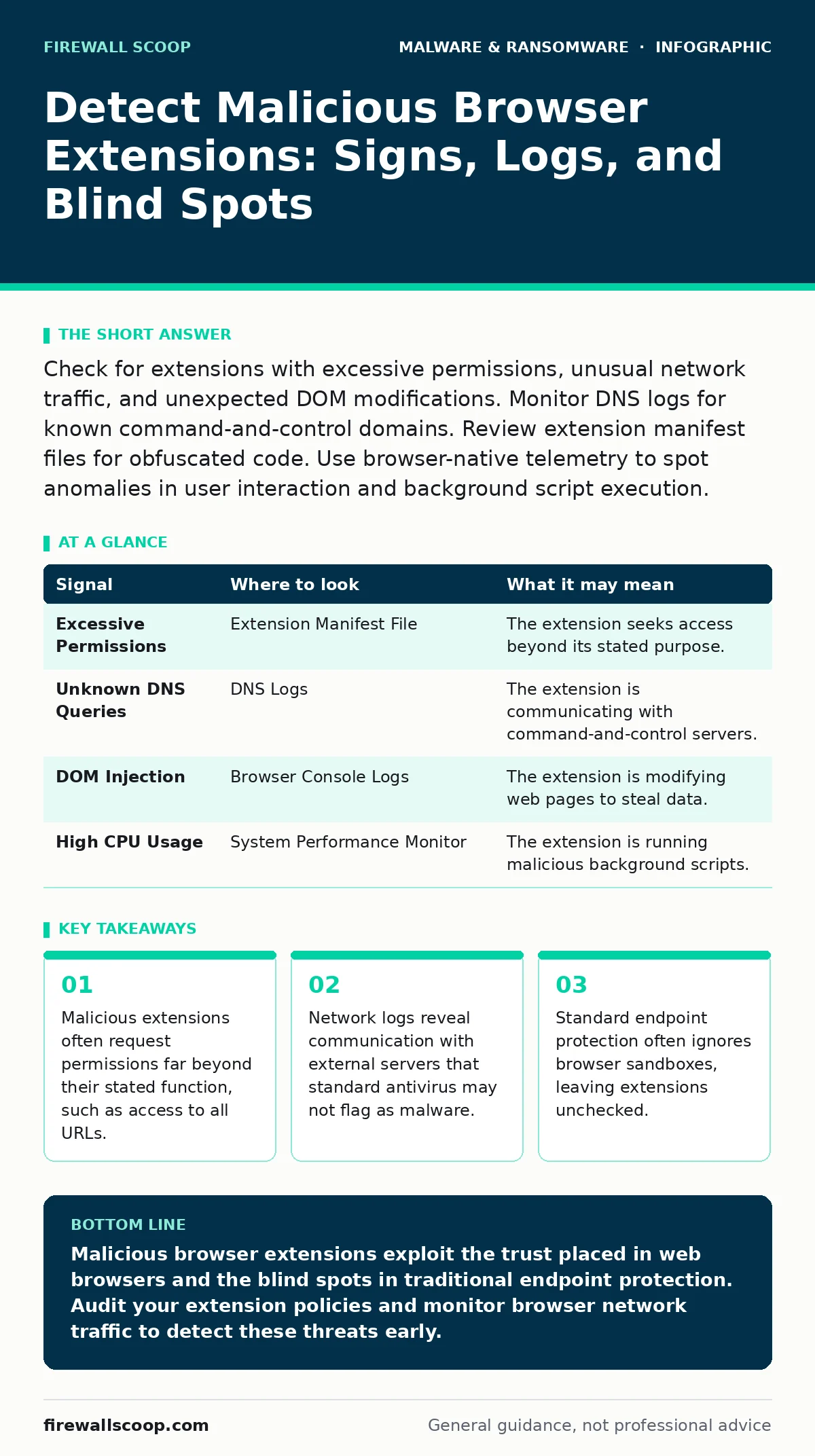
Check for extensions with excessive permissions, unusual network traffic, and unexpected DOM modifications. Monitor DNS logs for known command-and-control domains. Review extension manifest files for obfuscated code. Use browser-native telemetry to spot anomalies in user interaction and background script execution.
The Sandbox Blind Spot
Most endpoint detection and response tools treat the browser as a black box. They monitor file system changes and process creation, but they rarely inspect the internal state of a browser tab. This creates a blind spot where malicious code executes within the browser’s sandbox without triggering traditional alarms. You must look inside the application layer, not just the operating system layer, to find these threats.
Imagine a user installs a legitimate-looking PDF converter. The extension runs entirely within the browser process. It never touches the disk in a way that signature-based antivirus recognizes. It only talks to the web and modifies the page content. Your standard security stack sees a healthy browser process talking to a known content delivery network. The threat is invisible because it stays within the bounds of expected behavior for a web application.
Permission Anomalies
Extensions require permissions to function. A malicious extension will request access that does not align with its purpose. Look for extensions that request access to "all URLs" or "read and change data on all websites" when they should only operate on a single site. This broad access allows the extension to intercept traffic from banking sites, email clients, and internal corporate portals.
Check the extension’s manifest file. This JSON file declares the permissions and capabilities of the extension. If a simple weather widget requests access to your bookmarks, history, and clipboard, it is a red flag. The mismatch between function and permission is the first signal of compromise. You can often find this manifest by inspecting the extension files in the browser’s profile directory.
Network Traffic Signatures
Malicious extensions need to exfiltrate data. They do this by sending information to external servers. You can detect this by monitoring DNS queries and HTTP requests originating from the browser process. Look for connections to domains that have recently been registered or have poor reputation scores. These domains often serve as command-and-control servers for the extension.
The traffic may look like normal web browsing. However, you can identify the source of the request by correlating it with the active extensions. If a specific domain is queried only when a particular extension is installed, you have a strong indicator of malicious behavior. Use network monitoring tools that can attribute traffic to specific browser processes or tabs. This helps you distinguish between user-initiated traffic and background exfiltration.
DOM Manipulation and Script Injection
Advanced extensions modify the Document Object Model of web pages. This allows them to inject login forms, steal credentials, or hide security warnings. You can detect this by monitoring for unexpected script tags or iframe injections. Security information and event management tools can parse browser logs for these modifications. Look for scripts that load from domains different from the current page.
This technique is often used to bypass multi-factor authentication. The extension captures the one-time password before it is sent to the server. It then forwards the credentials to the attacker. Detecting this requires deep packet inspection or browser extension telemetry. You need to see what the browser sees, not just what the server receives. The difference between the two is where the theft happens.
Extension Telemetry and Logs
Modern browsers provide telemetry data that can reveal malicious activity. Look for extensions that run background scripts continuously. Legitimate extensions usually activate only when needed. Constant background activity consumes CPU and battery, which users may notice. Security teams can correlate high CPU usage from browser processes with specific extension IDs.
Check the browser’s internal logs for errors related to extension APIs. Malicious extensions often use obscure APIs that are not well-documented. Errors in these calls can indicate attempts to bypass security controls. You can also monitor for extensions that disable other security extensions. This is a clear sign of intent to maintain persistence and avoid detection.
| Signal | Where to look | What it may mean |
|---|---|---|
| Excessive Permissions | Extension Manifest File | The extension seeks access beyond its stated purpose. |
| Unknown DNS Queries | DNS Logs | The extension is communicating with command-and-control servers. |
| DOM Injection | Browser Console Logs | The extension is modifying web pages to steal data. |
| High CPU Usage | System Performance Monitor | The extension is running malicious background scripts. |
See also: 7 Computer Virus Mistakes That Leave Your System Exposed
Common Blind Spots
One major blind spot is the assumption that enterprise-managed browsers are safe. Attackers can use legitimate administrative tools to push malicious extensions to all users. If the policy allows third-party extensions, the attacker has a delivery mechanism. You must audit your extension policies regularly. Ensure that only approved extensions are allowed.
Another blind spot is the focus on malware signatures. Malicious extensions are often unique pieces of code. They do not match known virus signatures. Behavioral analysis is required. You need to understand what the extension is trying to do, not just what it is. This requires a shift from signature-based detection to behavior-based monitoring.
Integration with Broader Security
Detecting malicious extensions is part of a larger security strategy. These extensions often work in tandem with other threats. For example, they can facilitate the spread of infostealers by capturing credentials that are then used to install further malware. Understanding this connection helps you prioritize your detection efforts.
You should also consider the impact on your ransomware recovery plans. If an extension compromises user accounts, it can bypass the protection offered by offline backups. The attacker gains access to cloud storage and shared drives. This makes recovery difficult and time-consuming. Integrating extension monitoring into your overall incident response plan is necessary for comprehensive protection.
Next Steps for Detection
Start by auditing your current extension policies. Remove any extensions that are not strictly necessary. Implement a whitelist approach where only approved extensions are allowed. Monitor network traffic for anomalies originating from the browser. Correlate this data with endpoint logs to identify suspicious behavior.
Regularly review extension permissions and updates. Attackers can update legitimate extensions to include malicious code. This means a previously safe extension can become a threat overnight. Continuous monitoring is required to catch these changes. You must stay ahead of the attackers who are constantly evolving their techniques.
Key takeaways
- Malicious extensions often request permissions far beyond their stated function, such as access to all URLs.
- Network logs reveal communication with external servers that standard antivirus may not flag as malware.
- Standard endpoint protection often ignores browser sandboxes, leaving extensions unchecked.
Malicious browser extensions exploit the trust placed in web browsers and the blind spots in traditional endpoint protection. Audit your extension policies and monitor browser network traffic to detect these threats early.
Frequently asked questions
How do I tell if a browser extension is malicious?
Check for excessive permissions, unusual network traffic, and unexpected DOM modifications. Compare the extension’s behavior with its stated purpose.
Can antivirus software detect malicious browser extensions?
Traditional antivirus often misses them because they run within the browser sandbox. You need specialized browser telemetry or behavioral analysis to detect them.
What is the biggest risk of a malicious extension?
They can steal credentials, intercept multi-factor authentication codes, and inject malicious content into web pages. This leads to account takeover and data theft.
How often should I audit browser extensions?
Audit them regularly, especially after updates. Attackers can compromise legitimate extensions at any time. Continuous monitoring is recommended.
How this guide was produced: written by the Firewall Scoop editorial team with AI assistance, checked against the public references listed below, and reviewed when the facts change. See our editorial policy or report an error.