7 Persistence Mistakes That Keep Attackers Inside Your Network
Attackers often bypass initial defenses by exploiting routine administrative errors that allow them to survive system reboots and credential rotations indefinitely.

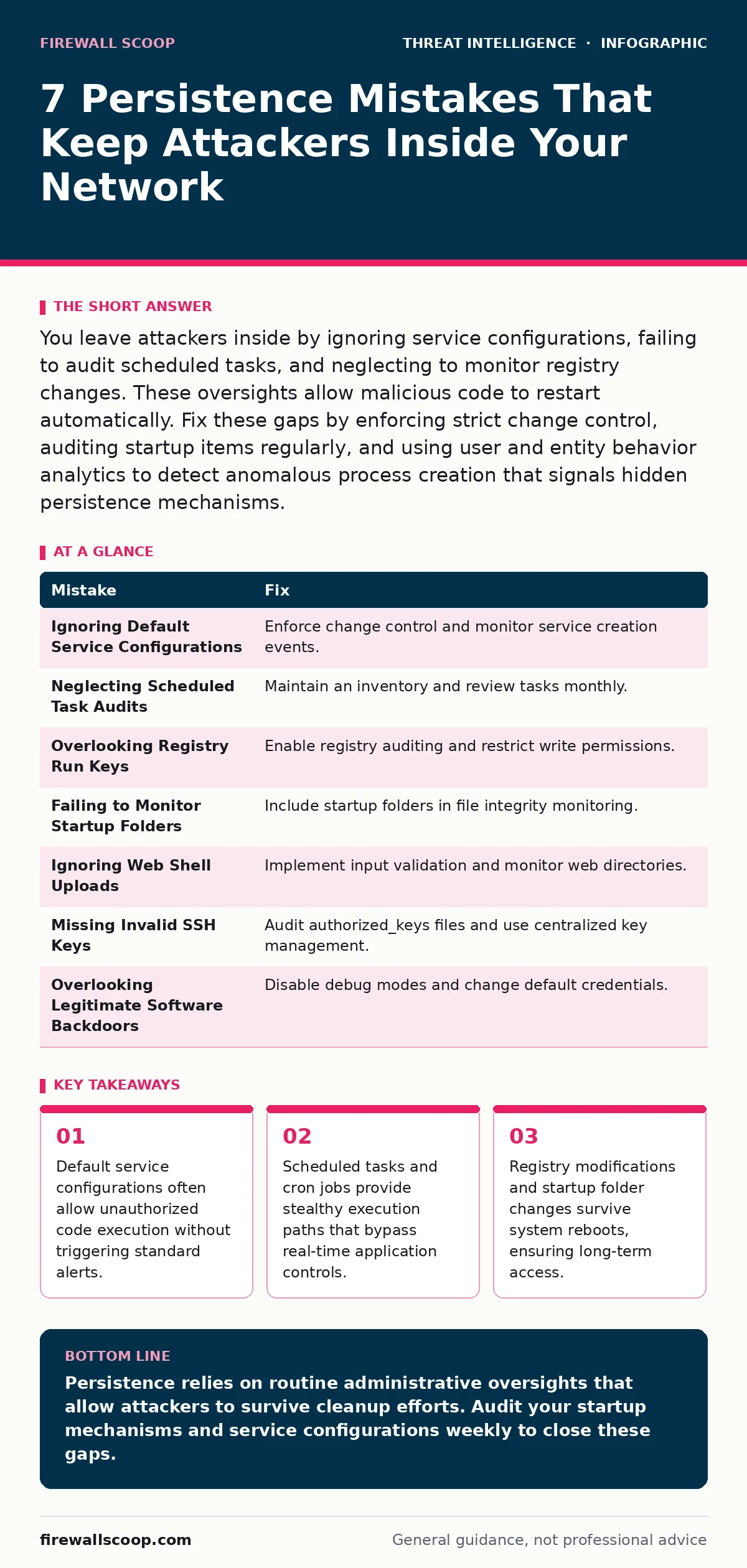
You leave attackers inside by ignoring service configurations, failing to audit scheduled tasks, and neglecting to monitor registry changes. These oversights allow malicious code to restart automatically. Fix these gaps by enforcing strict change control, auditing startup items regularly, and using user and entity behavior analytics to detect anomalous process creation that signals hidden persistence mechanisms.
Mistake 1: Ignoring Default Service Configurations
Administrators often install services without reviewing their startup parameters or binary paths. Attackers exploit this trust by modifying the binary path of a legitimate service to point to malicious code. The system executes the malware with high privileges every time the service starts.
Why it hurts:
The malware runs with system-level privileges and restarts automatically after reboots. Standard file integrity monitoring may not detect the change if the binary itself is not monitored, only the registry key pointing to it. This creates a silent foothold that survives most cleanup efforts.
The fix:
Enforce strict change control for all service installations. Use Windows Event ID 7045 or Linux auditd logs to monitor new service creation. Verify the digital signature and file path of every service binary against a known-good baseline. Disable unused services to reduce the attack surface.
Mistake 2: Neglecting Scheduled Task Audits
Scheduled tasks and cron jobs are legitimate tools for automation. Attackers abuse them to execute payloads at specific intervals or times. Because these tasks run under system accounts, they often bypass user-level restrictions. Many organizations fail to log or review these scheduled items regularly.
Why it hurts:
The attacker gains persistent access that is difficult to detect through traditional endpoint monitoring. The malicious task blends in with legitimate administrative jobs. You may see high CPU usage at odd hours but miss the underlying cause because the process name looks benign.
The fix:
Maintain an inventory of all scheduled tasks and cron jobs. Review this list monthly for unauthorized entries. Configure logging to capture task creation and modification events. Use user and entity behavior analytics to flag tasks that run at unusual times or from unexpected directories.
Mistake 3: Overlooking Registry Run Keys
Windows uses registry keys to determine which programs start at boot. Attackers modify these keys to ensure their malware launches before security software can fully initialize. This technique is old but remains effective because many admins focus on file-based threats rather than configuration changes.
Why it hurts:
The malicious code executes with the privileges of the logged-in user or the system. It survives reboots and can reinstall itself if deleted. If you do not monitor registry changes in real time, the persistence mechanism operates undetected for days or weeks.
The fix:
Enable auditing for registry object access on critical keys like Run and RunOnce. Use a centralized logging solution to alert on new entries. Restrict write permissions to these keys to administrators only. Regularly scan for unknown entries and compare them against a baseline.
Mistake 4: Failing to Monitor Startup Folders
Startup folders are a simple way to launch applications at login. Attackers drop malicious scripts or executables here to gain initial access. Because these folders are often overlooked in security audits, the malware runs silently every time a user logs in.
Why it hurts:
The malware executes in the user context, allowing it to harvest credentials or install further payloads. It is easily missed by file integrity monitoring if the folder is not included in the scan scope. This provides a low-visibility persistence mechanism.
The fix:
Include all user and system startup folders in your file integrity monitoring scope. Alert on any new file creation or modification in these directories. Educate users to report unknown files in their startup folders. Use group policy to restrict write access to these folders for standard users.
Mistake 5: Ignoring Web Shell Uploads
Web servers are frequent targets for attackers seeking remote code execution. They upload web shells, which are scripts that allow command execution via HTTP requests. If you do not monitor for unauthorized file uploads or changes to web directories, these shells remain active.
Why it hurts:
The attacker gains remote access without needing network-level persistence. They can execute commands, exfiltrate data, and pivot to other systems. This method bypasses many network security controls because the traffic appears as normal web requests.
The fix:
Implement strict input validation and file upload restrictions on web applications. Monitor web directories for new or modified files. Use web application firewalls to block common web shell patterns. Regularly scan for known web shell signatures and anomalies in request patterns.
See also: Threat Hunting Best Practices: 7 Methods to Find Hidden Threats · Attacker Reconnaissance Prevention Checklist for Systems
Mistake 6: Missing Invalid SSH Keys
SSH keys provide passwordless authentication for remote server access. Attackers add their own public keys to the authorized_keys file to gain persistent access. If you do not audit these files, the attacker can log in at any time, even after you change passwords.
Why it hurts:
The attacker bypasses password policies and multi-factor authentication. This persistence mechanism is silent and leaves no trace in standard login logs if the key is used for initial access. It allows long-term access that is difficult to revoke without auditing all keys.
The fix:
Audit authorized_keys files regularly for unknown entries. Use a centralized key management system to track and rotate keys. Disable password authentication and enforce key-based login with strict permissions. Monitor for changes to authorized_keys files and alert on unauthorized additions.
Mistake 7: Overlooking Legitimate Software Backdoors
Some applications include debug modes, admin accounts, or remote management features that can be exploited. Attackers find these backdoors and use them to maintain access. If you do not disable or secure these features, they become a persistent entry point.
Why it hurts:
The attacker uses a legitimate feature to bypass security controls. This makes detection difficult because the activity appears normal. The backdoor may have default credentials or weak authentication, allowing easy re-entry after cleanup.
The fix:
Disable all debug modes, admin accounts, and remote management features in production environments. Change default credentials immediately upon installation. Regularly review application configurations for security settings. Patch applications promptly to close known backdoor vulnerabilities.
| Mistake | Fix |
|---|---|
| Ignoring Default Service Configurations | Enforce change control and monitor service creation events. |
| Neglecting Scheduled Task Audits | Maintain an inventory and review tasks monthly. |
| Overlooking Registry Run Keys | Enable registry auditing and restrict write permissions. |
| Failing to Monitor Startup Folders | Include startup folders in file integrity monitoring. |
| Ignoring Web Shell Uploads | Implement input validation and monitor web directories. |
| Missing Invalid SSH Keys | Audit authorized_keys files and use centralized key management. |
| Overlooking Legitimate Software Backdoors | Disable debug modes and change default credentials. |
Key takeaways
- Default service configurations often allow unauthorized code execution without triggering standard alerts.
- Scheduled tasks and cron jobs provide stealthy execution paths that bypass real-time application controls.
- Registry modifications and startup folder changes survive system reboots, ensuring long-term access.
Persistence relies on routine administrative oversights that allow attackers to survive cleanup efforts. Audit your startup mechanisms and service configurations weekly to close these gaps.
Frequently asked questions
How do I detect persistence if I don't have advanced tools?
Regularly review scheduled tasks, startup folders, and service configurations against a known baseline. Look for new or modified entries that you did not create.
Does changing passwords remove persistence?
No. Persistence mechanisms like scheduled tasks and registry keys do not rely on passwords. You must remove the underlying configuration changes to stop the attacker.
Can antivirus software remove all persistence mechanisms?
Antivirus software may detect known malware but often misses configuration-based persistence. You need behavioral monitoring and regular audits to catch these techniques.
How often should I audit for persistence?
Audit critical startup mechanisms weekly. Perform a full review of services, tasks, and keys monthly to catch any changes that slipped through real-time monitoring.
How this guide was produced: written by the Firewall Scoop editorial team with AI assistance, checked against the public references listed below, and reviewed when the facts change. See our editorial policy or report an error.