Implement Threat Intelligence Platforms: A Step-by-Step Guide
Map external data to internal controls to stop attacks before they land, avoiding the noise that drowns out real signals.

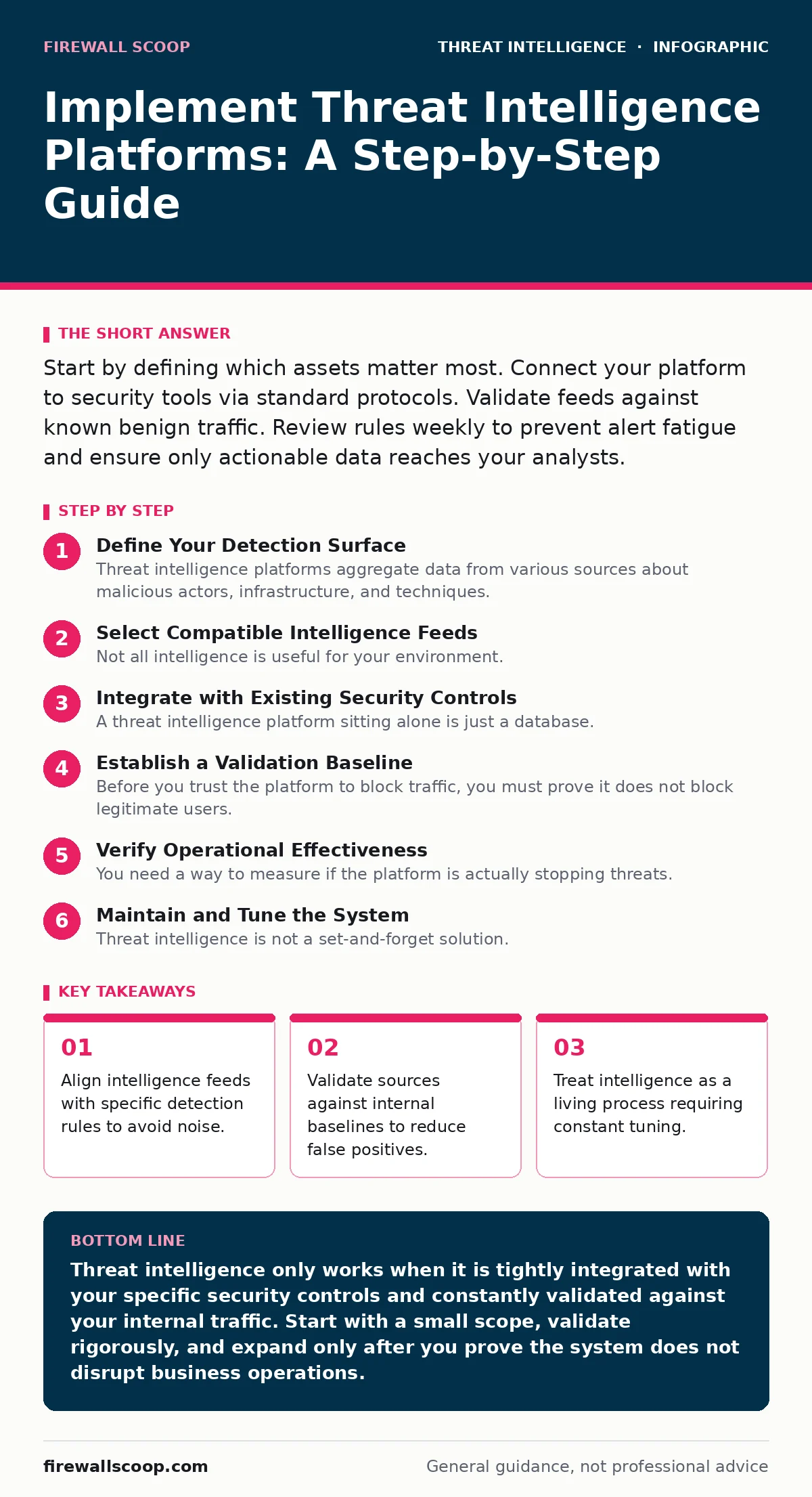
Start by defining which assets matter most. Connect your platform to security tools via standard protocols. Validate feeds against known benign traffic. Review rules weekly to prevent alert fatigue and ensure only actionable data reaches your analysts.
Define Your Detection Surface
Threat intelligence platforms aggregate data from various sources about malicious actors, infrastructure, and techniques. You cannot protect everything with equal intensity. You must decide which systems hold the data that would cause the most damage if compromised. This selection process is called scoping.
Imagine you manage a university network. You have student laptops, administrative servers, and research databases. The research databases require stricter monitoring because they contain sensitive intellectual property. You configure the platform to prioritize indicators related to those servers. This focus prevents your team from wasting time on low-risk alerts.
Select Compatible Intelligence Feeds
Not all intelligence is useful for your environment. Some feeds focus on financial fraud, while others track ransomware groups. You need feeds that match the threats likely to target your industry. Look for providers that support open standards like STIX and TAXII.
STIX is a language for describing cyber threats. TAXII is a protocol for transporting that data. Using these standards ensures your platform can share data with other security tools. It also means you are not locked into a single vendor’s proprietary format. Check if the feed provider offers historical data. This helps you understand long-term trends rather than just immediate spikes.
Integrate with Existing Security Controls
A threat intelligence platform sitting alone is just a database. It must push data to the tools that enforce security policies. These tools include firewalls, intrusion detection systems, and endpoint protection software. The connection between the platform and these tools is the integration layer.
You configure the platform to export indicators of compromise to your firewall. An indicator of compromise is a digital artifact, such as an IP address or file hash, that signals malicious activity. When the firewall sees this address, it blocks the traffic. This automation reduces the time between detection and response. Verify that the integration logs successful data transfers. If the logs show errors, the block rules will not update.
Establish a Validation Baseline
Before you trust the platform to block traffic, you must prove it does not block legitimate users. This process is called validation. You compare the intelligence data against your internal network logs. You look for overlaps between threat indicators and known good traffic.
Suppose the platform flags an IP address as malicious. You check your web server logs. If that IP address belongs to a partner company that sends daily reports, you have a false positive. You must whitelist that address or adjust the rule. This step prevents business disruption. You repeat this check for a week before enabling automatic blocking.
Step 1: Map Internal Assets to Threat Models
Identify the critical servers and applications in your network. List the types of attacks that would harm them most. Create a mapping document that links each asset to the relevant threat categories. This document guides your feed selection. You know this step worked when you can point to a specific server and name the exact threat feed that protects it.
Step 2: Configure Data Ingestion Rules
Set up the platform to pull data from your chosen feeds. Define filters for data quality and relevance. Exclude feeds that do not support standard formats. Test the ingestion by checking for data flow metrics. You know this step worked when the platform dashboard shows a steady stream of new indicators without error messages.
Step 3: Deploy to a Test Environment
Route a small portion of traffic through the intelligence platform in a sandbox. A sandbox is an isolated test area that mimics your production environment. Monitor the alerts generated during this phase. Adjust the sensitivity settings to reduce noise. You know this step worked when the test environment blocks simulated attacks without interrupting normal test traffic.
Step 4: Enable Production Blocking with Oversight
Turn on automatic blocking for the highest-confidence indicators. Keep a human in the loop for the first month. Review every blocked connection manually. This oversight catches edge cases that automation misses. You know this step worked when you see a reduction in successful intrusion attempts and no complaints from users about blocked services.
Verify Operational Effectiveness
You need a way to measure if the platform is actually stopping threats. Create a verification checklist to audit the system regularly. This checklist ensures that the intelligence remains fresh and relevant.
- Confirm that all critical assets are covered by at least one active feed.
- Check that integration logs show successful updates every hour.
- Review false positive rates to ensure they are below your threshold.
- Validate that blocked indicators match recent threat reports.
See also: Honeypots for Security: Real Benefits, Hidden Costs, and Limits · Threat Hunting Best Practices: 7 Methods to Find Hidden Threats
Maintain and Tune the System
Threat intelligence is not a set-and-forget solution. Attackers change their tactics, techniques, and procedures. You must update your rules to reflect these changes. Schedule a weekly review of the platform’s performance metrics.
Look for trends in the data. Are certain types of attacks increasing? Are your current feeds missing new indicators? Adjust your subscriptions accordingly. You may need to drop low-quality feeds that add noise. You may need to add new feeds that cover emerging threats. This upkeep keeps your defense aligned with the current risk environment.
Handle Data Lifecycle and Retention
Intelligence data has a shelf life. An IP address used by a botnet today may be clean tomorrow. You must define a retention policy for your data. Delete or archive old indicators that are no longer relevant. This keeps your database lightweight and fast.
Store historical data separately from active blocking rules. This allows you to analyze past trends without cluttering your real-time defenses. Ensure your storage solution complies with privacy regulations. You know this step worked when your database size remains stable despite continuous data ingestion.
Key takeaways
- Align intelligence feeds with specific detection rules to avoid noise.
- Validate sources against internal baselines to reduce false positives.
- Treat intelligence as a living process requiring constant tuning.
Threat intelligence only works when it is tightly integrated with your specific security controls and constantly validated against your internal traffic. Start with a small scope, validate rigorously, and expand only after you prove the system does not disrupt business operations.
Frequently asked questions
How many feeds should I connect to my platform?
Start with two or three high-quality feeds that match your industry. Add more only if you identify specific gaps in your coverage. Quality matters more than quantity.
Can I use free threat intelligence feeds?
Yes, open-source feeds are available. However, they often lack context and may contain more false positives. You must spend more time validating data from free sources.
What happens if my platform goes offline?
Your security tools should cache the last known good list of indicators. Ensure your firewall and other tools have local storage for this data. They will continue to block known threats even if the central platform is unreachable.
How do I measure the return on investment?
Track the number of blocked attacks and the time saved by automated responses. Compare these metrics against the cost of the platform and the analyst hours required for maintenance.
How this guide was produced: written by the Firewall Scoop editorial team with AI assistance, checked against the public references listed below, and reviewed when the facts change. See our editorial policy or report an error.