Warning Signs of ARP Spoofing: Detect Network Impersonation Early
Your device trusts local network maps implicitly, allowing attackers to intercept traffic without breaking encryption or triggering standard alarms.

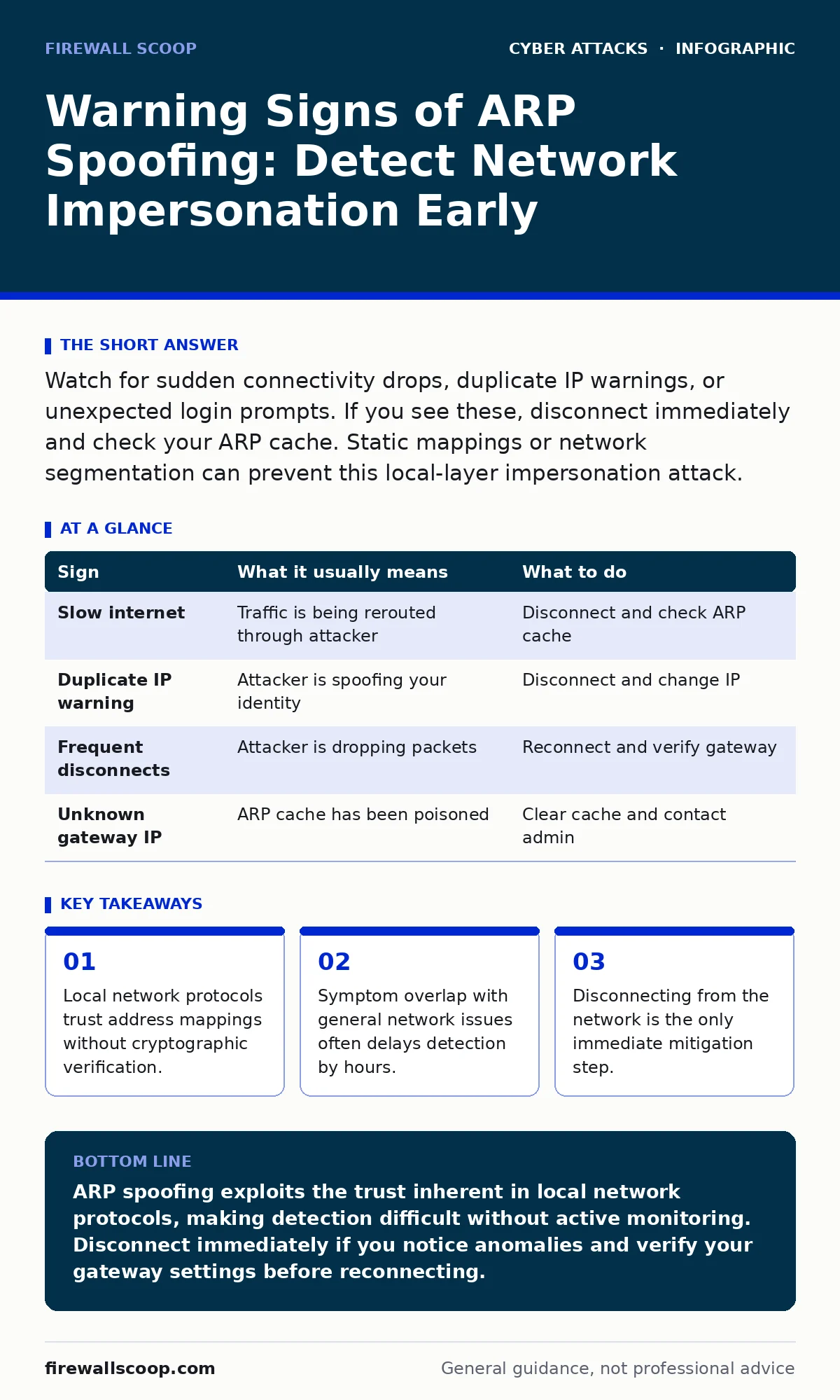
Watch for sudden connectivity drops, duplicate IP warnings, or unexpected login prompts. If you see these, disconnect immediately and check your ARP cache. Static mappings or network segmentation can prevent this local-layer impersonation attack.
The Silent Layer Two Threat
Address Resolution Protocol (ARP) translates human-readable IP addresses into hardware MAC addresses. This translation happens at the data link layer, below the network layer where most security tools operate. Because this process assumes a trusted local environment, it lacks built-in authentication mechanisms.
An attacker can send forged ARP messages to associate their MAC address with the IP address of your gateway or another host. Your device then sends traffic intended for the gateway to the attacker instead. The attacker can read, modify, or drop this traffic before forwarding it, creating a man-in-the-middle position.
Obvious Signs of Interception
You will often notice performance degradation first. Web pages may load slowly, or connections may time out entirely. This happens because the attacker’s equipment may be slower than your legitimate gateway, or they may be intentionally throttling traffic to hide their activity.
Duplicate IP address warnings are another clear indicator. If your operating system reports that another device is using your IP address, an attacker may be spoofing your identity to intercept responses. This is distinct from a simple configuration error because it occurs while you are already connected and functioning.
Sudden disconnections that require you to re-authenticate frequently suggest an active attack. The attacker may be dropping packets to force your device to re-establish connections, allowing them to capture session tokens or credentials during the handshake process.
Subtle Indicators Often Missed
Not all ARP spoofing attempts cause immediate outages. An attacker may only intercept specific traffic, such as unencrypted HTTP requests or DNS queries. Your internet connection appears normal, but your privacy is compromised.
Check for unexpected changes in your default gateway. If the IP address of your gateway changes without administrative action, an attacker has likely poisoned your ARP cache. This is easy to miss if you do not regularly verify your network settings against known correct values.
Traffic analysis tools may show unusual outbound connections to unknown IP addresses. These could be commands from a compromised device or data exfiltration attempts. Without deep packet inspection, these flows look like normal background traffic.
Immediate Response Steps
If you suspect ARP spoofing, disconnect from the network immediately. Unplug the Ethernet cable or disable Wi-Fi. This stops the flow of compromised data and prevents further interception.
Do not attempt to fix the issue while connected. An attacker may be monitoring your troubleshooting commands. Once disconnected, verify your ARP cache on the command line. Look for multiple MAC addresses associated with the same IP address, particularly your gateway.
Clear your ARP cache and reconnect. If the issue persists, the attack may be ongoing at the network level. Contact your network administrator to investigate switch ports and enable dynamic ARP inspection if available.
Prevention and Mitigation
Static ARP entries can prevent spoofing on critical devices. By manually mapping IP addresses to MAC addresses, you prevent the system from accepting forged updates. This is labor-intensive and impractical for large, dynamic networks but effective for servers and workstations.
Network segmentation limits the blast radius of an ARP spoofing attack. By dividing your network into smaller subnets, you reduce the number of devices an attacker can target from a single point. This complements other security measures like multi-factor authentication to protect credentials even if traffic is intercepted.
Enable port security on managed switches. This feature limits the number of MAC addresses allowed on a single port and can shut down ports that exhibit suspicious behavior. It adds a layer of defense at the hardware level, where ARP operates.
See also: What Is Intrusion Prevention: How IPS Stops Attacks Before They Land · Lateral Movement Prevention Checklist for Network Security
Related Security Context
ARP spoofing is often a precursor to more sophisticated attacks. Once an attacker intercepts traffic, they can perform session hijacking or inject malicious code. This is similar to how drive-by downloads exploit vulnerabilities in web browsers, but here the exploitation happens at the network layer.
Understanding ARP spoofing helps you appreciate the risks of DNS spoofing. Both attacks rely on poisoning local caches to redirect traffic. While DNS operates at a higher layer, the principle of trusting cached mappings without verification is the same.
Verification and Monitoring
Regularly audit your network devices for unauthorized changes. Use network monitoring tools to detect anomalies in traffic patterns. Look for sudden spikes in broadcast traffic, which can indicate ARP scan activity.
Educate users about the signs of network compromise. While technical controls are primary, human awareness can lead to faster detection. If a user reports strange network behavior, investigate immediately rather than dismissing it as a glitch.
| Sign | What it usually means | What to do |
|---|---|---|
| Slow internet | Traffic is being rerouted through attacker | Disconnect and check ARP cache |
| Duplicate IP warning | Attacker is spoofing your identity | Disconnect and change IP |
| Frequent disconnects | Attacker is dropping packets | Reconnect and verify gateway |
| Unknown gateway IP | ARP cache has been poisoned | Clear cache and contact admin |
Key takeaways
- Local network protocols trust address mappings without cryptographic verification.
- Symptom overlap with general network issues often delays detection by hours.
- Disconnecting from the network is the only immediate mitigation step.
ARP spoofing exploits the trust inherent in local network protocols, making detection difficult without active monitoring. Disconnect immediately if you notice anomalies and verify your gateway settings before reconnecting.
Frequently asked questions
Can antivirus software detect ARP spoofing?
Most standard antivirus programs focus on file-based malware and do not monitor network layer traffic. You need specialized network security tools or host-based intrusion detection systems to detect ARP anomalies.
Does Wi-Fi protect me from ARP spoofing?
Wi-Fi encryption like WPA2 protects data in transit from eavesdroppers outside the network, but it does not prevent ARP spoofing between devices already connected to the same local network.
How long does an ARP cache entry last?
ARP cache entries are temporary and expire after a short period, usually minutes to hours. This allows attackers to repeatedly poison the cache without permanent changes to your system configuration.
Is ARP spoofing common on modern networks?
It remains a common attack vector because the ARP protocol itself has not changed significantly. Modern networks mitigate it through switch security features, but misconfigurations or flat networks remain vulnerable.
How this guide was produced: written by the Firewall Scoop editorial team with AI assistance, checked against the public references listed below, and reviewed when the facts change. See our editorial policy or report an error.