End-of-Life Software Management: A Step-by-Step Implementation Plan
Unsupported software creates a permanent attack surface that no firewall can close, requiring a structured lifecycle to prevent silent data exposure.

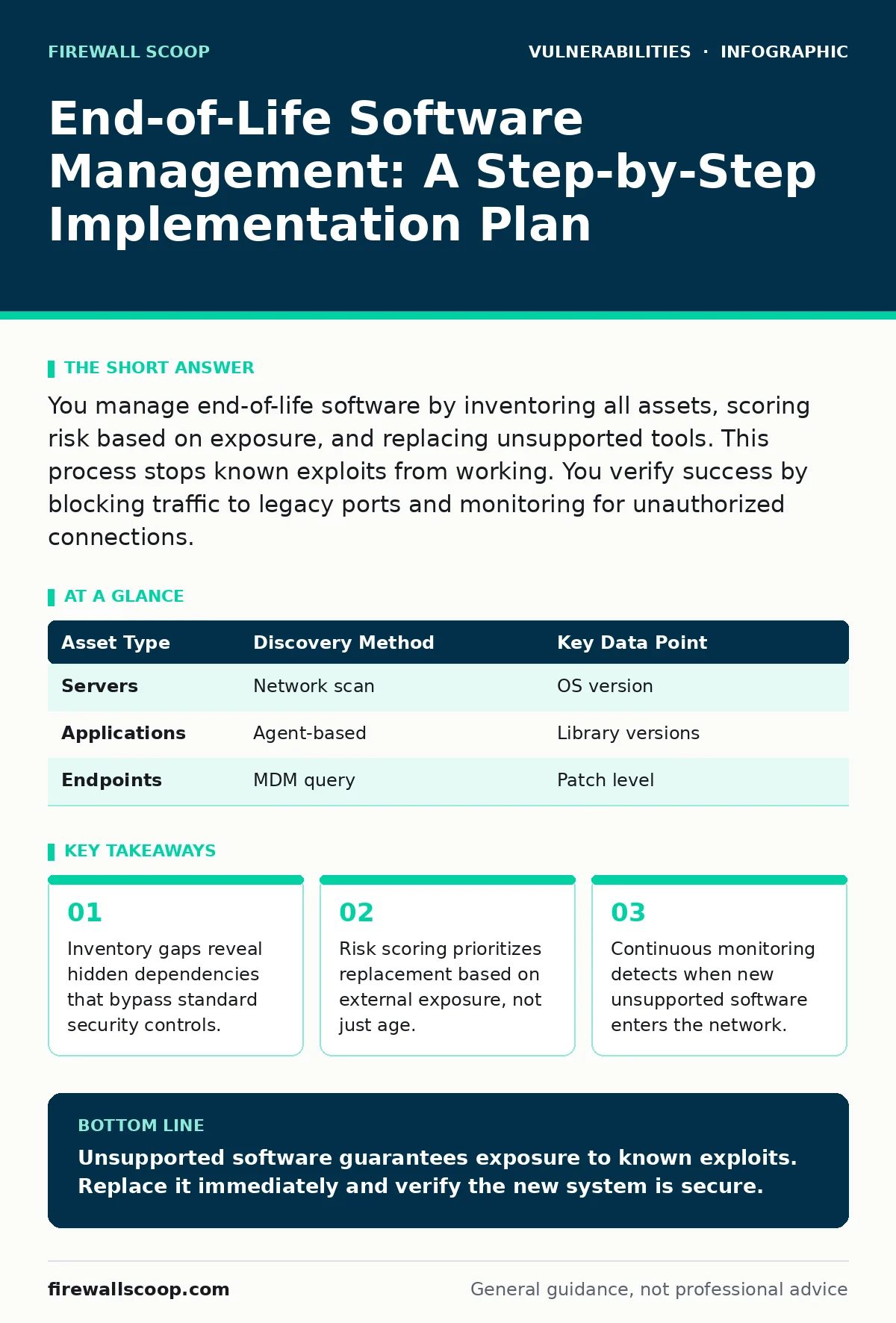
You manage end-of-life software by inventoring all assets, scoring risk based on exposure, and replacing unsupported tools. This process stops known exploits from working. You verify success by blocking traffic to legacy ports and monitoring for unauthorized connections.
Inventory Every Asset Before Planning
You cannot manage software you do not know exists. Standard asset lists often miss shadow IT or forgotten development servers. You must build a full inventory that includes operating systems, applications, and libraries. This list serves as the foundation for all subsequent decisions. Without it, you leave blind spots that attackers exploit.
Use automated discovery tools to scan your network. Manual spreadsheets become outdated within days. The inventory must record the version number and release date for every component. This data allows you to calculate the age of each item. Age alone does not indicate risk, but it triggers the review process.
| Asset Type | Discovery Method | Key Data Point |
|---|---|---|
| Servers | Network scan | OS version |
| Applications | Agent-based | Library versions |
| Endpoints | MDM query | Patch level |
Score Risk Based on Exposure
Not all unsupported software carries the same threat. A internal tool used by two people poses less risk than a public-facing web server. You must score each asset based on its network exposure and data sensitivity. This scoring determines the order of replacement. High-exposure assets require immediate action.
Consider the function of the software. Does it handle authentication? Does it process user input? If the answer is yes, the risk increases. You also need to check for known vulnerabilities. Even if the vendor stopped support, exploit code may already exist. This combination of exposure and exploitability drives your priority list.
Replace High-Risk Legacy Systems
You must replace software that reaches end-of-life. Patching is no longer an option when the vendor stops support. You cannot fix a hole if the manufacturer refuses to provide the material. Replacement involves migrating to a supported alternative. This may require rewriting integrations or changing workflows.
Plan the migration carefully. Downtime during replacement can disrupt business operations. You should test the new system in a isolated environment first. This testing ensures compatibility with existing security controls. It also reveals hidden dependencies that were not in the initial inventory.
Imagine a database server that runs an unsupported version. You migrate the data to a new instance. You then decommission the old server. This process removes the vulnerability from your environment. It also forces you to update any applications that connected to the old server.
Decommission Unused Components
Replacement is only half the battle. You must also remove the old software from your network. Leaving it powered on creates a persistent risk. Attackers scan for known default credentials and unpatched flaws. An unused server is an easy target. You must physically or logically disconnect it.
Verify that no other systems depend on the decommissioned asset. Sometimes, a forgotten script still pulls data from an old source. You need to check logs and dependencies before pulling the plug. This step prevents accidental outages. It also ensures that you do not leave backdoors open.
Verify the Implementation Works
You must confirm that the new systems are secure. Verification involves checking that the old software is gone. You also need to ensure the new software is configured correctly. Misconfigurations can introduce new risks. You should run a security audit on the new environment.
Check for open ports that were previously closed. Verify that access controls are in place. Test the application functionality to ensure no features are broken. This testing phase catches errors before attackers do. It also validates that your risk scoring was accurate.
- Confirm old software is removed from inventory.
- Verify new software has latest patches.
- Test access controls and permissions.
- Check logs for unusual activity.
Maintain Continuous Oversight
End-of-life management is not a one-time task. New software reaches end-of-life every day. You need a process to monitor the lifecycle of all assets. This process includes regular inventory updates and risk reassessments. You should automate alerts for approaching end-of-life dates.
Integrate this process with your change management procedures. Any new software addition must include an end-of-life date. This ensures that you plan for replacement from the start. It also prevents surprise emergencies. Continuous oversight keeps your attack surface small.
Address Complex Dependencies
Some systems rely on complex dependencies. These dependencies may include libraries or frameworks. You must track these components as well. A single vulnerable library can compromise the entire application. This is why software composition analysis is critical. It reveals hidden risks in third-party code.
You may encounter systems that cannot be replaced easily. These are often legacy mainframes or specialized hardware. For these cases, you must isolate them from the rest of the network. Micro-segmentation can limit the damage if they are compromised. This is a temporary fix, not a permanent solution.
| Dependency Type | Risk Level | Mitigation Strategy |
|---|---|---|
| Core Libraries | High | Software composition analysis |
| External APIs | Medium | Input validation |
| Internal Tools | Low | Network isolation |
Handle Firmware and Embedded Systems
Firmware updates are often overlooked in end-of-life management. Embedded devices run firmware that rarely gets updated. These devices can become entry points for attackers. You must include firmware in your inventory. Check for known firmware vulnerabilities regularly.
Some vendors stop supporting firmware after a few years. This leaves devices with permanent flaws. You must isolate these devices or replace them. Firmware vulnerabilities can lead to deep system compromise. They are difficult to detect and remediate. Treat them with the same seriousness as application software.
Key takeaways
- Inventory gaps reveal hidden dependencies that bypass standard security controls.
- Risk scoring prioritizes replacement based on external exposure, not just age.
- Continuous monitoring detects when new unsupported software enters the network.
Unsupported software guarantees exposure to known exploits. Replace it immediately and verify the new system is secure.
Frequently asked questions
How do I handle software that has no replacement?
Isolate the software from the network using strict access controls. Monitor it closely for any signs of compromise. Plan for eventual hardware replacement.
What is the first step in end-of-life management?
Build a complete inventory of all software and firmware. Identify the version and support status of each component. This data drives your risk assessment.
Can I patch end-of-life software?
No. End-of-life means the vendor will not provide patches. You must replace the software or isolate it. Relying on community patches is risky.
How often should I review my inventory?
Review your inventory monthly. Automate the process to ensure accuracy. Regular reviews catch new assets and expiring support dates.
How this guide was produced: written by the Firewall Scoop editorial team with AI assistance, checked against the public references listed below, and reviewed when the facts change. See our editorial policy or report an error.